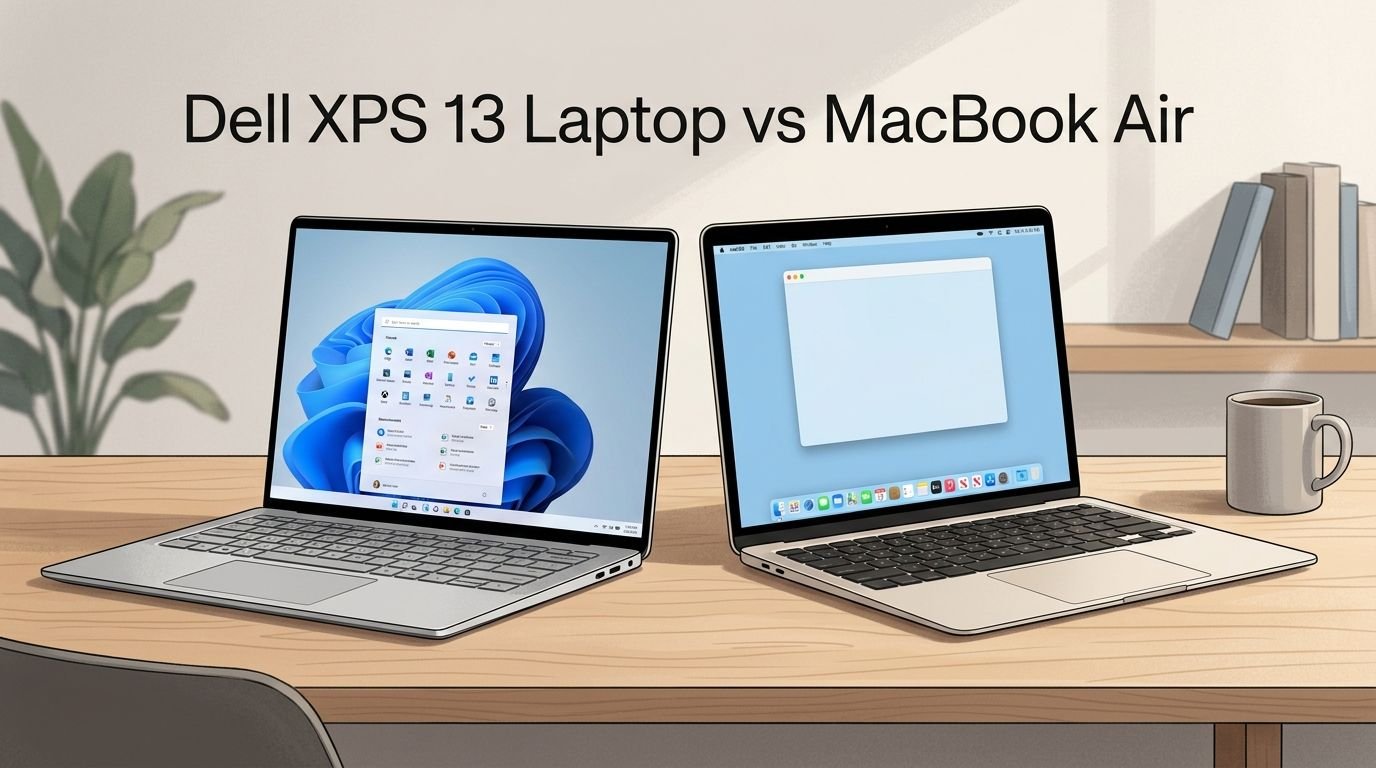
Dell XPS 13 Laptop vs MacBook Air: Who Wins?
Choosing between the Dell XPS 13 and the MacBook Air is one of the hardest decisions you can make as a laptop buyer right now. Both machines sit at the top of the ultrabook market.
They offer beautiful displays, long battery life, and razor thin designs. But they run different operating systems, use different processors, and serve slightly different types of users.
If you are a student, a remote worker, or a creative professional searching for the best portable laptop, this comparison will save you hours of research. We tested both laptops side by side and gathered the latest specs, pricing, and user reviews to help you pick the right one.
Key Takeaways
- The Dell XPS 13 (9345/9350) uses either a Qualcomm Snapdragon X Elite or an Intel Core Ultra 7 processor. It delivers strong multitasking performance and runs Windows 11. The latest model features a stunning 3K Tandem OLED display with a 120Hz refresh rate. Battery life can reach up to 20+ hours on the Snapdragon model, which is excellent for all day use away from a charger.
- The MacBook Air (M5, 2026) runs Apple’s newest M5 chip with a 10 core CPU. It starts at $1,099 for the 13 inch model. Apple claims up to 18 hours of battery life. The Liquid Retina Display is sharp and color accurate. You also get fast SSD storage starting at 512GB and seamless integration with iPhones, iPads, and other Apple devices.
- For Windows users who need app compatibility, touchscreen options, and customization freedom, the Dell XPS 13 is the better choice. For Apple ecosystem users who value silent fan free operation, macOS stability, and strong resale value, the MacBook Air wins.
- Both laptops weigh under 3 pounds, making them extremely easy to carry in a backpack or messenger bag. The MacBook Air is slightly thinner at 11.3mm, while the Dell XPS 13 measures 14.8mm.
- Pricing is competitive. The Dell XPS 13 starts around $999 for the base Snapdragon model. The MacBook Air M5 starts at $1,099. Upgrades on both machines can push the price well above $1,500.
Dell XPS 13 Laptop Overview

The Dell XPS 13 9345 is one of the most refined Windows ultrabooks you can buy today. It features a 13.4 inch FHD+ display with a 120Hz refresh rate. The Snapdragon X Elite processor provides desktop class performance with laptop level battery life.
Dell claims up to 27 hours of battery life on this model. Real world tests show around 15 to 20 hours of mixed use, which is still impressive. The laptop weighs just 2.6 pounds and measures 14.8mm thin. Build quality is solid with an aluminum chassis that feels premium.
The XPS 13 comes with 16GB or 32GB of LPDDR5X RAM. Storage options include 512GB and 1TB SSDs. Windows 11 with Copilot+ AI features makes this a strong pick for productivity users who want smart AI tools built into their workflow.
Pros:
- Outstanding battery life (up to 27 hours claimed)
- Beautiful 120Hz FHD+ InfinityEdge display
- Lightweight at just 2.6 pounds
- Copilot+ AI features built in
- Fast LPDDR5X memory
Cons:
- Limited port selection (USB C only)
- No headphone jack on newer models
- Snapdragon app compatibility can be inconsistent
- Webcam quality is average
- Fan noise under heavy load
MacBook Air (M5, 2026) Overview


The MacBook Air M5 launched in March 2026. It carries Apple’s latest M5 chip with a 10 core CPU and up to a 10 core GPU. Apple designed this chip for speed, efficiency, and AI workloads. The base model starts at $1,099 for the 13 inch version with 16GB unified memory and 512GB SSD.
The 13.6 inch Liquid Retina Display delivers 2560 x 1664 resolution at 500 nits brightness. Colors are vivid and accurate. The fanless design means this laptop stays completely silent during use.
Apple rates the battery at up to 18 hours of video playback. Real world use gives you roughly 12 to 15 hours depending on your workload. The laptop weighs around 2.7 pounds and measures just 11.3mm thin. It is one of the thinnest laptops available.
Pros:
- Completely silent fanless design
- Excellent M5 chip performance
- Up to 18 hours of battery life
- 2x faster SSD speeds compared to M4
- Strong resale value over time
Cons:
- Display is still 60Hz (no ProMotion)
- Base storage is only 512GB
- No touchscreen support
- Limited to macOS ecosystem
- RAM is not upgradeable after purchase
Design and Build Quality Comparison
Both laptops deliver premium build quality that justifies their price tags. The Dell XPS 13 uses a machined aluminum chassis with a seamless design. The keyboard area feels solid. The InfinityEdge display creates thin bezels on all four sides.
The MacBook Air M5 uses Apple’s signature recycled aluminum unibody construction. It comes in four colors: Midnight, Starlight, Silver, and Space Gray. The wedge shaped profile looks modern and elegant.
The MacBook Air is thinner at 11.3mm versus the Dell’s 14.8mm. However, the Dell XPS 13 has a slightly smaller footprint because of its 13.4 inch display versus the Air’s 13.6 inch screen. Both laptops feel solid with no flex in the keyboard deck or display hinge.
Display Quality: OLED vs Liquid Retina
The Dell XPS 13 offers two display options. The FHD+ (1920 x 1200) panel at 120Hz is the standard. The optional 3K Tandem OLED touchscreen is the highlight. It delivers deep blacks, vivid colors, and HDR support. This panel is one of the best laptop displays on the market.
The MacBook Air M5 uses a Liquid Retina IPS display at 2560 x 1664 resolution. It reaches 500 nits of brightness and supports the P3 wide color gamut. The display looks great for everyday tasks, photo editing, and video streaming.
The Dell wins on display technology if you choose the OLED option. The OLED panel produces richer contrast and true blacks that the MacBook Air’s IPS screen cannot match. However, the MacBook Air’s display is still excellent for most users. The Dell’s 120Hz refresh rate also makes scrolling and animations smoother than the Air’s 60Hz panel.
Performance and Processing Power
The Dell XPS 13 9345 uses the Qualcomm Snapdragon X Elite with 12 CPU cores. The newer 9350 model offers Intel Core Ultra 7 256V with 8 cores. Both processors handle everyday tasks like web browsing, document editing, and video calls with ease.
The MacBook Air M5 packs Apple’s M5 chip with a 10 core CPU. Apple claims this is the world’s fastest CPU core in its class. In benchmark tests, the M5 chip trades blows with both the Snapdragon X Elite and Intel Core Ultra processors.
Single core performance favors the M5 chip. Multi core workloads are closer, with the Snapdragon X Elite’s 12 cores giving it an edge in certain tasks. For most users, both laptops feel fast and responsive. Power users who run multiple apps or light video editing will notice the M5’s efficiency advantage.
Battery Life Face Off
Battery life is a critical factor for ultrabook buyers. The Dell XPS 13 9345 with the Snapdragon chip is a battery champion. Dell rates it at 27 hours. Independent tests show 15 to 20 hours of real world mixed use. This is exceptional.
The MacBook Air M5 delivers up to 18 hours of video playback per Apple’s ratings. Real world usage brings that to 12 to 15 hours. This is still very good for a fanless laptop.
The Dell XPS 13 with the Intel Core Ultra 7 processor has a shorter battery life. It manages around 10 to 14 hours in real world use. If battery life is your top priority, the Snapdragon powered Dell XPS 13 is the clear winner. The MacBook Air comes in a close second.
Keyboard and Trackpad Experience
The Dell XPS 13 has a full sized backlit keyboard with comfortable key travel. The keys feel snappy and responsive. However, some users find the function row touch bar on newer models frustrating. The trackpad is smooth and accurate with Windows Precision drivers.
The MacBook Air M5 features Apple’s Magic Keyboard with a satisfying key feel. Many reviewers consider it one of the best laptop keyboards available. The Force Touch trackpad is large, responsive, and supports gestures that make macOS navigation fast and intuitive.
Apple wins the trackpad battle by a clear margin. The Force Touch trackpad is bigger and more precise than the Dell’s. Keyboard preference is more subjective. Some users prefer the Dell’s key feel, while others favor Apple’s low profile keys.
Port Selection and Connectivity
The Dell XPS 13 provides two USB C Thunderbolt 4 ports. That is it. There is no headphone jack, no SD card slot, and no USB A port on the latest models. You will need a dongle or hub for most accessories.
The MacBook Air M5 offers two USB C Thunderbolt ports, a MagSafe 3 charging port, and a 3.5mm headphone jack. MagSafe frees up both USB C ports for peripherals. The headphone jack is a welcome addition that the Dell lacks.
The MacBook Air wins here. Having MagSafe for charging plus a headphone jack gives you more practical connectivity without adapters. Both laptops support Wi-Fi 7 and Bluetooth 5.3 for fast wireless connections.
Software and Ecosystem
The Dell XPS 13 runs Windows 11 with Microsoft Copilot+ AI features. Windows gives you access to a massive library of software. You can run industry standard apps like Adobe Creative Suite, Microsoft Office, and thousands of games. The Snapdragon model may have occasional app compatibility issues with legacy x86 software.
The MacBook Air M5 runs macOS Sequoia with Apple Intelligence AI features. macOS is known for its stability, security, and smooth performance. If you own an iPhone, iPad, or Apple Watch, the MacBook Air integrates with them seamlessly through AirDrop, Handoff, and Universal Clipboard.
Your choice depends on your existing devices. Windows users who rely on specific software should stick with the Dell. Apple ecosystem users will find the MacBook Air’s integration hard to beat.
Webcam and Audio Quality
The Dell XPS 13 has a 1080p webcam that produces decent video quality for calls. Audio output comes from two speakers that sound clear but lack bass. The laptop supports Dolby Atmos for a better media experience through headphones.
The MacBook Air M5 features a 12MP Center Stage camera with smart framing that keeps you centered during video calls. The four speaker sound system with Spatial Audio is impressive for a laptop this thin. Sound quality is richer, louder, and more immersive than the Dell’s.
Apple wins on both webcam and audio. The 12MP camera with Center Stage is a significant upgrade over the Dell’s 1080p webcam. The four speaker system with Spatial Audio sounds notably better for movies, music, and calls.
Pricing and Value for Money
The Dell XPS 13 9345 starts at around $999 for the Snapdragon X Plus model with 16GB RAM and 512GB SSD. The higher end Snapdragon X Elite model with 32GB RAM and 1TB SSD costs around $1,499. The Intel Core Ultra 9 model with a 3K OLED display can reach $2,349.
The MacBook Air M5 starts at $1,099 for the 13 inch model with 16GB unified memory and 512GB SSD. Upgrading to 24GB memory and 1TB SSD brings the price to around $1,499. Amazon often offers discounts of $50 to $80 on these models.
The Dell XPS 13 offers a lower entry price. The MacBook Air holds its resale value better over time. Both laptops represent strong value at their respective price points.
Who Should Buy the Dell XPS 13?
The Dell XPS 13 is perfect for Windows power users who need flexibility. If you rely on Windows specific software, prefer a touchscreen option, or want the best battery life in a laptop, the Dell is your pick.
Business professionals who use Microsoft 365 and Teams daily will appreciate the Copilot+ AI integration. Students on a tighter budget can grab the base model for under $1,000. The OLED display option also makes this a great choice for content consumers who want the best visual experience.
Who Should Buy the MacBook Air?
The MacBook Air M5 is ideal for Apple ecosystem users who want a fast, silent, and reliable laptop. If you already own an iPhone and use iCloud, the MacBook Air fits into your digital life perfectly.
Creative professionals who use Final Cut Pro, Logic Pro, or GarageBand will love the M5 chip’s performance. The fanless design makes it perfect for recording audio or working in quiet spaces like libraries. The MacBook Air also holds its value well if you plan to sell or trade it in after a few years.
Frequently Asked Questions
Is the Dell XPS 13 better than the MacBook Air for college students?
Both laptops work well for college. The Dell XPS 13 offers a lower starting price and Windows compatibility with most academic software. The MacBook Air provides better battery efficiency and a silent design for library study sessions. Your choice depends on whether your school requires Windows specific programs.
Does the MacBook Air M5 have a touchscreen?
No. The MacBook Air M5 does not have a touchscreen. Apple does not offer touchscreen displays on any MacBook model. If you need a touchscreen, the Dell XPS 13 with the OLED display option supports touch input.
Can the Dell XPS 13 run macOS?
No. The Dell XPS 13 cannot officially run macOS. Apple restricts macOS to its own hardware. If you want macOS, you must buy a Mac.
Which laptop has better battery life, Dell XPS 13 or MacBook Air?
The Dell XPS 13 with the Snapdragon X Elite processor has the longer battery life at 15 to 20 hours of real world use. The MacBook Air M5 delivers 12 to 15 hours. Both last a full workday on a single charge.
Is the MacBook Air M5 worth the upgrade from the M4 model?
The M5 chip offers faster CPU performance and 2x faster SSD speeds compared to the M4. If you already own an M4 MacBook Air, the upgrade is modest. If you are coming from an M1 or M2 model, the M5 is a significant improvement.
Which laptop is better for video editing?
The MacBook Air M5 is better for video editing with Final Cut Pro. The Dell XPS 13 handles Adobe Premiere Pro well but may struggle with very long 4K timelines due to its integrated graphics. Neither laptop replaces a dedicated workstation for heavy video production.