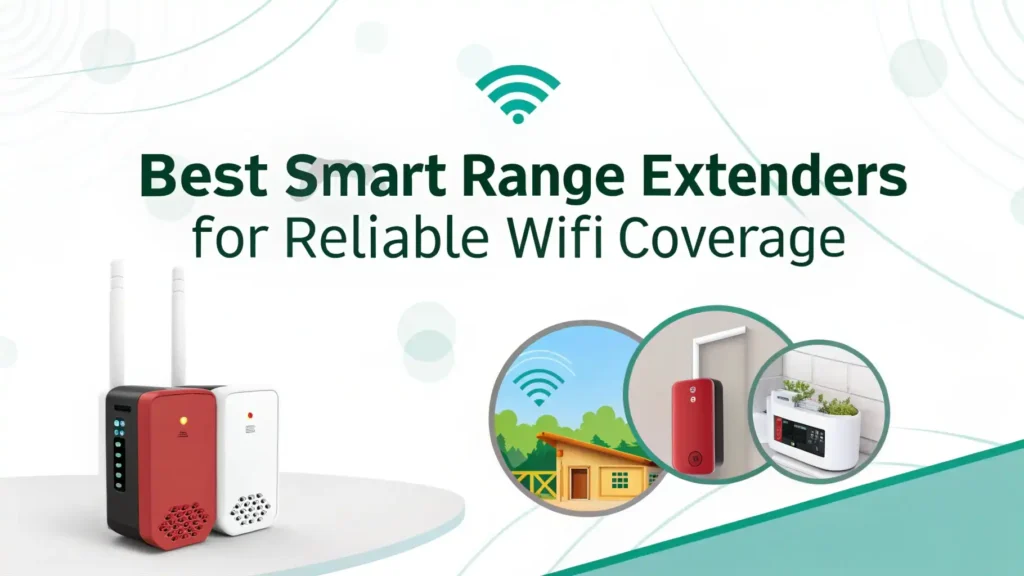
7 Best Smart Range Extenders for Reliable WiFi Coverage in 2026
Are you tired of losing your WiFi signal when you walk into certain rooms of your home? Dead zones can be frustrating, especially when you need to attend an important video call, stream your favorite show, or finish work from home.
Your router might be excellent, but it cannot reach every corner of your house. This is where smart range extenders come to the rescue.
This guide will walk you through the seven best smart range extenders you can buy on Amazon right now. Whether you have a small apartment or a large home, these devices will help you eliminate dead zones and enjoy seamless internet coverage throughout your space.
Key Takeaways
- Coverage Matters: Choose a range extender that matches your home size. Most modern extenders cover between 1,500 to 2,400 square feet, which works well for medium to large homes.
- WiFi 6 is the Standard: WiFi 6 extenders offer faster speeds and better performance compared to older WiFi 5 models. They handle multiple devices better and reduce lag during heavy usage.
- Dual Band Technology: Look for extenders with dual band support (2.4GHz and 5GHz). The 2.4GHz band offers better range, while the 5GHz band provides faster speeds for streaming and gaming.
- Easy Setup is Essential: Modern extenders feature one-tap setup or simple app-based installation. You should not need technical knowledge to get your extender running.
- Ethernet Ports Add Flexibility: Extenders with Gigabit Ethernet ports let you connect wired devices like gaming consoles, smart TVs, or desktop computers for more stable connections.
- Mesh Compatibility: If you plan to expand your network in the future, choose extenders that support mesh networking or systems like OneMesh and EasyMesh.
TP-Link AC1200 WiFi Extender (RE315)

The TP-Link RE315 is one of the most popular budget-friendly extenders on Amazon in 2026. This device offers AC1200 speeds, which means you get up to 1.2Gbps combined speed across both bands. It covers up to 1,500 square feet and supports up to 30 devices at once.
What makes this extender special is its incredibly simple setup. You just plug it in, press the WPS button on your router, and the extender connects automatically. If your router does not have WPS, you can use the Tether app on your phone to set it up in minutes. The device also features one Gigabit Ethernet port, which is perfect for connecting a gaming console or smart TV.
The RE315 supports OneMesh technology, which means it can work seamlessly with compatible TP-Link routers to create a unified mesh network. This ensures smooth roaming as you move around your home without any disconnections.
Pros:
Affordable price point perfect for budget buyers
Dual band technology for better performance
OneMesh compatible for seamless mesh networking
One Gigabit Ethernet port for wired connections
Simple setup with app or WPS button
Cons:
Limited to WiFi 5 technology, not WiFi 6
Coverage may not be enough for very large homes
Speeds drop when many devices connect simultaneously
TP-Link AX3000 WiFi 6 Range Extender (RE715X)

The TP-Link RE715X takes things up a notch with WiFi 6 technology. This extender delivers speeds up to 3Gbps and covers up to 2,400 square feet. It can handle up to 64 devices at once, making it perfect for smart homes with many connected gadgets.
WiFi 6 brings several benefits over older standards. You get faster speeds, lower latency, and better performance when multiple devices are connected. This extender uses OFDMA and MU-MIMO technology to serve multiple devices simultaneously without slowdowns.
The RE715X features a Gigabit Ethernet port for wired connections. You can also use it in Access Point mode to create a new WiFi network from a wired connection. The device supports EasyMesh, which means it works with other EasyMesh-compatible devices to create a unified network.
PCMag awarded this device their Editor’s Choice recognition, praising its excellent performance and reliable coverage.
Pros:
WiFi 6 technology for future proof performance
Covers up to 2,400 square feet with strong signal
Supports 64 devices with minimal lag
OFDMA and MU-MIMO for efficient multi device handling
EasyMesh compatible for flexible network expansion
Cons:
Higher price compared to WiFi 5 models
Larger size requires more outlet space
Setup can be slightly more complex for beginners
TP-Link RE615X AX1800 WiFi 6 Range Extender

The TP-Link RE615X offers a middle ground between budget and premium options. It supports WiFi 6 with speeds up to 1.8Gbps and covers approximately 2,100 square feet. This extender can handle up to 64 devices, making it suitable for families with multiple smartphones, tablets, and smart home devices.
What stands out about the RE615X is its excellent value for money. You get WiFi 6 performance at a price that does not break the bank. The device features intelligent signal indicator lights that help you find the optimal placement location. When the light is green, you have placed it in the perfect spot.
The extender includes a Gigabit Ethernet port and supports both Range Extender and Access Point modes. You can also create a separate guest network for visitors without giving them access to your main network.
Pros:
Great balance between price and performance
WiFi 6 support for modern devices
Covers large areas up to 2,100 square feet
Smart LED indicators for optimal placement
Supports guest network for added security
Cons:
Not as fast as the RE715X model
May require firmware updates for best performance
No USB port for shared storage
NETGEAR WiFi 6 Mesh Range Extender (EAX15)

The NETGEAR EAX15 brings WiFi 6 mesh capabilities to your home network. This extender supports AX1800 speeds and adds up to 1,500 square feet of coverage. It can connect up to 20 devices with stable performance.
The standout feature here is the One WiFi Name functionality. When you connect the EAX15 to a compatible NETGEAR router, your devices will see only one network name. As you move around your home, your phone or laptop will automatically connect to whichever unit provides the stronger signal. This creates a seamless roaming experience similar to professional mesh systems.
The EAX15 features WPA3 security, which is the latest WiFi security standard. This provides better protection against hackers and unauthorized access. The device also has four Gigabit Ethernet ports, which is more than most extenders offer.
Pros:
True mesh networking with One WiFi Name
Four Gigabit Ethernet ports for multiple wired devices
WPA3 security for enhanced protection
Seamless roaming between router and extender
Compact wall plug design saves space
Cons:
More expensive than basic extenders
Requires NETGEAR router for full mesh features
Setup can be confusing for first time users
Mixed customer reviews on reliability
Linksys WiFi Extender (RE7000)

The Linksys RE7000 is a WiFi 5 extender that delivers AC1900 speeds. It covers up to 2,500 square feet, which is impressive for its price range. This device is perfect for larger homes where you need extended coverage.
The RE7000 features MU-MIMO technology, which allows it to communicate with multiple devices at the same time. This reduces wait times and improves overall network efficiency. The device also has Beamforming technology, which focuses the WiFi signal directly to your connected devices rather than broadcasting in all directions.
Setup is straightforward using the Linksys app. The app guides you through placement optimization and shows you the signal strength at different locations. You can also use the extender in Bridge mode to connect wired devices to your wireless network.
Pros:
Excellent coverage up to 2,500 square feet
MU-MIMO and Beamforming for better performance
Simple setup with guided app
Attractive design that blends with home decor
Bridge mode for flexible configurations
Cons:
Uses older WiFi 5 technology
No WiFi 6 support limits future compatibility
Customer reviews mention occasional connectivity drops
Higher price for WiFi 5 technology
NETGEAR AC2200 Mesh Range Extender (EX7300)

The NETGEAR EX7300 is a powerful tri-band extender that supports AC2200 speeds. It covers up to 2,300 square feet and can handle up to 40 devices. This makes it ideal for busy households with multiple users and smart home gadgets.
The tri-band design is what sets this extender apart. While most extenders use two bands (2.4GHz and 5GHz), the EX7300 adds a dedicated backhaul band. This third band is used exclusively for communication between your router and the extender. Your devices still connect to the two main bands, which means you get faster speeds and less congestion.
The device supports Mesh Smart Roaming, which works with compatible NETGEAR routers to create a unified mesh network. It also features four Gigabit Ethernet ports for wired connections.
Pros:
Tri-band technology with dedicated backhaul
Covers large areas up to 2,300 square feet
Four Ethernet ports for wired devices
Mesh Smart Roaming for seamless connectivity
Supports up to 40 devices simultaneously
Cons:
Expensive compared to dual-band models
Large size requires significant outlet space
Older WiFi 5 technology, not WiFi 6
Mixed reviews on long-term reliability
Amazon eero 6 Mesh WiFi Extender

The Amazon eero 6 is not just an extender but a complete mesh system component. This device adds up to 1,500 square feet of WiFi 6 coverage to your existing eero network. It supports internet plans up to 500 Mbps and can connect to 75+ devices when used with other eero units.
The eero system is known for its incredibly simple setup. You download the eero app, scan a QR code on the device, and follow the on-screen instructions. The entire process takes less than 10 minutes. The app also provides advanced features like parental controls, guest networks, and subscription-based security services.
One important note: this device requires an existing eero router to function. You cannot use it as a standalone extender with other router brands. However, if you are already in the eero ecosystem or planning to switch, this is an excellent way to expand your coverage.
Pros:
True mesh system with seamless roaming
WiFi 6 support for modern devices
Incredibly simple setup process
Advanced features through eero app
Automatic updates keep system secure
Cons:
Requires existing eero router to work
More expensive than standalone extenders
No Ethernet ports for wired connections
Advanced features require paid subscription
How to Choose the Right Smart Range Extender for Your Home
Choosing the right extender depends on several factors. First, measure your home and identify where dead zones exist. This helps you determine how much additional coverage you need. Most extenders list their coverage area in square feet.
Second, consider your internet speed. If you have a gigabit internet plan, you need an extender that can handle high speeds. WiFi 6 extenders like the TP-Link RE715X work best for fast internet connections.
Third, count your connected devices. Modern homes have dozens of connected gadgets including smartphones, tablets, laptops, smart speakers, security cameras, and smart appliances. Make sure your extender can handle your device count.
Finally, think about future needs. WiFi 6 is the current standard, but WiFi 7 is already arriving in 2026. Investing in a WiFi 6 extender ensures your device stays relevant for several years.
Understanding WiFi 6 Technology and Why It Matters
WiFi 6, also known as 802.11ax, is the latest wireless standard. It offers several improvements over WiFi 5 (802.11ac). The most important benefit is increased speed. WiFi 6 can theoretically reach speeds up to 9.6Gbps, though real-world speeds are lower.
WiFi 6 also introduces OFDMA (Orthogonal Frequency Division Multiple Access). This technology allows your router to send data to multiple devices in a single transmission. Think of it like a delivery truck that can drop off packages to several houses in one trip instead of making individual trips.
Another key feature is Target Wake Time (TWT). This helps battery-powered devices like smartphones and smart home sensors conserve energy by scheduling when they wake up to send and receive data.
For range extenders, WiFi 6 means better performance in crowded environments. If you live in an apartment building where many WiFi networks overlap, WiFi 6 handles interference more effectively.
Installation Tips for Maximum Performance
Placement is critical for range extender performance. The best location is halfway between your router and the dead zone. Place the extender too close to your router, and it will not reach the problem area. Place it too far away, and it will receive a weak signal to rebroadcast.
Use the signal strength indicators on your extender to find the optimal spot. Most devices have LED lights that change color based on signal quality. Green usually means excellent placement, while red indicates poor signal.
Avoid physical obstructions like thick walls, metal objects, and large appliances. These materials block WiFi signals. If possible, place your extender in an open area with minimal barriers.
Update the firmware after installation. Manufacturers regularly release updates that improve performance and fix bugs. Most modern extenders can update automatically through their apps.
Common Problems and Solutions
Problem: Slow speeds after installing extender. This often happens when the extender is placed too far from the router. Move it closer until you achieve better signal strength. Also, make sure you are connecting to the 5GHz band for faster speeds.
Problem: Devices keep disconnecting. This might indicate interference from other WiFi networks or electronic devices. Try changing the WiFi channel in your extender settings. Channels 1, 6, and 11 typically work best for 2.4GHz.
Problem: Cannot connect to extender network. Restart both your router and extender. Unplug them for 30 seconds, then plug them back in. If the problem persists, perform a factory reset on the extender and set it up again.
Problem: Extender shows good signal but internet is slow. Check your internet plan speed. If you have a slow internet connection, the extender cannot make it faster. Also, verify that many devices are not downloading large files simultaneously.
FAQs
What is the difference between a WiFi extender and a mesh system?
A WiFi extender connects to your existing router and rebroadcasts the signal. You typically see two network names: one from your router and one from the extender. Extenders are affordable and easy to add to any router.
A mesh system consists of multiple units that work together as one unified network. You see only one network name, and your devices automatically connect to the strongest signal as you move around. Mesh systems cost more but provide better performance and seamless roaming.
Some modern extenders, like the NETGEAR EAX15 and TP-Link RE715X, support mesh features when paired with compatible routers. This gives you mesh-like benefits without buying an entire new system.
Can I use multiple range extenders in my home?
Yes, you can use multiple range extenders, but there are important considerations. Each additional extender can reduce overall network speed because the signal gets rebroadcasted multiple times. This creates what is called hop penalty.
If you need to cover a very large area, a mesh system might work better than multiple extenders. Mesh systems are designed to work together efficiently without the same performance degradation.
However, if you only have one or two specific dead zones, using multiple extenders can work well. Just make sure to place them strategically and avoid creating a chain where one extender relies on another extender’s signal.
How often should I replace my WiFi range extender?
Technology updates are the main reason to replace your extender. If you have a WiFi 5 extender and recently upgraded to a WiFi 6 router, you might want to upgrade your extender too. This ensures you get the full benefits of your new router.
Most extenders last 3 to 5 years with regular use. Physical failure is rare, but firmware support may stop after several years. When manufacturers stop providing updates, your device becomes vulnerable to security issues.
If you notice declining performance, frequent disconnections, or difficulty connecting new devices, these are signs that an upgrade might be necessary. Modern extenders handle more devices and provide better security than older models.
Do WiFi extenders work with all routers?
Yes, WiFi extenders work with virtually all routers. They use standard WiFi protocols, which means they can connect to any router regardless of brand. You do not need to match your extender brand with your router brand in most cases.
However, some advanced features require matching brands. For example, NETGEAR’s One WiFi Name feature only works with NETGEAR routers. TP-Link’s OneMesh requires a compatible TP-Link router. The Amazon eero extender only works with eero routers.
If you want basic range extension without advanced mesh features, any extender will work with any router. Just make sure the extender supports the same WiFi standards (WiFi 5, WiFi 6) as your router for best performance.