7 Best Smart IoT Hubs for Multiple Devices in 2026: Complete Guide
Building a smart home in 2026 has never been easier, but choosing the right smart IoT hub can feel overwhelming. You need a central command center that brings all your devices together.
Your smart lights, thermostats, security cameras, and door locks should work seamlessly. A quality smart home hub makes this happen.
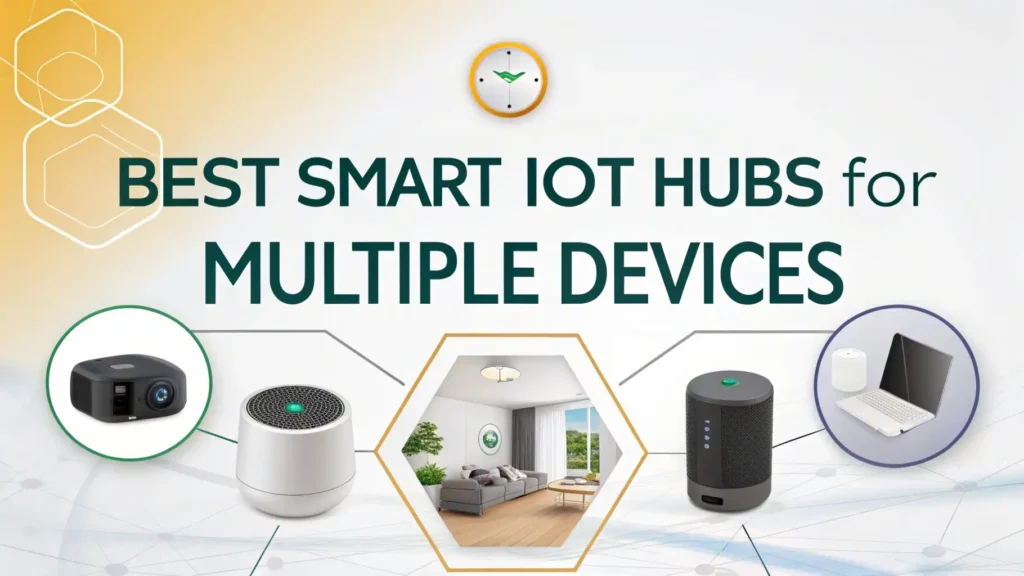
This guide explores the seven best smart IoT hubs available on Amazon in 2026. Each hub supports multiple devices and protocols.
Key Takeaways:
- Matter Protocol Support is changing everything in 2026. This universal standard allows devices from different brands to work together effortlessly. You no longer need to worry about compatibility issues between your smart devices.
- Multi Protocol Support matters more than ever. The best hubs support Zigbee, Z-Wave, WiFi, Bluetooth, and Matter. This gives you maximum flexibility when choosing smart home devices.
- Voice Assistant Integration is essential for hands-free control. Top hubs work with Amazon Alexa, Google Assistant, and Apple HomeKit. You can control everything with simple voice commands.
- Local Processing Capabilities improve speed and reliability. Hubs that process commands locally work even when your internet goes down. This ensures your smart home stays functional during outages.
- Display Options add visual control. Smart displays let you see camera feeds, adjust settings, and control devices with touch. This makes managing your smart home more intuitive and convenient.
Aeotec Smart Home IoT Hub: Best Overall Multi Protocol Hub

The Aeotec Smart Home Hub stands as the most versatile option for 2026. This hub works as a SmartThings hub and supports multiple protocols. You get Z-Wave, Zigbee, and Matter support all in one device. The hub connects seamlessly with Alexa and Google Assistant. You can control hundreds of devices from different manufacturers.
This hub excels at local processing, which means faster response times. Your automations run smoothly without cloud delays. The setup process takes just minutes.
You simply plug it in, download the SmartThings app, and start adding devices. The compact design fits anywhere in your home. Many users appreciate the reliable connection and strong signal strength.
The Aeotec hub supports advanced automation rules. You can create complex scenarios that trigger multiple devices. Temperature sensors can control your thermostat.
Motion detectors can turn on lights and adjust camera settings. The possibilities feel endless. This hub handles up to 200 devices simultaneously. Your smart home can grow without switching hubs.
Pros:
✓ Supports Z-Wave, Zigbee, and Matter protocols
✓ Works as official SmartThings hub
✓ Strong local processing capabilities
✓ Compatible with Amazon Alexa and Google Assistant
✓ Reliable connection with 200+ device capacity
Cons:
✗ Higher price point than basic hubs
✗ Requires separate display for visual control
✗ Learning curve for advanced features
Amazon Echo Hub: Best Smart Display Control Panel


The Amazon Echo Hub brings visual control to your smart home. This 8-inch touchscreen display serves as your command center. You can see all your devices at a glance. The interface shows room-by-room layouts of your connected devices. Touch controls make adjustments quick and easy.
Alexa integration works flawlessly with this hub. Voice commands control everything instantly. The display shows camera feeds from your security cameras. You can answer video doorbells right from the screen. Weather updates, calendars, and reminders appear alongside your smart home controls.
This hub supports thousands of compatible devices through WiFi and Matter. The customizable dashboard lets you prioritize your most-used controls.
You can create shortcuts for common actions. One tap can activate your “good morning” routine. The hub mounts on the wall or sits on a counter. Built-in speakers provide decent audio quality for music and announcements.
Pros:
✓ Intuitive 8-inch touchscreen display
✓ Seamless Alexa voice control
✓ Visual camera feed viewing
✓ Customizable dashboard layouts
✓ Wall mountable design
Cons:
✗ Limited to WiFi and Matter protocols
✗ No Z-Wave or Zigbee support
✗ Requires stable internet connection
Hubitat Elevation C-8 Pro: Best for Advanced Users

The Hubitat Elevation C-8 Pro targets power users who want complete control. This hub processes everything locally without cloud dependency.
Your automations run lightning fast. Internet outages don’t affect your smart home functionality. Privacy enthusiasts love this feature.
The C-8 Pro supports an impressive range of protocols. Zigbee, Z-Wave, Matter, and even Aqara devices work perfectly. You can integrate with Alexa, Google Home, and Apple HomeKit simultaneously. The hub offers advanced automation capabilities. You can write custom rules using a visual interface or code.
Setup requires more technical knowledge than other hubs. You access the hub through a web browser on your computer or phone. The interface provides deep customization options.
You control update schedules, backup settings, and security features. The community support is excellent. Forums offer solutions and custom app integrations. This hub suits those who want maximum flexibility and control.
Pros:
✓ Complete local processing without cloud dependency
✓ Supports Zigbee, Z-Wave, Matter, and more
✓ Works with Alexa, Google Home, and HomeKit
✓ Advanced automation capabilities
✓ Strong privacy protection
Cons:
✗ Steep learning curve for beginners
✗ No built-in display
✗ Higher price point
Samsung SmartThings Station: Best Wireless Charging Hub

The Samsung SmartThings Station combines dual functionality brilliantly. This device serves as both a smart home hub and a 15W wireless charger. You can charge your phone while controlling your entire smart home. The sleek black design looks modern on any nightstand or desk.
This hub works as a SmartThings controller with excellent app support. The SmartThings app provides intuitive control over all your devices.
You can create routines, check device status, and receive notifications. Zigbee and Matter support ensures broad device compatibility. Voice control works through Alexa, Google Assistant, or Bixby.
The charging pad delivers super fast wireless charging for compatible Samsung devices. Other Qi-compatible phones charge at standard speeds.
The hub processes commands locally for quick responses. You can control lights, locks, thermostats, and sensors effortlessly. The compact size saves counter space while adding functionality.
Pros:
✓ Dual function as hub and wireless charger
✓ Sleek, modern design
✓ SmartThings app integration
✓ Supports Zigbee and Matter
✓ Multiple voice assistant options
Cons:
✗ No Z-Wave support
✗ Limited device capacity compared to larger hubs
✗ Charging speeds vary by device
Aqara Hub M3: Best for Advanced Automation

The Aqara Hub M3 delivers professional-grade features at a reasonable price. This hub serves as a Matter controller and Thread border router. You get Zigbee, Bluetooth, WiFi, and even infrared control. The IR feature lets you control non-smart devices like older TVs and air conditioners.
The M3 supports Power over Ethernet (PoE), which eliminates the need for separate power adapters. One cable provides both power and network connection. This creates a cleaner installation with fewer wires. The hub works with Apple HomeKit, Alexa, Google Home, SmartThings, and Home Assistant.
Advanced users appreciate the extensive automation options. You can create complex scenes that involve multiple protocols. Zigbee motion sensors can trigger WiFi cameras and IR-controlled air conditioners.
The Aqara app offers both simple and advanced modes. Beginners can use templates while experts create custom automations. Cloud and local control options provide flexibility.
Pros:
✓ Supports multiple protocols including IR
✓ Power over Ethernet option
✓ Matter controller and Thread border router
✓ Works with major platforms
✓ Excellent automation capabilities
Cons:
✗ Setup can be complex
✗ App interface takes time to master
✗ Higher price than basic hubs
Google Nest Hub Max: Best Smart Display with Camera

The Google Nest Hub Max features a stunning 10-inch display that dominates any room. This smart display shows your smart home controls in beautiful clarity. The built-in camera enables video calls and home monitoring. Face Match technology recognizes family members and personalizes information.
Google Assistant integration feels incredibly natural. Voice commands work reliably for controlling devices, playing music, and answering questions.
The display shows recipes while you cook, streams YouTube videos, and displays photos. Smart home controls appear with a simple swipe. You can adjust thermostats, view doorbell cameras, and control lights.
The built-in camera works as a Nest security camera when you’re away. Motion detection sends alerts to your phone. You can check in on pets or see package deliveries.
Privacy controls include a physical camera shutter. The speakers deliver impressive sound quality for a display this size. Music, podcasts, and voice responses sound clear and full.
Pros:
✓ Large 10-inch display
✓ Built-in camera for video calls and monitoring
✓ Excellent Google Assistant integration
✓ High-quality speakers
✓ Face Match personalization
Cons:
✗ Limited to WiFi and Matter devices
✗ No Zigbee or Z-Wave support
✗ Privacy concerns with always-on camera
Echo Dot Max: Best Budget Hub with Built-In Functions

The Echo Dot Max proves that great hubs don’t need high prices. This newest model includes a built-in smart home hub. You get Matter and Thread support in a compact speaker. The sound quality improved dramatically over previous generations. Room-filling audio makes this perfect for music and voice responses.
Alexa control works exactly as expected. Voice commands feel responsive and accurate. The hub connects to your smart lights, plugs, thermostats, and more.
Setup takes just minutes through the Alexa app. You can create routines that automate your daily activities. Morning routines can gradually increase lights and start your coffee maker.
The compact size fits anywhere in your home. Place it on a nightstand, kitchen counter, or office desk. The fabric exterior looks stylish in any room.
Multiple color options let you match your decor. Despite the small size, this hub handles multiple devices reliably. Budget-conscious buyers get impressive functionality without compromising quality.
Pros:
✓ Affordable price point
✓ Built-in smart home hub
✓ Improved sound quality
✓ Compact, stylish design
✓ Quick and easy setup
Cons:
✗ No display for visual control
✗ Limited protocol support
✗ Smaller device capacity
Understanding Smart Home Protocols in 2026
Smart home protocols determine how your devices communicate. Matter has revolutionized compatibility in 2026. This universal standard allows devices from different brands to work together seamlessly. You no longer face compatibility headaches when mixing brands.
Zigbee and Z-Wave remain important for many devices. These protocols offer excellent range and low power consumption.
Sensors, switches, and battery-powered devices often use these standards. WiFi connects higher-powered devices like cameras and displays. Bluetooth handles short-range connections for smartphones and tablets.
Thread protocol works alongside Matter to create mesh networks. Devices communicate with each other, extending range throughout your home. Understanding these protocols helps you choose compatible devices. Most modern hubs support multiple protocols. This flexibility future-proofs your smart home investment.
Setting Up Your Smart Home Hub
Getting started with your new hub takes minimal time and effort. First, choose a central location with good WiFi coverage. Plug in your hub and download the companion app. Most apps guide you through setup with clear instructions. You’ll connect the hub to your WiFi network.
Next, start adding devices one by one. The app typically has an “Add Device” button. Follow the specific pairing instructions for each device. Some devices need to be reset before pairing. Others connect automatically when powered on. Label devices clearly in the app. Use room names and device types for easy identification.
Create automation routines after adding devices. Start simple with time-based actions. Lights can turn on at sunset. Thermostats can adjust when you leave home. Gradually add complexity as you learn the system. Test each automation to ensure it works correctly.
Maximizing Your Smart Hub Investment
Your smart hub becomes more valuable over time. Regular updates add new features and improve performance. Enable automatic updates to stay current. Explore the app regularly to discover new capabilities. Manufacturers often add features through software updates.
Expand your system strategically. Add devices based on real needs rather than impulse. Start with frequently used areas like living rooms and bedrooms. Focus on devices that provide genuine convenience or savings. Smart thermostats reduce energy bills. Smart locks enhance security.
Join online communities for tips and troubleshooting help. Forums and social media groups offer valuable insights. Other users share automation ideas and solve common problems. Community support makes your smart home journey more enjoyable and successful.
Smart Home Security Considerations
Security matters when connecting devices to your network. Use strong, unique passwords for all accounts. Enable two-factor authentication whenever available. This adds an extra security layer against unauthorized access. Regular password updates improve protection.
Keep your hub and devices updated with the latest firmware. Updates often include security patches. Check for updates monthly or enable automatic updates. Secure your home WiFi network with WPA3 encryption. Use a strong router password different from default settings.
Consider creating a separate network for smart home devices. Many routers support guest networks. This isolates smart devices from computers and phones. If a device gets compromised, your personal data stays protected. Regular security audits help identify vulnerabilities.
Future-Proofing Your Smart Home
Technology evolves quickly, but smart choices ensure longevity. Choose hubs with Matter support for maximum compatibility. Matter devices work across different ecosystems. You can switch voice assistants without replacing devices. This flexibility protects your investment.
Select hubs with active development and support. Regular updates indicate manufacturer commitment. Check review sites for update frequency. Strong community support extends hub lifespan. Popular hubs receive third-party integrations and custom apps.
Plan for gradual expansion rather than complete overhauls. Quality hubs support hundreds of devices. You can add rooms and features over time. Start with essential areas and expand as needs change. This approach spreads costs while building a comprehensive system.
Common Mistakes to Avoid
Don’t overcomplicate your initial setup. Start with basic devices and simple automations. Complex systems overwhelm beginners. Build confidence with easy wins before tackling advanced features. Gradually increase complexity as you learn.
Avoid mixing too many ecosystems unnecessarily. Stick with one or two main platforms. Too many apps create confusion and management headaches. Matter helps bridge different brands within one ecosystem. Choose compatible devices when possible.
Never ignore device placement. Hub location affects performance significantly. Central locations provide best coverage. Avoid placing hubs near thick walls or metal objects. Test signal strength in different locations. Good placement prevents connection issues and frustration.
Frequently Asked Questions
What makes a smart home hub different from a smart speaker?
A smart home hub includes specialized hardware for device communication. Regular smart speakers only use WiFi. Hubs support protocols like Zigbee, Z-Wave, and Thread. This allows connection to more device types. Smart speakers with built-in hubs combine both functions.
Can I use multiple hubs in one home?
Yes, multiple hubs can work together effectively. Different hubs may control different device types. Some users combine hubs for redundancy. Ensure hubs don’t interfere with overlapping protocols. Most modern systems handle multiple hubs without issues.
Do smart home hubs work without internet?
Many hubs offer local processing capabilities. Basic functions continue during internet outages. Voice control through the cloud requires internet. Local automations and manual controls work offline. Check hub specifications for offline functionality details.
How many devices can one hub handle?
Device capacity varies by hub model. Basic hubs support 50 to 100 devices. Advanced hubs handle 200 or more. Consider your current needs plus future expansion. Most homes function well with mid-range capacity hubs.
Are smart home hubs difficult to set up?
Modern hubs prioritize ease of use. Setup typically takes 15 to 30 minutes. Companion apps guide you through each step. Basic technical knowledge helps but isn’t required. Most users successfully complete setup without assistance.
What happens if my hub manufacturer stops support?
Choose hubs from established companies with strong track records. Matter support provides additional protection. Matter devices work with different hubs. Community support often continues after official support ends. Popular hubs receive third-party firmware and integrations.
Can I control my smart home when away from home?
Yes, remote access works through companion apps. Your hub must stay connected to the internet. Cloud services enable control from anywhere. Security features like two-factor authentication protect remote access. Check data plans if using cellular connections frequently.