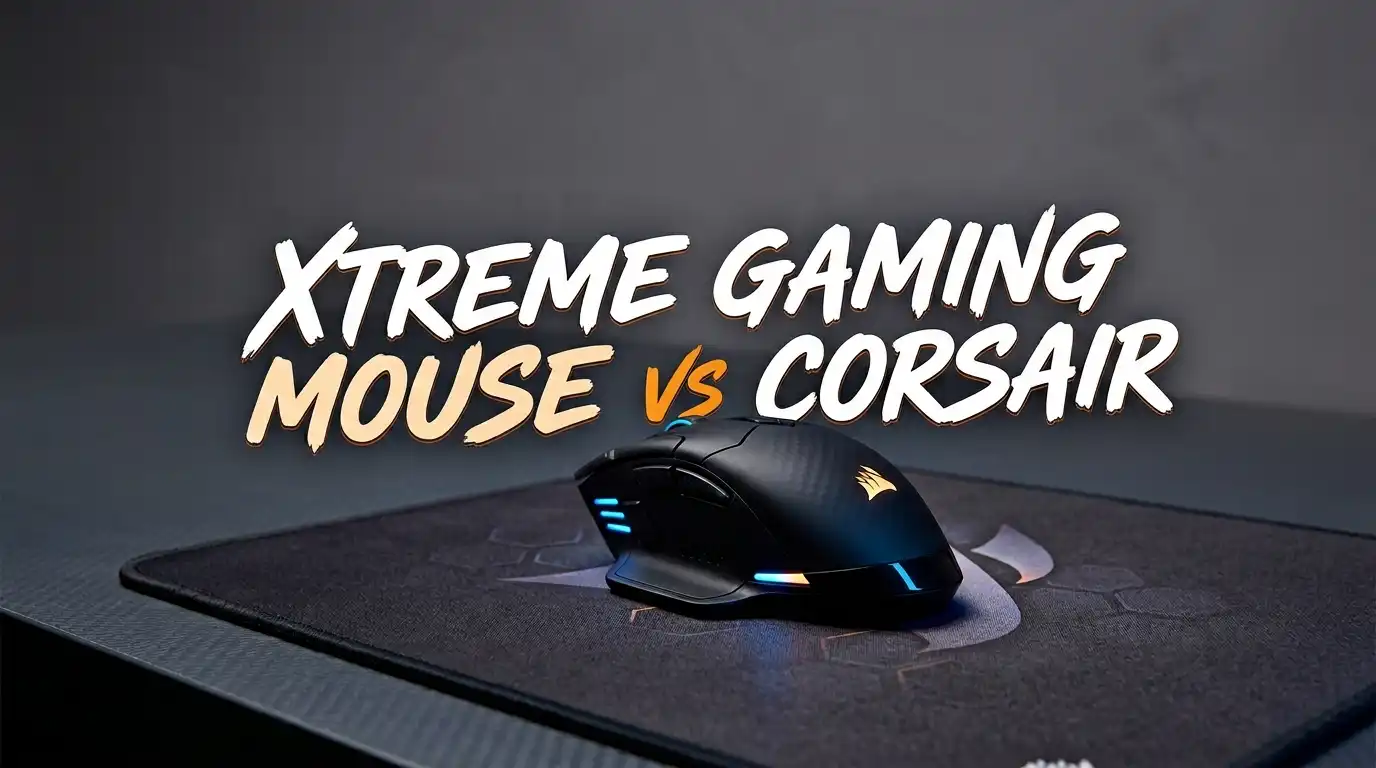
Xtreme Gaming Mouse vs Corsair: Who Wins in 2026?
You are shopping for a new gaming mouse. You want the best value for your money. Two brands keep popping up in your search results: Xtreme and Corsair. One offers affordable, entry-level options. The other delivers pro-grade performance with premium features. But which brand is right for you?
This comparison breaks down everything you need to know about Xtreme gaming mice and Corsair gaming mice in 2026. We will look at sensor quality, build materials, software support, wireless options, and much more.
Whether you are a casual gamer on a tight budget or a competitive FPS player chasing every millisecond, this guide will help you make a smart buying decision. Stick around because the answer may surprise you.
Key Takeaways
- Xtreme gaming mice are budget options that work well for casual users and people who need a basic mouse for everyday computing and light gaming. They typically cost under $20 and offer simple plug-and-play setup with USB connectivity.
- Corsair gaming mice target serious gamers who need high DPI sensors, ultra-low latency, wireless freedom, and advanced software customization. Corsair’s lineup spans from $30 budget picks to $200 premium models.
- Sensor performance is the biggest gap between these two brands. Xtreme mice max out at around 2,400 DPI. Corsair mice reach up to 33,000 DPI with their MARKSMAN S sensor in models like the Sabre v2 Pro.
- Corsair offers wireless technology through Slipstream and Bluetooth connectivity. Xtreme mice are wired only. If you want a cable-free desk setup, Corsair is the clear winner.
- Build quality differs significantly between the two brands. Corsair uses materials like carbon fiber, magnesium alloy, and PTFE mouse feet. Xtreme uses basic plastic shells.
- Software support matters for customization. Corsair provides the iCUE software platform for button mapping, DPI adjustments, RGB control, and macros. Xtreme mice have no dedicated software and rely on plug-and-play functionality.
Xtreme Gaming Mouse Overview

The Xtreme gaming mouse is a budget-friendly option made by Xtreme Digital Lifestyle Accessories. This brand focuses on affordable peripherals for casual users. The Xtreme Multicolor LED Gaming Mouse comes with 4 DPI modes that range from 800 to 2,400.
It connects through a standard USB port and requires no driver installation. The mouse features LED fade lighting effects that cycle through multiple colors. A scroll wheel and six buttons provide basic navigation and control.
The build is lightweight plastic. It feels functional but not premium. This mouse works fine for web browsing, office work, and casual gaming. It does not compete with high-end gaming mice in sensor accuracy or responsiveness.
Pros:
- Very affordable price under $20
- Plug-and-play USB setup with no drivers needed
- Four adjustable DPI modes (800, 1200, 1600, 2400)
- Multicolor LED lighting adds visual appeal
- Lightweight and easy to move
Cons:
- Low maximum DPI of 2,400
- Plastic build feels cheap
- No dedicated software for customization
- Wired connection only
- Not suitable for competitive gaming
Corsair Sabre v2 Pro Ultralight Wireless


The Corsair Sabre v2 Pro Ultralight is one of the most impressive gaming mice of 2026. It weighs just 36 grams, which makes it one of the lightest wireless mice ever made. The CORSAIR MARKSMAN S sensor delivers 33,000 DPI with 750 IPS tracking speed.
This mouse supports an 8,000Hz hyper-polling rate. That means it sends input reports every 0.125 milliseconds. Battery life stretches up to 70 hours at standard polling rates. Mechanical switches provide crisp, reliable clicks.
Corsair built this mouse for competitive FPS players. The ergonomic right-handed shape fits medium-sized hands comfortably. It connects via 2.4GHz wireless or USB wired mode.
Pros:
- Ultra-light 36g weight reduces wrist fatigue
- 33,000 DPI MARKSMAN S sensor for precision tracking
- 8,000Hz hyper-polling for sub-millisecond response
- 70-hour wireless battery life
- Mechanical switch durability
Cons:
- Premium price around $100
- Right-handed shape only
- Limited RGB lighting
- May feel too light for some users
- Requires iCUE software for full customization
Corsair M75 Air Wireless

The Corsair M75 Air Wireless is a fan-favorite among FPS gamers. It weighs approximately 60 grams and uses the CORSAIR MARKSMAN sensor with 26,000 DPI. This mouse has a symmetric shape that works for both left-handed and right-handed users.
Battery life reaches up to 100 hours on a single charge. The M75 Air connects through 2.4GHz wireless and Bluetooth. Swappable side buttons let you configure the mouse for different games or tasks.
The PTFE mouse feet deliver a smooth, low-friction glide across any surface. The overall build feels solid and well-balanced. Corsair’s iCUE software gives you full control over DPI settings, button mapping, and performance profiles.
Pros:
- 60g lightweight ambidextrous design
- 26,000 DPI optical sensor
- 100-hour battery life is impressive
- Dual wireless connectivity (2.4GHz and Bluetooth)
- Swappable side buttons for versatility
Cons:
- No RGB lighting on the Air model
- Side buttons may feel small for larger hands
- Ambidextrous shape is less ergonomic than contoured designs
- Priced higher than budget alternatives
- Dongle adapter sold separately
Sensor Technology Comparison
Sensor quality is the single biggest difference between Xtreme and Corsair mice. The Xtreme gaming mouse uses a basic laser sensor with a maximum DPI of 2,400. This is fine for general computing and casual games. It cannot match the speed demands of fast-paced shooters.
Corsair uses proprietary MARKSMAN sensors across its lineup. The latest MARKSMAN S sensor tracks at 33,000 DPI with 750 IPS speed and 50G acceleration. These numbers mean the sensor can keep up with any hand movement you make, no matter how fast.
The polling rate difference is also massive. Xtreme mice run at standard 1,000Hz polling. Corsair’s top models reach 8,000Hz. Higher polling rates mean the mouse sends position data to your PC more often. This creates a smoother, more responsive cursor experience.
Build Quality and Materials
The Xtreme gaming mouse uses a standard plastic shell. It is lightweight and functional. The buttons feel decent for the price. The LED lighting adds some visual flair to an otherwise simple design. The cable is about 4 feet long and uses a standard USB connector.
Corsair takes build quality to another level. The Sabre v2 Pro Carbon Fiber model uses actual carbon fiber for its shell. The Magnesium Alloy version uses aerospace-grade magnesium. These materials are both lighter and stronger than plastic.
Even Corsair’s mid-range mice like the Katar Pro XT use quality plastics with a matte finish that resists fingerprints. PTFE mouse feet come standard on most Corsair models. Xtreme mice use basic plastic feet that create more friction on mouse pads.
Corsair M65 RGB Ultra Wireless

The Corsair M65 RGB Ultra Wireless is built for FPS gamers who love a heavier, more controlled feel. It features an anodized aluminum frame that adds durability. The mouse uses the CORSAIR MARKSMAN sensor with 26,000 DPI.
A standout feature is the dedicated sniper button. Press it and the DPI drops instantly for precise long-range shots. Battery life reaches up to 120 hours through Slipstream wireless technology.
The mouse supports an adjustable weight system that lets you add or remove weights. This is a unique feature that Xtreme mice do not offer. The M65 connects via 2.4GHz Slipstream, Bluetooth, or USB wired.
Pros:
- Durable anodized aluminum frame
- Dedicated sniper button for FPS precision
- 120-hour wireless battery life
- Adjustable weight tuning system
- Tri-mode connectivity (Slipstream, Bluetooth, wired)
Cons:
- Heavier than ultralight competitors
- Right-handed shape only
- Scroll wheel can feel stiff
- Higher price point
- Aluminum frame shows scratches over time
Software and Customization
Software support is a critical factor for gamers who want full control over their mouse. Xtreme gaming mice have zero software support. You plug them in and they work. That simplicity is nice for casual users. But it means you cannot remap buttons, adjust DPI curves, or create macros.
Corsair offers the iCUE software platform. It is one of the most powerful peripheral management tools available. You can create custom DPI profiles for different games. You can remap every button on your mouse. You can sync RGB lighting across all Corsair devices.
iCUE also provides performance analytics and surface calibration tools. You can fine-tune sensor behavior for your specific mouse pad. This level of control is essential for competitive gamers who want every advantage they can get. The software is free to download from Corsair’s website.
Corsair Katar Pro XT

The Corsair Katar Pro XT is the best budget option from Corsair. It bridges the gap between Xtreme’s ultra-low pricing and Corsair’s premium lineup. This wired mouse weighs only 73 grams and costs around $25 to $35.
It uses the PixArt PMW3391 sensor with 18,000 DPI. Quickstrike buttons provide fast, responsive clicks with zero delay. The symmetric compact shape fits most hand sizes and grip styles.
This mouse works with iCUE software for full customization. It has a single RGB zone on the scroll wheel. Six programmable buttons give you enough options for most games. If you like the Xtreme price range but want much better performance, the Katar Pro XT is your answer.
Pros:
- Affordable price point ($25 to $35)
- 18,000 DPI sensor is excellent for the price
- Ultra-light 73g wired design
- Quickstrike buttons for fast response
- iCUE software support included
Cons:
- Wired connection only
- Minimal RGB (scroll wheel only)
- Compact shape may not fit large hands
- No onboard memory for profiles
- Basic cable lacks braiding
Wireless vs Wired Performance
Xtreme gaming mice are wired only. They use a standard USB connection. This means you always have a cable on your desk. The benefit is zero battery concerns. The downside is restricted movement and cable drag.
Corsair offers both wired and wireless options. Their Slipstream wireless technology delivers sub-1ms latency. This is as fast as, or faster than, most wired connections. You get freedom of movement without sacrificing performance.
Corsair’s newest models support 8,000Hz hyper-polling over wireless. The Sabre v2 Pro achieves this while weighing only 36 grams. Battery life varies by model. The M65 Ultra Wireless lasts 120 hours. The M75 Air lasts 100 hours. The Sabre v2 Pro lasts 70 hours at standard rates.
Corsair Scimitar Elite Wireless

The Corsair Scimitar Elite Wireless is made for MMO and MOBA gamers. It has 16 programmable buttons. Twelve of those buttons sit in a side panel that you can physically slide forward or backward for the perfect thumb position.
The mouse uses a 26,000 DPI sensor. Battery life reaches an impressive 150 hours on wireless. It connects through Slipstream 2.4GHz, Bluetooth, and USB.
This mouse has no equivalent in the Xtreme lineup. If you play games that require many hotkeys and macros, the Scimitar Elite Wireless is the only real option. iCUE software lets you assign complex macro sequences to every button.
Pros:
- 16 programmable buttons for MMO/MOBA games
- Adjustable side button panel position
- 150-hour wireless battery life
- 26,000 DPI sensor
- iCUE macro and profile support
Cons:
- Heavier than FPS-focused mice
- Side buttons have a learning curve
- Premium price over $100
- Right-handed design only
- Bulky for non-MMO gaming tasks
Price and Value Comparison
Price is where Xtreme has its biggest advantage. The Xtreme Multicolor LED Gaming Mouse costs around $10 to $15. That is hard to beat if you just need a working mouse with some LED flair. It is a great option for kids, students, or anyone on a very tight budget.
Corsair’s pricing spans a wide range. The Katar Pro XT starts around $25. The M75 Air Wireless costs about $60 to $80. The Sabre v2 Pro Ultralight runs around $100. The premium carbon fiber and magnesium models cost up to $200.
The value question depends on your needs. If you game casually, the Xtreme mouse does the job. If you play competitive games and want precision, speed, and customization, Corsair delivers far more value per dollar. The Katar Pro XT offers a great middle ground between budget and performance.
Which Brand Should You Choose in 2026?
Your choice between Xtreme and Corsair comes down to how you use your mouse. Xtreme is the right pick if you need a cheap, simple mouse for everyday tasks and light gaming. It requires no setup and costs less than a fast-food meal.
Corsair is the right pick for dedicated gamers at any level. Budget gamers can grab the Katar Pro XT. Competitive FPS players should look at the Sabre v2 Pro Ultralight or M75 Air. MMO players will love the Scimitar Elite Wireless.
The gap between these two brands is significant. Corsair invests in sensor technology, materials science, and software development. Xtreme focuses on accessibility and simplicity. Both approaches have their place. Just make sure you pick the brand that matches your actual gaming habits and budget.
FAQs
Is the Xtreme gaming mouse good for competitive gaming?
The Xtreme gaming mouse is not ideal for competitive gaming. Its maximum DPI of 2,400 and basic laser sensor cannot match the precision and speed that games like Valorant or CS2 demand. It works fine for casual gaming and everyday computer use.
What is the best budget Corsair gaming mouse in 2026?
The Corsair Katar Pro XT is the best budget option. It costs around $25 to $35 and offers an 18,000 DPI sensor, 73g weight, and iCUE software support. It gives you serious gaming performance at a price close to Xtreme mice.
Does Corsair make wireless gaming mice?
Yes. Corsair has a full lineup of wireless gaming mice. Popular models include the M75 Air Wireless, Sabre v2 Pro Ultralight, M65 RGB Ultra Wireless, and Scimitar Elite Wireless. They use Slipstream 2.4GHz technology for sub-1ms latency.
How long does the battery last on Corsair wireless mice?
Battery life varies by model. The Scimitar Elite Wireless lasts up to 150 hours. The M65 Ultra Wireless lasts 120 hours. The M75 Air lasts 100 hours. The Sabre v2 Pro lasts 70 hours at standard 1,000Hz polling and less at 8,000Hz.
Can I use a Corsair gaming mouse without iCUE software?
Yes. All Corsair mice work as plug-and-play devices without iCUE. You will get basic functionality right out of the box. However, you need iCUE to access DPI customization, button remapping, RGB control, and macro creation.
Are Xtreme gaming mice available on Amazon?
Yes. Xtreme gaming mice are available on Amazon in multiple models. The most popular options include the Multicolor LED Gaming Mouse with 1,000 DPI and the version with 4 selectable DPI modes up to 2,400. Prices start around $10 to $15.