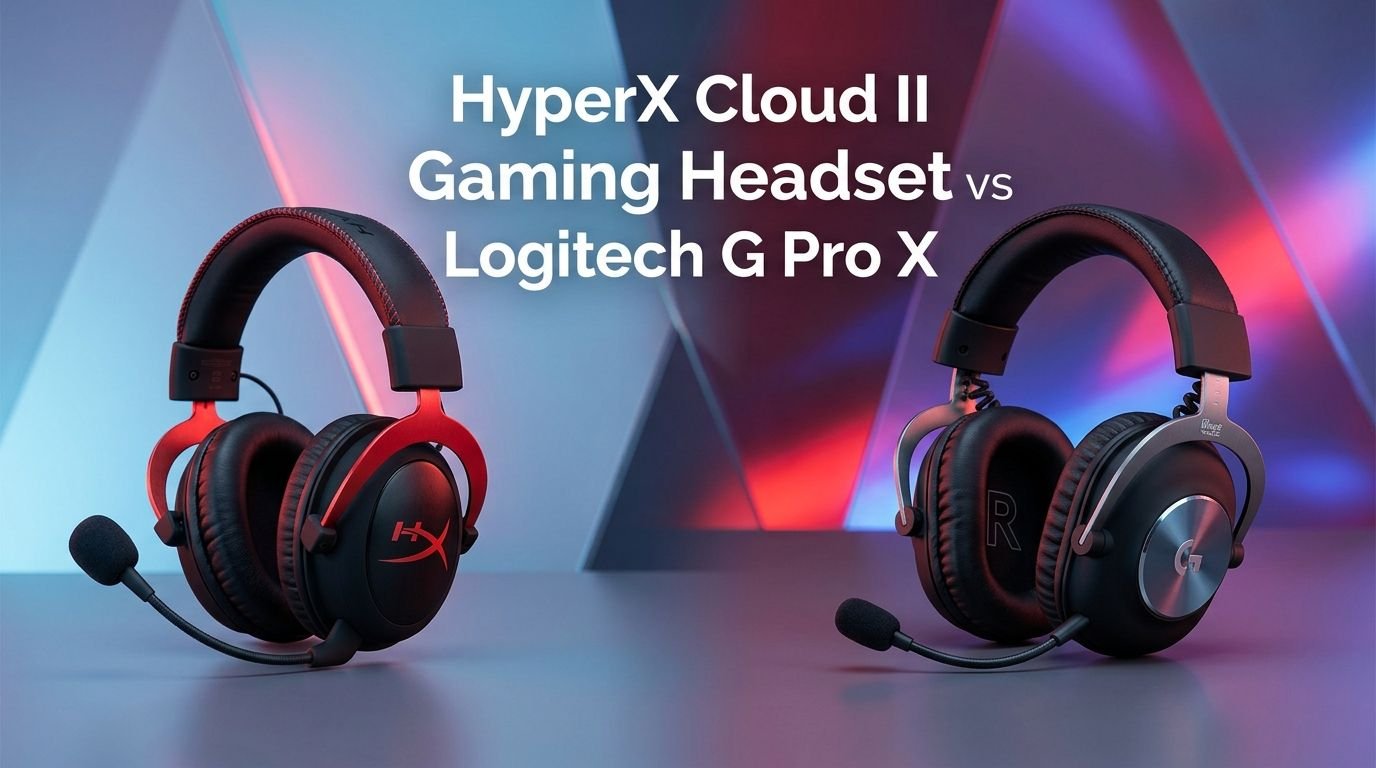
HyperX Cloud II Gaming Headset vs Logitech G Pro X
Choosing the right gaming headset can make or break your experience. You want clear audio, a solid mic, and comfort that lasts through long sessions.
Two headsets have stood the test of time in this space. The HyperX Cloud II and the Logitech G Pro X remain fan favorites among gamers worldwide.
Both headsets sit in a similar price range. Both promise excellent sound and build quality. But they differ in ways that matter. One might suit your playstyle better than the other. Maybe you prioritize bass-heavy audio for immersive single-player games.
Key Takeaways
- The HyperX Cloud II offers a USB sound card with virtual 7.1 surround sound out of the box. This gives you spatial audio without extra software or cost. It remains one of the best plug-and-play options on the market.
- The Logitech G Pro X shines with Blue VO!CE microphone technology. This software-driven feature lets you customize your voice output with real-time filters. Streamers and content creators will appreciate this added flexibility.
- Both headsets deliver premium comfort for long gaming sessions. The HyperX Cloud II uses memory foam ear cushions with leatherette covers. The Logitech G Pro X includes both leatherette and velour ear pad options in the box.
- Build quality is strong on both sides. The HyperX Cloud II features an aluminum frame that feels solid. The Logitech G Pro X uses a steel and aluminum build with a similar level of durability.
- The Logitech G Pro X requires G HUB software for full functionality. You need this app to access EQ settings and Blue VO!CE features. The HyperX Cloud II works well without any software at all.
- Price differences are small but worth noting. The HyperX Cloud II often costs slightly less. Both headsets deliver strong value at their respective price points.
HyperX Cloud II Gaming Headset Overview

The HyperX Cloud II has been a staple in gaming audio since its release. It built its reputation on reliable performance and a no-nonsense approach. You plug it in and it works. That simplicity has earned it millions of fans across PC, PlayStation, Xbox, and Nintendo Switch.
This headset uses 53mm drivers that deliver full, rich sound. The bass hits hard without drowning out mids and highs. You hear footsteps in shooters. You feel explosions in action games. Music and movies also sound great through these drivers.
The included USB sound card is a big deal. It adds virtual 7.1 surround sound to your experience. You get better spatial awareness in games. This helps you locate enemies by sound in competitive titles. The sound card also has inline controls for volume and mic mute.
HyperX built this headset to last. The aluminum frame resists bends and breaks. The detachable microphone means one less thing to snag or damage. Memory foam ear cushions wrapped in leatherette provide a comfortable seal around your ears.
Pros:
- Excellent plug-and-play experience with no software needed
- USB sound card with virtual 7.1 surround sound included
- Durable aluminum frame that survives daily use
- Comfortable memory foam ear cushions
- Works across PC, PS5, Xbox, and Switch
Cons:
- No software EQ customization options
- Leatherette ear pads can get warm during long sessions
- The mic quality is decent but not exceptional
- No RGB lighting if that matters to you
Logitech G Pro X Gaming Headset Overview


The Logitech G Pro X was built with esports in mind. Logitech worked with professional gamers to fine-tune this headset. The result is a competition-ready audio tool that also works great for casual use.
This headset packs 50mm Pro-G drivers that Logitech developed in-house. These drivers produce clear, detailed sound across all frequencies. The audio profile leans slightly toward accuracy over fun. This means you get precise audio cues that competitive gamers need.
The standout feature is Blue VO!CE technology. Blue Microphones, owned by Logitech, contributed their expertise here. You get real-time voice filters, noise reduction, compression, and de-essing. Your voice sounds professional on streams and in team chat.
Logitech built the G Pro X with a steel and aluminum headband. It feels solid in your hands. The ear cups swivel flat for easy transport. You get two sets of ear pads in the box. Leatherette pads offer noise isolation. Velour pads provide better breathability.
Pros:
- Blue VO!CE microphone technology for professional voice quality
- Two sets of ear pads included (leatherette and velour)
- G HUB software allows deep EQ customization
- Pro-tuned audio profiles from esports professionals
- Steel and aluminum construction
Cons:
- Requires G HUB software for full feature access
- G HUB can be buggy and resource-heavy at times
- Slightly higher price than the Cloud II
- No wireless option in this specific model
- Virtual surround sound requires software activation
Sound Quality Comparison
Sound quality is the most important factor for most buyers. Both headsets perform well here, but they take different approaches. The HyperX Cloud II delivers a warm, bass-forward sound signature. This makes games feel immersive and exciting.
The Logitech G Pro X offers a flatter, more neutral sound profile by default. This accuracy helps competitive players hear exactly what they need. Footsteps, reloads, and ability cues come through clearly. You can also adjust the EQ through G HUB to boost bass or treble.
The HyperX Cloud II uses its USB sound card to enhance audio processing. The virtual 7.1 surround sound adds spatial depth. You can toggle it on or off depending on your preference. Some games sound better in stereo. Others benefit from surround processing.
The Logitech G Pro X also supports DTS Headphone:X 2.0 through G HUB. This surround sound technology creates a wide soundstage. Many users find it slightly more refined than the Cloud II’s 7.1 implementation. However, you need the software running to use it.
For pure audio enjoyment, the HyperX Cloud II wins. For competitive precision, the Logitech G Pro X has the edge. Both headsets handle music, movies, and games with impressive clarity.
Microphone Performance
A good microphone separates a great gaming headset from an average one. The HyperX Cloud II has a detachable condenser microphone. It captures your voice clearly for team chat. Background noise stays mostly out of your transmissions.
The Logitech G Pro X takes microphone performance to another level. The Blue VO!CE technology transforms your voice in real time. You can apply compression, noise gating, and de-essing. These filters make your voice sound studio-quality without extra hardware.
The Cloud II mic works great out of the box. It does not need software or tweaking. Your teammates will hear you clearly in Discord, game chat, or any other platform. The noise-cancelling design reduces keyboard clicks and ambient noise.
The G Pro X mic is better for streaming and content creation. If you record videos or go live on Twitch, the Blue VO!CE features add real value. You sound more professional. Viewers notice the difference. This alone might justify the price difference for creators.
For casual gamers who just want clear team chat, both mics work fine. For anyone who takes their voice quality seriously, the Logitech G Pro X is the better choice.
Comfort and Fit
You will wear your headset for hours. Comfort matters more than most people realize. The HyperX Cloud II uses memory foam ear cushions covered in soft leatherette. These cushions conform to your head shape. The clamping force is moderate and does not cause pressure headaches.
The Logitech G Pro X also uses memory foam ear pads. But it gives you a choice. The leatherette pads come pre-installed for better noise isolation. The velour pads sit in the box for those who prefer breathability. Swapping them takes about 30 seconds.
The HyperX Cloud II weighs approximately 309 grams. It sits lighter on your head during marathon sessions. The padded headband distributes weight evenly. Most users report comfort for 4 to 6 hours without discomfort.
The Logitech G Pro X weighs about 320 grams. The difference is small but noticeable over time. The headband also features padding, and the ear cups rotate for a better fit. Having the velour option is a significant comfort advantage during summer months.
Both headsets accommodate glasses wearers reasonably well. The memory foam helps relieve pressure on the arms of your glasses. If heat buildup bothers you, the G Pro X velour pads offer a clear benefit.
Build Quality and Durability
Gaming headsets take abuse. They get tossed on desks, stretched over heads, and packed into bags. The HyperX Cloud II handles this well. Its aluminum frame gives it a tank-like feel. The headband flexes without cracking. The ear cup hinges hold up over years of use.
The Logitech G Pro X matches this durability. Its steel and aluminum headband feels equally solid. The ear cups use a dense plastic that resists scratches. The cable connections are secure. Nothing rattles or squeaks during movement.
Both headsets use detachable cables. This is important for longevity. Cables are the most common failure point on headsets. If a cable breaks, you replace just the cable. This extends the life of your investment by years.
The HyperX Cloud II cable terminates in a 3.5mm jack that connects to the USB sound card. The Logitech G Pro X also uses a 3.5mm connection with its own splitter cable. Both systems work well. Neither feels cheap or fragile.
Long-term durability reviews from users confirm that both headsets last 3 to 5 years with regular use. The aluminum and steel materials resist the wear that cheaper plastic headsets cannot survive.
Software and Customization
Software can add or subtract value depending on your preferences. The HyperX Cloud II takes the minimalist approach. There is no required software. You plug it in and get great sound. Some users love this simplicity.
The Logitech G Pro X relies on G HUB software for its best features. G HUB lets you adjust EQ settings across multiple bands. You can load pro-tuned audio profiles created by esports players. The Blue VO!CE settings live here too.
G HUB gives you real control over your audio experience. You can save profiles for different games. A bass-heavy profile for RPGs. A flat profile for shooters. A warm profile for music. This flexibility appeals to users who like to tinker.
However, G HUB has a mixed reputation. Some users report bugs, crashes, and high resource usage. Logitech has improved it over time, but it still frustrates some people. If you dislike installing extra software, this could be a dealbreaker.
The HyperX Cloud II trades customization for reliability. You get a consistent experience every time you plug in. No updates to install. No profiles to manage. For many gamers, this simplicity is the better path.
Gaming Performance
Both headsets perform well across different game genres. The HyperX Cloud II excels in first-person shooters thanks to its virtual 7.1 surround sound. You hear directional cues that help you track enemy positions. Games like Valorant, CS2, and Call of Duty sound fantastic.
The Logitech G Pro X also handles shooters with precision. The flat audio profile keeps sounds accurate. You do not get fooled by exaggerated bass. Every gunshot, reload, and footstep sits in its proper place in the mix.
For RPGs and open-world games, the HyperX Cloud II pulls ahead slightly. The warmer sound signature makes music and ambient effects feel richer. Exploring a fantasy world feels more immersive with that extra bass warmth.
Battle royale games benefit from both headsets equally. The surround sound options on both models help you pinpoint gunfire direction. This gives you a competitive advantage in games like Fortnite and Apex Legends.
For esports at the highest level, the Logitech G Pro X has more credibility. Professional teams have used this headset in tournaments. The accuracy of the audio and the noise isolation of the leatherette pads create a focused environment.
Compatibility and Platform Support
The HyperX Cloud II works with almost everything. It connects through USB or 3.5mm. This means PC, Mac, PS4, PS5, Xbox, and Nintendo Switch all work. Mobile phones and tablets with a headphone jack are compatible too.
The Logitech G Pro X also offers broad compatibility. It uses a 3.5mm connection as its base. This works on all major platforms. However, the USB DAC and G HUB features only work on PC and Mac.
If you play primarily on console, the HyperX Cloud II gives you more features without a computer. The USB sound card works on PlayStation consoles. You get virtual surround sound on PS5 without any extra steps.
The Logitech G Pro X works on consoles through the 3.5mm cable. But you lose the G HUB customization and Blue VO!CE features. The headset still sounds great. You just cannot adjust EQ or voice settings without a PC.
For multi-platform gamers, the HyperX Cloud II offers a slight advantage. Its USB sound card adds value on more devices. The Logitech G Pro X is best for PC-first gamers who can use G HUB.
Value for Money
Price matters. Both headsets sit in the $60 to $100 range depending on sales and availability. The HyperX Cloud II often costs a few dollars less. That small savings adds up when you consider what you get in the box.
The HyperX Cloud II includes the headset, detachable mic, USB sound card, and a carrying pouch. The USB sound card alone would cost $15 to $20 as a separate purchase. You get excellent value for the asking price.
The Logitech G Pro X includes the headset, detachable mic, two sets of ear pads, a PC splitter cable, and a carrying bag. The extra velour ear pads are a nice touch. Replacement ear pads usually cost $15 to $25 separately.
Both headsets punch above their price class in sound quality and build. They compete with headsets that cost $50 more. This makes either one a smart purchase for budget-conscious gamers who want premium features.
If you want the best value without software, pick the HyperX Cloud II. If you want maximum features with software customization, the Logitech G Pro X delivers more. Neither choice will disappoint you.
Which Headset Should You Buy?
The answer depends on your priorities. Let’s break it down into clear recommendations based on use cases.
Choose the HyperX Cloud II if you want a plug-and-play experience. You prefer warm, bass-rich sound. You play on multiple platforms. You do not want to install extra software. You value simplicity and reliability above all else.
Choose the Logitech G Pro X if you stream or create content. You want deep EQ customization. You play competitive esports on PC. You prefer accurate, neutral sound. You like having velour ear pad options for comfort.
For pure gaming on a console, the HyperX Cloud II is the smarter buy. Its USB sound card adds real value on PlayStation. The setup takes seconds. You get virtual surround sound without any computer involved.
For PC gaming with streaming, the Logitech G Pro X wins. The Blue VO!CE technology and G HUB customization give you tools that the Cloud II cannot match. Your voice will sound better. Your audio will be more precisely tuned.
Both headsets are proven, reliable, and well-built. You cannot go wrong with either one. The best choice is the one that matches how you play.
Final Verdict
The HyperX Cloud II and the Logitech G Pro X are two of the best wired gaming headsets available. They have earned their reputations through years of consistent performance. Each headset wins in specific categories.
The HyperX Cloud II wins on simplicity, plug-and-play value, and bass-forward immersion. The Logitech G Pro X wins on microphone quality, software customization, and competitive accuracy.
Your ideal headset depends on your gaming habits. Think about where you play, what you play, and whether you create content. Both headsets will serve you well for years to come. Pick the one that fits your life, and enjoy every gaming session with great audio.
Frequently Asked Questions
Is the HyperX Cloud II good for competitive gaming?
Yes, the HyperX Cloud II works well for competitive gaming. The virtual 7.1 surround sound helps you locate enemies by audio cues. Many competitive players use this headset at mid-level tournaments. It provides clear directional audio for shooters like Valorant and CS2.
Does the Logitech G Pro X work without G HUB software?
The Logitech G Pro X works without G HUB through its 3.5mm cable. You get solid stereo sound out of the box. However, you lose access to EQ customization, Blue VO!CE mic features, and surround sound processing. For the full experience, G HUB is recommended.
Can I use the Logitech G Pro X on PS5?
You can use the Logitech G Pro X on PS5 through the 3.5mm audio jack on the DualSense controller. It provides stereo audio and mic functionality. You will not have access to G HUB features or DTS surround sound on console.
Which headset is more comfortable for long sessions?
Both headsets offer excellent comfort. The Logitech G Pro X has a slight edge because it includes velour ear pads. These breathe better and reduce heat buildup. The HyperX Cloud II is lighter, which helps during very long sessions. Your preference may vary.
Do these headsets work with mobile phones?
Both headsets connect to mobile phones through their 3.5mm cables. You can use them for mobile gaming, music, and calls. The HyperX Cloud II USB sound card does not work with most phones. The 3.5mm connection is your best option for mobile use.
Which headset has the better microphone?
The Logitech G Pro X has the better microphone thanks to Blue VO!CE technology. It offers real-time noise reduction, compression, and voice enhancement. The HyperX Cloud II mic is good for basic team chat but lacks advanced processing features.