Wyze Lock Bolt Review 2026: Is This Still Worth It?
Are you looking for a smart lock that won’t drain your wallet but still keeps your home safe? The Wyze Lock Bolt has been a crowd favorite since its launch, and the newer v2 version has raised the bar even higher. With a fingerprint scanner, keypad entry, and a price tag under $100, this lock sounds almost too good to be true.
But does it really hold up in daily use? Can it compete with premium smart locks that cost three or four times more?
In this full Wyze Lock Bolt review for 2026, we break down every feature, every flaw, and every reason you should or shouldn’t buy this lock. Stick around because the details might surprise you.
Key Takeaways:
- The Wyze Lock Bolt is one of the most affordable smart locks on the market, with the original priced around $69.99 and the v2 at $79.98. You get fingerprint scanning, keypad entry, and app control for under $100.
- The v2 version adds built-in Wi-Fi, which means you can lock and unlock your door from anywhere. The original v1 only worked over Bluetooth, limiting you to a short range.
- Battery life is solid. The original v1 runs on 4 AA batteries and lasts up to 12 months. The v2 uses 8 AA batteries and lasts about 8 months, which is still great for a Wi-Fi lock.
- Installation takes about 15 to 20 minutes with basic tools. Both versions replace your existing deadbolt, and no professional help is required.
- Fingerprint recognition is fast and accurate. You can store up to 50 fingerprints and 50 PIN codes. The v2 features an AI self-learning scanner that gets better over time.
- Smart home support is limited on the v1 (Bluetooth only, no voice assistant). The v2, however, works with Amazon Alexa and Google Home, giving it a much wider appeal.

Wyze Lock Bolt: What Is It?
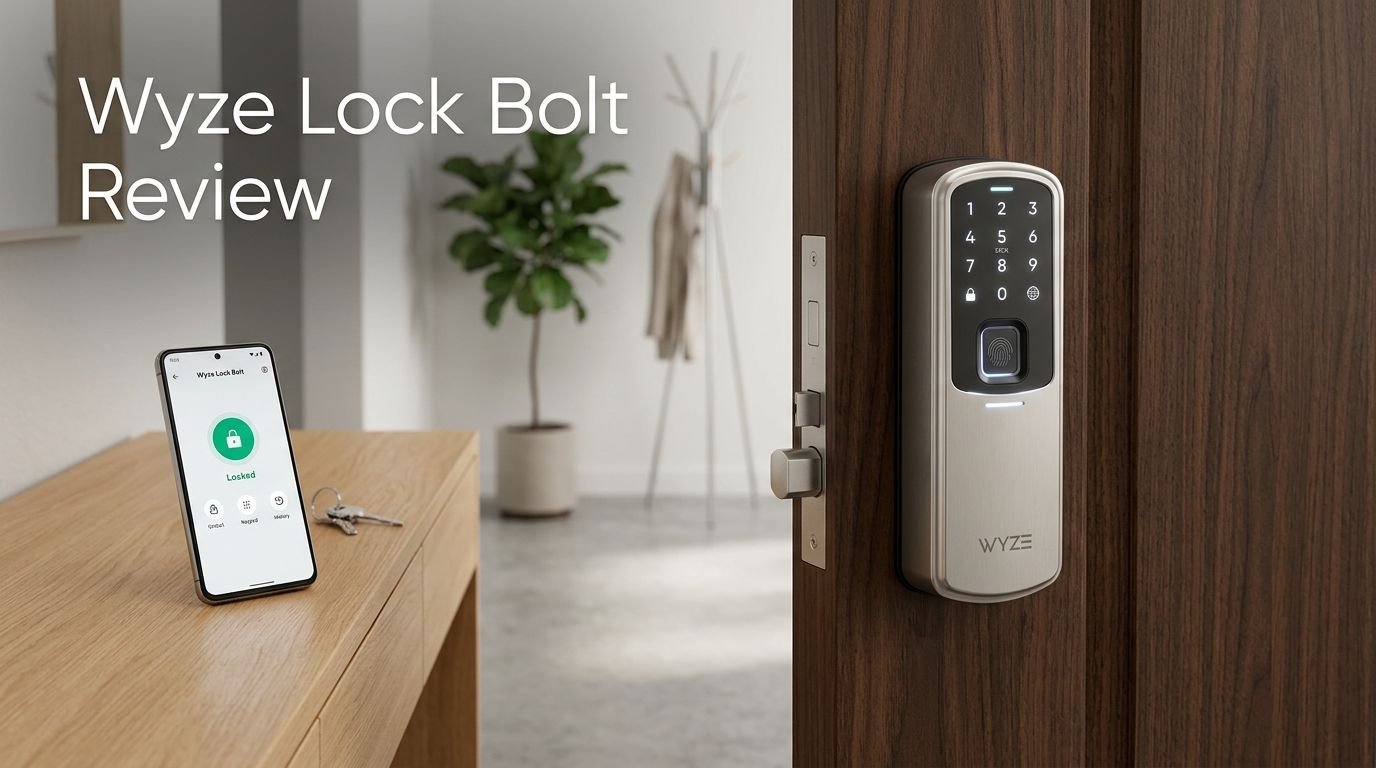
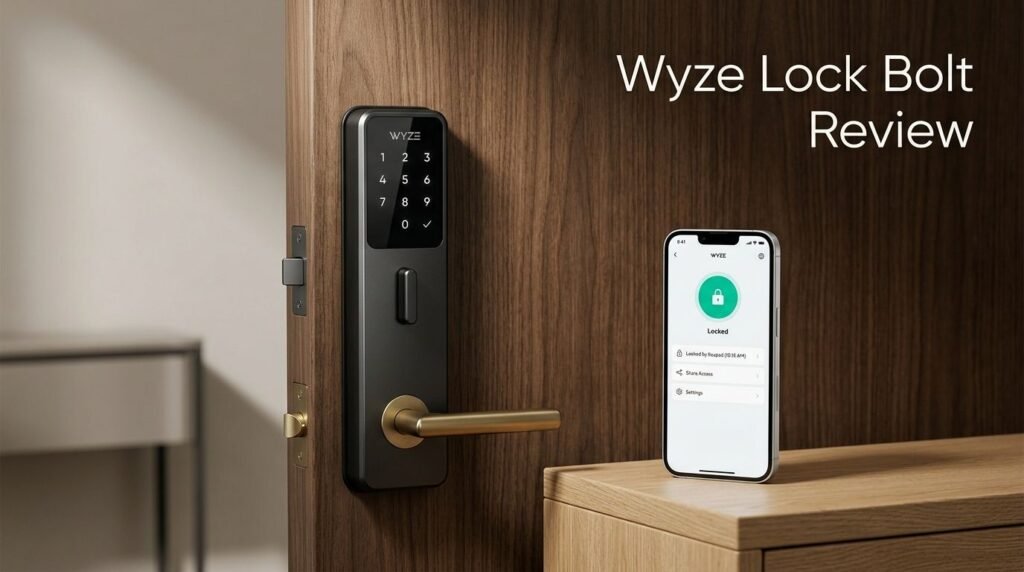
The Wyze Lock Bolt is a smart deadbolt lock made by Wyze Labs, a company known for offering budget-friendly smart home products. It replaces your existing deadbolt and gives you multiple ways to unlock your door. You can use a fingerprint, a PIN code, or the Wyze mobile app.
The original Wyze Lock Bolt launched in 2022 at just $69.99. It connected to your phone through Bluetooth only, which meant you had to be close to the door to control it. Despite that limitation, it became popular because of its low price and reliable performance.
In late 2025, Wyze released the Lock Bolt v2, priced at $79.98. This version adds Wi-Fi connectivity, a tempered glass touchscreen keypad, a mechanical key backup, and support for Amazon Alexa and Google Home. The v2 also features an upgraded fingerprint scanner with AI learning.
Both versions share the same core purpose. They give you a keyless way to enter your home that is simple, safe, and cheap. The lock is ANSI Grade 2 / BHMA certified, which means it meets commercial security standards. It also has IP53 weatherproofing on the v1 and similar ratings on the v2.
Whether you pick the v1 or v2, you get a reliable smart lock at a price that most competitors simply cannot match. It fits most standard doors and works well for renters, homeowners, and Airbnb hosts alike.
Wyze Lock Bolt v2: The Major Upgrade

The Wyze Lock Bolt v2 is more than a minor refresh. It is a full redesign with features that address nearly every complaint users had about the v1. The biggest change is built-in Wi-Fi support. You no longer need to stand near the door to lock or unlock it.
The exterior keypad now uses a tempered glass touchscreen instead of physical buttons. This looks sleek and resists fingerprint smudges better than the old model. The backlit numbers make it easy to enter your code in the dark.
Wyze also added a mechanical key backup. The v1 had no key option, so if the battery died and you forgot to charge via USB-C, you were stuck. The v2 solves that problem completely.
The fingerprint scanner received an AI upgrade. Wyze says it uses self-learning technology that tracks pressure, angle, and tiny skin shifts with each scan. Over time, the lock gets better at reading your fingerprint. In testing, reviewers found the scanner to be fast and accurate, though not perfect 100% of the time.
The v2 runs on 8 AA batteries and offers about 8 months of battery life. It supports up to 50 users, 50 PINs, and 50 fingerprints. You can also set one-time passcodes that expire on a schedule, which is perfect for delivery people or short-term guests.
At just $79.98, the v2 offers outstanding value and fixes the key shortcomings of the original.
Top 3 Alternatives for Wyze Lock Bolt


Design and Build Quality
The Wyze Lock Bolt has a clean and modern design that blends in with most front doors. The original v1 comes in a matte black or satin nickel finish. The v2 also ships in similar color options.
The v1 exterior features a physical keypad with raised buttons and a fingerprint reader at the top. The interior side houses the battery compartment and a manual thumb turn. The whole unit feels sturdy for its price range, though it uses more plastic than metal compared to premium locks.
The v2 takes the design up a notch. It swaps the physical buttons for a tempered glass touchscreen, which looks more refined. The glass panel resists smudges and fingerprints well. The v2 also has a slightly larger interior escutcheon to accommodate the 8 AA batteries.
Both versions feel solid in the hand and on the door. The deadbolt mechanism operates smoothly and quietly. There is a small chime that sounds during locking and unlocking, but you can turn it off in the app.
One minor issue reviewers noted is the interior mounting plate size on the v2. It is bigger than the v1 and may not look as sleek on thinner doors. But for most standard doors, the fit is just fine. Overall, the build quality punches above its price class.
Installation Process
Installing the Wyze Lock Bolt takes about 15 to 20 minutes. You do not need a locksmith or special tools. A standard Phillips screwdriver is all you need for the v1. The v2 may require a smaller screwdriver for certain mounting bolts.
Both versions replace your existing single-cylinder deadbolt. You remove your old lock, attach the exterior escutcheon, thread the cable through, and mount the interior piece. The whole process follows a clear step-by-step guide that Wyze provides in the box and in the app.
The Wyze app walks you through pairing the lock via Bluetooth after installation. For the v2, you also connect it to your 2.4GHz Wi-Fi network. Some users reported a failed first attempt during onboarding, but a second try usually fixes the issue.
One thing to keep in mind is battery type. Both versions require standard 1.5V alkaline AA batteries. Do not use 1.2V NiMH rechargeable batteries, as the lock may not function correctly with them.
The lock fits most standard U.S. door preps. If your door has a standard deadbolt bore hole and backset, you should be fine. Wyze also provides a compatibility checker on their website if you want to confirm before buying.
Fingerprint Scanner Performance
The fingerprint scanner is one of the headline features of the Wyze Lock Bolt. On the v1, the scanner sits at the top of the exterior keypad. It reads your print and unlocks the door in under one second.
You can store up to 50 fingerprints through the Wyze app. Each user can register multiple fingers. This is useful if you want to use your thumb and index finger for flexibility. The enrollment process is quick and takes about 30 seconds per finger.
The v2 improves the scanner with AI self-learning technology. This means the lock adjusts to your fingerprint over time. It tracks changes in pressure, angle, and skin condition. The result is faster and more reliable recognition after repeated use.
In real-world testing, reviewers found the scanner works well about 90% to 95% of the time. Wet or dirty fingers can cause occasional misreads. Cold weather may also slow down recognition slightly. But overall, the accuracy is impressive for a lock in this price range.
If the scanner fails, you always have the keypad PIN as a backup. The v2 also adds a mechanical key for extra peace of mind. The anti-peep keypad feature lets you enter random digits before your real code to prevent onlookers from guessing it.
App Features and Smart Home Integration
The Wyze app is your main control center for the Lock Bolt. It is available on both iOS and Android. Through the app, you can lock and unlock the door, manage users, view activity logs, and adjust settings.
On the v1, app control works over Bluetooth only. This limits the range to about 10 to 15 feet from the lock. You cannot check the lock status or control it remotely unless you are nearby.
The v2 changes this completely with Wi-Fi support. You can lock or unlock your door from anywhere in the world. You can also check the battery level, review the access log, and receive push notifications when someone enters.
User management is straightforward. You can add permanent users, recurring guests, or one-time visitors. Each user can get a PIN, fingerprint access, or both. One-time passcodes expire on a schedule you set, which is great for Airbnb hosts or delivery workers.
The v2 also integrates with Amazon Alexa and Google Home. You can use voice commands to lock the door. However, voice unlocking is disabled by default for security reasons. There is no Apple HomeKit support on either version, which may be a downside for Apple users.
The app includes an auto-lock feature that triggers after a set time, from instantly up to 15 minutes. You can also schedule the lock to engage at a specific time each day.
Battery Life and Power Options
Battery life is a strong point for the Wyze Lock Bolt. The v1 uses 4 AA batteries and lasts up to 12 months on a single set. This is excellent for a Bluetooth-only smart lock.
The v2 uses 8 AA batteries and offers about 8 months of battery life. The shorter life is expected because the v2 runs Wi-Fi, which draws more power. Still, 8 months is competitive with other Wi-Fi smart locks on the market.
Both versions include batteries in the box, so you can start using the lock right away. The Wyze app sends you a low battery notification when levels drop, giving you plenty of time to replace them.
If the batteries die completely, both models have a USB-C emergency port on the bottom of the exterior keypad. You can plug in a portable power bank to supply enough power to unlock the door. This is a smart safety net that many budget locks skip.
One important note: use only standard 1.5V alkaline batteries. The lock is not compatible with 1.2V NiMH rechargeable batteries. Using the wrong type could cause the lock to malfunction or drain faster than expected.
Security Features
The Wyze Lock Bolt takes security seriously for its price. Both the v1 and v2 carry ANSI Grade 2 / BHMA certification. This means the lock meets standards used in light commercial settings, which is more than enough for most homes.
The keypad includes anti-peep technology. You can press random numbers before and after your real PIN. The lock will still recognize your code within the string. This prevents anyone watching over your shoulder from figuring out your actual PIN.
The v2 adds a built-in tamper alarm. If someone tries to force the lock open, it triggers an alert through the app and an audible alarm at the door. This gives you an extra layer of protection against break-in attempts.
Both versions support auto-lock, which locks the door after a set period. However, there is no door-ajar sensor on either model. The lock will auto-engage even if the door is still open. This is a minor shortcoming, but it is worth noting.
The Wi-Fi connection on the v2 uses encrypted data transfer. There are no known security breaches of Wyze’s smart lock products to date. Still, make sure your home Wi-Fi network is secured with a strong password for best results.
Wyze Lock Bolt v1 vs. v2: Which Should You Pick?
Choosing between the v1 and v2 depends on your needs and budget. Here is a simple breakdown.
The v1 costs around $69.99 and connects via Bluetooth only. It has no Wi-Fi, no voice assistant support, and no mechanical key backup. But it offers solid fingerprint scanning, a physical keypad, and up to 12 months of battery life. It is perfect if you want a basic, affordable smart lock and don’t need remote access.
The v2 costs $79.98 and adds Wi-Fi, a glass touchscreen keypad, a mechanical key, AI fingerprint scanning, Alexa/Google support, and tamper alarms. It uses 8 AA batteries and lasts about 8 months. It is ideal if you want full remote control and smart home integration.
For just $10 more, the v2 is a significant upgrade. The Wi-Fi alone makes it worth the extra cost. If you are buying new, the v2 is the clear winner. However, if you already own the v1 and it works well for you, there is no urgent need to upgrade unless you really want remote access.
Both versions share the same Wyze app and offer the same user limits of 50 fingerprints, 50 PINs, and 50 users. Both also feature USB-C emergency power. The v2 simply builds on the v1 in every way that matters.
Pros and Cons of the Wyze Lock Bolt
Every product has its strengths and weaknesses. Here is an honest look at what the Wyze Lock Bolt does right and where it falls short.
On the plus side, the price is hard to beat. You get a fingerprint scanner, keypad entry, and app control for under $80. The v2 adds Wi-Fi and voice assistant support at just $79.98. Few competitors offer this much at this price.
The fingerprint scanner is fast and accurate. The installation is quick and simple. The battery life is excellent on both models. The Wyze app is clean and easy to use. The anti-peep keypad adds a nice security touch.
On the downside, the v1 lacks Wi-Fi and smart home integration. Neither version supports Apple HomeKit. The v2 has no door-ajar sensor, which means auto-lock fires even if the door is open. The IP53 weatherproofing on the v1 is lower than the IP65 rating found on many competitors.
Some users report occasional fingerprint misreads, especially with wet or cold fingers. The initial app pairing can sometimes fail on the first attempt. The interior escutcheon on the v2 is also a bit large and bulky.
Despite these issues, the Wyze Lock Bolt remains one of the best value smart locks you can buy today. Its strengths far outweigh its weaknesses, especially at this price point.
Who Is the Wyze Lock Bolt Best For?
The Wyze Lock Bolt fits a wide range of users. It is an especially good pick for first-time smart lock buyers. The low price removes the risk of spending hundreds of dollars on a product you might not love.
Renters will appreciate the easy installation and removal. You can swap it with your existing deadbolt in minutes and put the old lock back when you move out. No drilling, no damage, and no landlord complaints.
Airbnb and short-term rental hosts benefit from the one-time passcode feature. You can generate a unique code for each guest and set it to expire after their stay. This removes the need for physical key exchanges.
Budget-conscious homeowners who want basic smart lock features without the premium price tag will find a lot to like. The v2, in particular, offers Wi-Fi, voice control, and fingerprint scanning at a price that undercuts most competitors by a wide margin.
However, if you need Apple HomeKit support, a door-ajar sensor, or top-tier ANSI Grade 1 security, you may want to look at pricier options like the Schlage Encode or Aqara U100. The Wyze Lock Bolt is great for its price, but it does make some trade-offs to hit that low number.
How Does the Wyze Lock Bolt Compare to the Competition?
The smart lock market has grown fast, and competition is fierce. Let’s see how the Wyze Lock Bolt stacks up.
Against the Schlage Encode (around $200+), the Wyze Lock Bolt costs far less. The Schlage offers ANSI Grade 1 security, 100 access codes, and a more premium build. But the Wyze v2 matches it on Wi-Fi, fingerprint scanning, and basic app control. If budget is your top concern, Wyze wins easily.
The Ultraloq U-Bolt Pro WiFi sits in the $130 to $160 range. It offers 8-in-1 keyless entry, IP65 waterproofing, and a slightly more polished app experience. It is a good middle ground between the Wyze and the Schlage. But the Wyze v2 still costs nearly half the price.
The Aqara U100 costs around $140 to $170 and excels with Apple Home Key support. If you are deep in the Apple ecosystem, the Aqara is hard to beat. But for Android users or those who don’t use Apple HomeKit, the Wyze v2 offers similar core features for much less money.
In short, the Wyze Lock Bolt doesn’t try to be the best smart lock on the market. It tries to be the best smart lock for the money. And it succeeds at that goal convincingly.
Final Verdict: Is the Wyze Lock Bolt Worth Buying in 2026?
The Wyze Lock Bolt remains one of the smartest buys in the smart lock category. The original v1 is a great pick if you just need basic fingerprint and keypad entry. The v2 is the better choice for most people, thanks to Wi-Fi, voice assistant support, and the mechanical key backup.
At $79.98 for the v2, you get features that competing locks charge $150 or more for. The fingerprint scanner works well. The app is reliable. Installation is quick. Battery life is more than adequate. And the security certifications give you real peace of mind.
Yes, it has some shortcomings. No Apple HomeKit. No door-ajar sensor. Occasional fingerprint misreads. A slightly bulky interior. But these are minor issues compared to what you get for the price.
If you want a simple, affordable, and effective smart lock for your front door, the Wyze Lock Bolt is absolutely worth buying in 2026. It delivers where it matters most and doesn’t ask you to spend a fortune to get there.
Frequently Asked Questions
Does the Wyze Lock Bolt work with Apple HomeKit?
No, neither the v1 nor the v2 supports Apple HomeKit. The v2 works with Amazon Alexa and Google Home. If you need Apple HomeKit, consider the Aqara U100 as an alternative.
Can I control the Wyze Lock Bolt remotely?
The v1 is Bluetooth only, so you need to be within about 10 to 15 feet. The v2 has built-in Wi-Fi, which lets you lock and unlock from anywhere using the Wyze app.
How long does the battery last on the Wyze Lock Bolt?
The v1 lasts up to 12 months on 4 AA batteries. The v2 lasts about 8 months on 8 AA batteries. Both versions have a USB-C emergency power port if the batteries die.
Is the Wyze Lock Bolt easy to install?
Yes. Both versions replace your existing deadbolt in about 15 to 20 minutes. You need a Phillips screwdriver and no professional help. The Wyze app provides a step-by-step guide.
How many fingerprints can the Wyze Lock Bolt store?
Both the v1 and v2 can store up to 50 fingerprints. You can also save up to 50 PIN codes and manage up to 50 users through the Wyze app.
Is the Wyze Lock Bolt secure enough for a front door?
Yes. Both versions carry ANSI Grade 2 / BHMA certification, which meets light commercial security standards. The v2 also has a tamper alarm and encrypted Wi-Fi data transfer. There are no known security breaches of Wyze smart locks.
Does the Wyze Lock Bolt have a physical key?
The v1 does not have a physical key option. The v2 includes a mechanical key backup, which is a big improvement for emergency access.