Sifely Smart Lock Review 2026: Is It Worth Your Money?
Are you tired of carrying keys everywhere? Do you want a simple, affordable way to upgrade your front door security?
The Sifely Smart Lock has been gaining attention from homeowners, Airbnb hosts, and renters who want keyless entry without spending a fortune. But does it actually deliver on its promises?
In this Sifely Smart Lock review for 2026, we break down everything you need to know. We cover the design, fingerprint sensor, app features, installation process, battery life, and real user feedback.
Key Takeaways:
- The Sifely Smart Lock offers 6 ways to unlock your door, including fingerprint, keypad code, Bluetooth app, key card fob, wireless fob, and a traditional backup key. This makes it one of the most flexible budget smart locks available.
- Installation is drill-free and takes under 15 minutes. The lock fits most standard US doors with a 2 3/8″ or 2 3/4″ backset. You do not need a locksmith or special tools.
- The fingerprint sensor sits on the handle and reads prints in under one second. It can store up to 100 fingerprints, which is great for families or rental properties.
- Remote access requires a separate WiFi Gateway (sold separately). Without the gateway, the lock operates on Bluetooth only with a limited range of about 30 feet.
- Battery life is solid. The lock runs on 4 AA batteries and can last up to 12 months with normal use. A low battery alert notifies you through the Sifely app before the batteries die.
- Airbnb and rental hosts love this lock because the app lets you generate temporary passcodes, view access logs, and manage multiple locks from one dashboard.

What Is the Sifely Smart Lock?
The Sifely Smart Lock is a keyless entry door lock made by Sifely, a company that focuses on smart home security products. The lock replaces your existing door handle and deadbolt setup with a modern, electronic system.
Sifely offers several models. The most popular ones include the Sifely S Smart Lock (available in silver, black, and gold) and the Sifely X Smart Lock. Each model provides multiple unlock methods and connects to the Sifely Smart Lock app on iOS and Android.
The lock is made from zinc alloy, which gives it a solid feel and decent durability. It measures approximately 7 x 3 x 1.12 inches, so it fits most standard residential doors in the US. The brand markets this product for homeowners, apartment dwellers, Airbnb hosts, and small business owners.
One thing that sets Sifely apart from competitors is its price point. Most models retail between $60 and $130, which is significantly cheaper than options from Schlage or Yale. Despite the lower cost, Sifely packs in features you would normally expect from higher-end locks.
Design and Build Quality
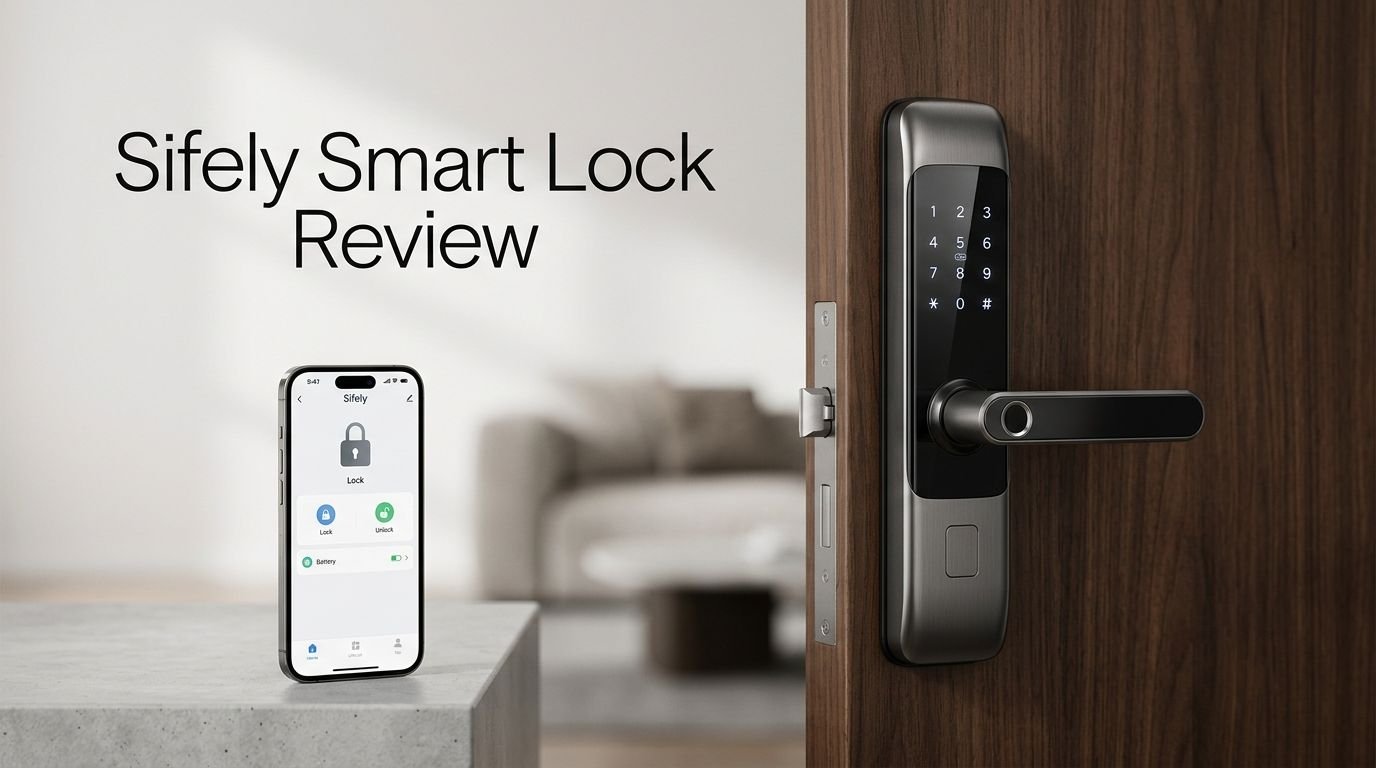
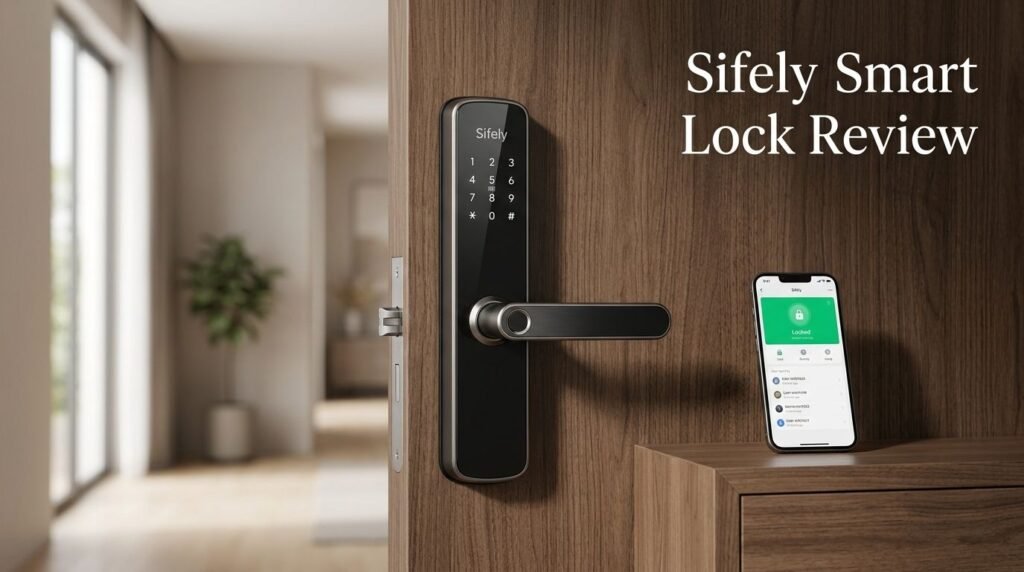
The Sifely Smart Lock has a clean, modern look that blends well with most door styles. The exterior panel features a numeric keypad and an integrated fingerprint sensor on the handle. The interior panel holds the battery compartment and a manual lock/unlock knob.
The zinc alloy construction feels sturdy in hand. It does not feel flimsy like some budget locks on the market. However, it is worth noting that zinc alloy is not as strong as stainless steel. For most residential use, it provides adequate protection.
The keypad has backlit numbers, which makes it easy to enter codes at night. The buttons respond well to touch and do not require excessive pressure. The fingerprint reader is positioned on the handle itself, so you can unlock the door with a single natural grip.
Available in silver, black, and gold finishes, the lock gives buyers options to match their door hardware. The overall design leans toward minimalism, which most buyers appreciate. It does not look bulky or overly techy from the outside.
One small criticism from users is the plastic feel of certain interior components. While the exterior holds up well, some internal parts could benefit from higher-quality materials.
Top 3 Alternatives for Sifely Smart Lock


Fingerprint Sensor Performance
The fingerprint sensor on the Sifely Smart Lock is one of its biggest selling points. The sensor sits on the door handle, so you simply grab the handle and the door unlocks. There is no extra step or awkward positioning required.
Sifely claims the sensor reads fingerprints in under one second. In real-world testing, this holds up well for most users. The lock can store up to 100 unique fingerprints, which is more than enough for families and small rental operations.
The sensor uses semiconductor fingerprint recognition technology. This means it reads the actual ridges of your fingerprint rather than just a surface image. This method is more accurate and harder to fool with fake prints.
However, some users report occasional misreads with wet or dirty fingers. This is common across most fingerprint-based smart locks. A quick wipe of your finger usually solves the problem. In cold weather, the sensor may also take a second attempt to register properly.
Overall, the fingerprint feature works reliably for daily use. It is one of the fastest ways to unlock the door, especially compared to typing a code or pulling out your phone.
Sifely Smart Lock App Features
The Sifely Smart Lock app is available for both iOS and Android devices. It serves as the main control hub for your lock. You can download it for free from the App Store or Google Play by searching “Sifely Smart Lock.”
Through the app, you can lock and unlock the door, create passcodes, register fingerprints, and view access logs. The access log shows a time-stamped record of every entry, which is very useful for rental property owners.
One standout feature is the ability to generate temporary or one-time passcodes. This is perfect for Airbnb hosts who need to give guests access for a limited time. You can set codes to expire after a single use or after a set date range.
The app also supports managing multiple locks from one account. If you own several rental units, you can switch between locks without logging in and out. Real-time notifications alert you every time someone enters or exits.
The downside is that Bluetooth range limits the app’s functionality without the WiFi Gateway. Without the gateway, you need to be within about 30 feet of the lock to control it through the app. The gateway (sold separately) bridges this gap and enables remote access from anywhere.
Some users on the App Store have noted occasional bugs after updates. However, Sifely has been consistent with pushing fixes and improvements to the app over time.
WiFi Gateway and Remote Access

The Sifely Smart Lock connects to your phone through Bluetooth by default. This means you can only interact with the lock when you are nearby. For full remote control, you need the Sifely WiFi Gateway, which is sold as a separate accessory.
The WiFi Gateway plugs into a power outlet near your lock. It connects the lock to your home WiFi network, which then allows you to control the lock from anywhere with an internet connection. The gateway supports 2.4GHz WiFi networks (the newer G5 model also supports 5GHz).
With the gateway connected, you gain access to voice control through Amazon Alexa and Google Assistant. You can lock your door with a simple voice command. The gateway also enables push notifications and remote passcode generation.
One gateway can pair with multiple Sifely locks. Sifely recommends keeping the lock and gateway within 10 feet for the best Bluetooth connection between the two devices.
The extra cost of the gateway is a common complaint among buyers. Many users wish the lock had built-in WiFi. Still, the gateway approach helps keep the lock’s price low and its battery life long, since WiFi radios drain batteries much faster than Bluetooth.
Installation Process
The Sifely Smart Lock is designed for easy DIY installation. You do not need to drill new holes or hire a locksmith. The lock fits standard US door preparations with a 2 3/8″ or 2 3/4″ backset.
The package includes a step-by-step installation guide and a QR code that links to a video tutorial. Most users complete the installation in 10 to 15 minutes. The process involves removing your old lock, adjusting the latch backset if needed, and attaching the new Sifely panels.
You will need a Phillips head screwdriver. That is the only tool required. The lock comes with all necessary screws, bolts, and hardware in the box.
One helpful feature is the adjustable backset latch. The included latch works with both common backset sizes, so you do not need to buy separate parts. Simply slide the latch to the correct position before installing it.
Users who have installed the lock on Airbnb rental doors or apartment doors report a smooth process. The lock works on doors between 1 3/8″ and 1 3/4″ thick, which covers most interior and exterior residential doors.
If you run into trouble, Sifely offers customer support via email and has a detailed FAQ section on their website. Video tutorials for each model are also available on YouTube and the Sifely website.
Battery Life and Power Management
The Sifely Smart Lock runs on 4 AA batteries. These are standard alkaline batteries you can find at any store. The batteries go into a compartment on the inside panel of the lock.
Under normal usage, the batteries last approximately 8 to 12 months. This depends on how often you unlock the door and which methods you use. Fingerprint and Bluetooth unlocking tend to use slightly more power than keypad codes.
The Sifely app includes a battery level indicator. It shows the current battery percentage so you can plan replacements ahead of time. The lock also sends a low battery notification through the app when power drops below a certain threshold.
If the batteries die completely, you are not locked out. The lock has a USB-C emergency power port on the bottom of the exterior panel. You can connect a portable power bank to temporarily power the lock and unlock it. There is also a physical backup key included with the lock for emergencies.
This battery-powered design means no wiring or electrical work is needed during installation. It also means the lock keeps working during power outages, which is a significant advantage over some wired smart lock systems.
Security Features and Encryption
Sifely uses AES 128-bit encryption for communication between the lock and the app. This is the same level of encryption used by many banks and financial institutions. It prevents hackers from intercepting the signal between your phone and the lock.
The lock includes an anti-peep keypad feature. You can enter random digits before or after your real code. As long as the correct sequence appears somewhere in the string, the lock will open. This prevents bystanders from guessing your code by watching you type.
After several failed unlock attempts, the lock automatically disables the keypad for 5 minutes. This lockout feature protects against brute force attacks where someone tries every possible code combination.
The physical build also provides security. The lock uses a standard deadbolt mechanism with ANSI Grade 3 certification. While this is not the highest grade available (Grade 1 is the top), it is sufficient for most residential applications.
One limitation is the lack of ANSI Grade 2 or Grade 1 certification. Buyers who need commercial-grade security may want to consider higher-end options. For average homeowners and rental hosts, the security level is more than adequate.
Sifely Smart Lock for Airbnb and Rental Properties
This is where the Sifely Smart Lock truly shines. The lock was built with rental property managers and Airbnb hosts in mind. Its feature set directly addresses the pain points of managing guest access.
The app lets you create unique passcodes for each guest. You can set start and end times for these codes, so they only work during the guest’s stay. After checkout, the code stops working automatically.
Access logs record every entry with a timestamp. This gives hosts a clear record of who entered and when. If a dispute arises about check-in or check-out times, the log serves as proof.
Sifely also offers integration with Airbnb through third-party automation. Some hosts use services that automatically generate and send door codes to guests before check-in. This removes the manual step of creating and sharing codes for each booking.
Managing multiple properties is simple. The Sifely app supports unlimited locks on one account. You can switch between properties, update codes, and check logs without any hassle.
At a price point under $100 for most models, the Sifely lock offers excellent value for rental hosts who need affordable access management across several units.
Sifely Smart Lock vs. the Competition
How does the Sifely Smart Lock stack up against other popular smart locks? Here is a quick comparison.
Sifely vs. Schlage Encode Plus: The Schlage has built-in WiFi, Apple Home Key support, and ANSI Grade 1 security. It costs around $250 to $300. The Sifely costs a fraction of that price but requires a separate gateway for remote access and carries a lower security grade.
Sifely vs. Yale Assure Lock 2: The Yale offers a sleek touchscreen, Grade 2 certification, and direct WiFi connectivity. It works with Apple HomeKit, Alexa, and Google. Priced around $170 to $250, it is a mid-range option that offers more polish than the Sifely.
Sifely vs. ULTRALOQ U-Bolt Pro: The ULTRALOQ provides 8 unlock methods, a door sensor, and IP65 waterproofing. It is priced between $130 and $200. It offers more features than the Sifely but costs more.
The Sifely wins on price and simplicity. If you need a basic smart lock with fingerprint access and app control at a low cost, it is hard to beat. But if you need higher security grades, built-in WiFi, or premium smart home integration, the competitors pull ahead.
Pros and Cons of the Sifely Smart Lock
Pros:
- Affordable price under $100 for most models
- 6 unlock methods including fingerprint and app
- Easy 15-minute installation with no drilling
- Temporary passcode generation for guests
- Long battery life of up to 12 months
- Manages multiple locks from one app
Cons:
- WiFi Gateway sold separately for remote access
- ANSI Grade 3 security is lower than premium competitors
- Bluetooth-only range is limited without the gateway
- Interior components feel slightly plasticky
- App bugs reported occasionally after updates
Who Should Buy the Sifely Smart Lock?
The Sifely Smart Lock is a great fit for budget-conscious homeowners who want basic smart lock features without a high price tag. If you need fingerprint access, app control, and temporary codes, this lock delivers all three.
Airbnb hosts and rental property managers will find the most value here. The ability to create guest codes, track access, and manage multiple locks from one app makes daily operations much easier.
Families with kids or elderly members benefit from the fingerprint unlock. Kids do not need to carry keys, and elderly users can simply touch the handle to enter. It removes the stress of lost keys or forgotten codes.
This lock may not be the best choice for users who need top-tier security or deep smart home integration. If you rely heavily on Apple HomeKit, Z-Wave, or Zigbee ecosystems, other locks offer better compatibility.
For the price, the Sifely Smart Lock provides strong value and reliable daily performance. It does what it promises and does it well.
Final Verdict: Is the Sifely Smart Lock Worth It in 2026?
The Sifely Smart Lock remains one of the best budget smart locks you can buy in 2026. It offers a strong mix of features, easy installation, and dependable fingerprint performance at a price that undercuts most competitors.
Yes, it has limitations. The separate WiFi Gateway adds cost. The security grade is not commercial-level. The app could be smoother. But for the average homeowner or rental host, these trade-offs are easy to accept given the low entry price.
If you want a simple, affordable, and functional keyless entry system, the Sifely Smart Lock is a solid pick. It saves you the hassle of carrying keys, gives you control over who enters your home, and runs for nearly a year on a set of AA batteries.
For anyone managing rental properties, this lock is almost a no-brainer. The guest code management and access logs alone justify the purchase.
Frequently Asked Questions
Does the Sifely Smart Lock Work Without WiFi?
Yes. The Sifely Smart Lock works with Bluetooth, fingerprint, keypad codes, key fobs, and a physical key without any WiFi connection. WiFi is only needed for remote access, voice control, and remote passcode generation through the optional gateway.
How Many Fingerprints Can the Sifely Lock Store?
The lock can store up to 100 fingerprints. Each fingerprint is tied to a user profile in the app. You can add or delete fingerprints at any time through the Sifely Smart Lock app.
Is the Sifely Smart Lock Compatible with Alexa?
Yes. The lock works with Amazon Alexa and Google Assistant when connected through the Sifely WiFi Gateway. Without the gateway, voice control is not available.
Can I Use the Sifely Lock on an Apartment Door?
Yes. The lock fits most standard US doors with a 2 3/8″ or 2 3/4″ backset and a door thickness of 1 3/8″ to 1 3/4″. Check with your landlord before replacing the lock on a rental apartment.
What Happens If the Sifely Lock Battery Dies?
You can use the USB-C emergency power port on the exterior panel to temporarily power the lock with a portable battery bank. You can also use the included physical backup key to unlock the door manually.
How Often Do I Need to Replace the Batteries?
Under normal use, the 4 AA batteries last approximately 8 to 12 months. The app sends a low battery notification so you can replace them before they run out completely.