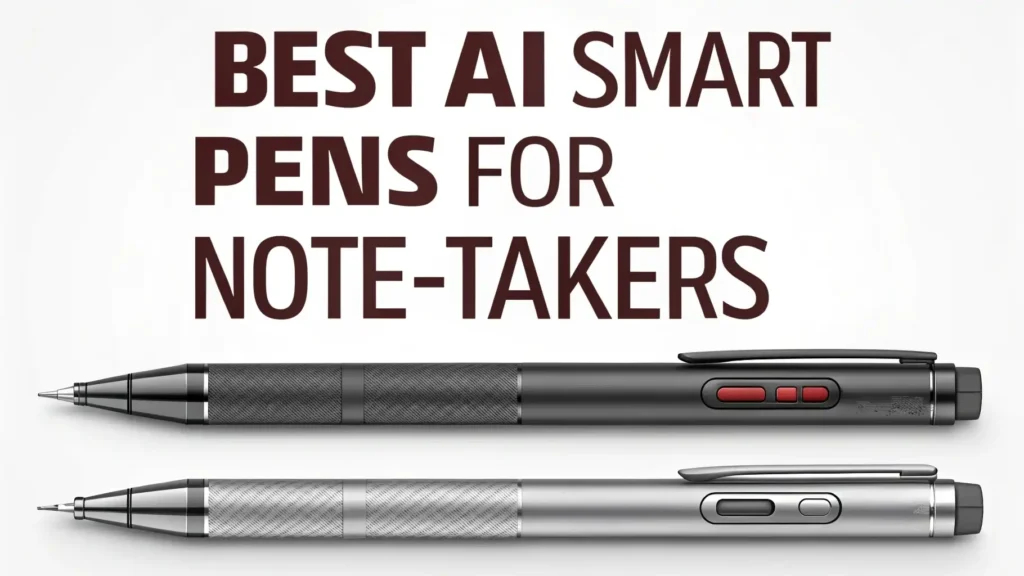
8 Best AI Smart Pens for Note-Takers in 2026: The Ultimate Guide
Note-taking has entered a new era. Gone are the days when you had to choose between the natural feel of pen on paper and the convenience of digital notes. AI smart pens bridge this gap perfectly, giving you the best of both worlds.
These innovative tools capture every stroke you make on real paper and instantly transform your handwritten notes into searchable, editable digital files.
This guide explores the top 8 AI smart pens available on Amazon in 2026 that are changing how we capture and organize information.
Key Takeaways
- Real-Time Digital Sync: Modern AI smart pens connect to your smartphone or tablet via Bluetooth, syncing your handwritten notes instantly as you write. No more manual scanning or uploading required.
- Handwriting to Text Conversion: Advanced AI algorithms convert your handwriting into editable text with impressive accuracy. This feature makes your notes searchable and easy to share across different platforms.
- Multi-Language Support: Many 2026 models support 60+ languages for translation and transcription, making them perfect for international students and global professionals.
- Audio Recording Integration: Some smart pens record audio while you write, linking your notes to specific moments in recordings. This proves invaluable during lectures and meetings.
- Cloud Storage and Sharing: Your notes automatically save to cloud services like Google Drive, Dropbox, and OneNote. Share your work with classmates or colleagues with just a few taps.
- Extended Battery Life: The latest models offer 15-20 hours of continuous writing time, ensuring your pen does not die in the middle of important sessions.
XNote Smart Pen and Notebook Starter Set

The XNote Smart Pen system stands out as a premium choice for serious note-takers in 2026. This AI-powered writing set combines traditional pen and paper with cutting-edge digital technology.
The pen features a 17-hour battery life that lasts through multiple days of intensive use. The specialized notebook paper works seamlessly with the pen’s built-in camera sensor, capturing every detail of your writing with precision.
What makes XNote special is its comprehensive app ecosystem. Your handwritten notes appear on your phone screen in real-time as you write.
The AI engine recognizes your handwriting patterns and converts them to text with excellent accuracy. You can organize notes into different folders, add tags for easy searching, and export files in multiple formats including PDF, DOCX, and JPG.
Pros:
Long 17-hour battery life
Real ink on real paper for backup
AI-powered handwriting recognition
Bluetooth connectivity to iOS and Android
Includes five ink refills
Cons:
Higher price point at $249
Requires special notebook paper
Learning curve for app features
Limited color options for ink
INQ Smart Writing Set for iPhone and Android

The INQ Smart Writing Set brings professional-grade features to note-takers who value versatility.
This system works with both Letter Size and A5 notebooks, giving you flexibility in choosing your preferred paper format. The pen captures your writing through infrared technology embedded in the special paper, ensuring accurate reproduction of every stroke.
One standout feature is the voice recording and transcription capability. While you take notes during meetings or lectures, the pen records audio simultaneously.
Later, you can tap on any written word in the app to hear what was being said at that exact moment. This synchronization between written and spoken content creates a powerful reference tool.
Pros:
Voice recording with note synchronization
Works with Letter Size and A5 formats
AI transcription of audio
Real ink on real paper
Multi-format export options
Cons:
Moderate price at $170
Requires proprietary paper
Limited reviews for reliability
App requires stable internet connection
Smart Pen for Note Taking Set with Real-Time Sync

This Smart Pen Set offers excellent value for students and professionals who want reliable digital note-taking without breaking the bank.
Priced at just under $109, it delivers many premium features found in more expensive models. The real-time paper-to-digital conversion works smoothly, with your notes appearing on your device within seconds of writing.
The included notebook and writing board give you options for different note-taking situations.
The notebook suits formal meetings and classes, while the portable board works great for quick sketches and brainstorming sessions. The pen feels comfortable during extended writing sessions, with good weight distribution and ergonomic design.
Pros:
Affordable at $108.95
Includes notebook and writing board
Real-time synchronization
Text conversion with good accuracy
Compatible with major cloud services
Cons:
Basic build quality compared to premium models
Limited battery information provided
Requires app for full functionality
Fewer advanced AI features
Ophaya Digital Smart Pen and Notebook Set

Ophaya has created a comprehensive smart pen solution that earned solid ratings from over 124 Amazon reviewers.
This set includes both a smart notebook and a smart board, providing flexibility for different writing scenarios. The pen syncs notes to your phone instantly via Bluetooth, with a reliable connection that rarely drops during use.
The standout feature here is the convert-to-text accuracy. The AI engine handles various handwriting styles well, including cursive and mixed printing.
This makes it suitable for users who have not perfected their penmanship. The digital board works excellently for teaching, presentations, or brainstorming sessions where you need to capture ideas quickly.
Pros:
Includes both notebook and board
Instant sync to smartphones and tablets
Good handwriting recognition
Makes an excellent gift
Reasonable price at $108.98
Cons:
Average 4.0 rating indicates some issues
Build quality concerns mentioned in reviews
App interface could be more intuitive
Occasional sync delays reported
Scan Sense AI Smart Pen
No products found.
The Scan Sense AI Smart Pen takes a different approach to smart writing technology. Instead of focusing solely on note-taking, this device functions as an AI-powered learning assistant.
Point it at math problems, historical facts, or foreign language text, and it provides instant answers and translations. This makes it incredibly valuable for students studying multiple subjects.
The pen supports offline translation for 60+ languages, meaning you do not need an internet connection to translate text. The built-in camera captures printed text, and the AI engine processes it within seconds. The small touchscreen displays translations, definitions, and explanations clearly.
Pros:
Instant AI answers for various subjects
60+ languages offline translation
Built-in camera and touchscreen
Music and file storage
Affordable at $35.58
Cons:
Lower quality feel compared to premium pens
Mixed reviews about accuracy
Limited note-taking features
3.0 rating suggests reliability concerns
Rocketbook Core Reusable Smart Notebook

While not a traditional smart pen, the Rocketbook Core system deserves mention because it offers a unique approach to digital note-taking.
This reusable notebook works with any Pilot FriXion pen, which you can buy anywhere. You write on the special pages, scan them with your smartphone using the Rocketbook app, and then wipe the pages clean with a damp cloth for reuse.
The letter size 8.5×11 format provides plenty of space for detailed notes, diagrams, and sketches. The lined pages suit traditional note-taking perfectly.
The app uses AI to enhance your scanned images, making even messy handwriting more legible in digital format. You can send notes directly to cloud services, email, or messaging apps.
Pros:
Reusable pages for eco-friendly note-taking
Works with standard FriXion pens
Letter size provides ample writing space
AI-enhanced scanning for clarity
Excellent 4.5-star rating from 22,100+ reviews
Cons:
Requires manual scanning via app
Not real-time sync like pen systems
Pages must be wiped clean after scanning
Ink sometimes does not erase completely
Requires specific pen types
Ophaya Sync Smart Pen with A5 Notebook Pack

This Ophaya model offers exceptional value by including five A5 notebooks with your smart pen purchase. At $79.99, it represents one of the most affordable complete smart pen systems available in 2026.
The Amazon’s Choice badge indicates strong sales performance and positive customer feedback. The A5 size strikes a perfect balance between portability and writing space.
The sync technology works reliably, transferring your handwritten notes to smartphones and tablets almost instantly.
The pen uses infrared dot technology to track your writing position, ensuring accurate digital reproduction. The included notebooks last several months for average users, making this an economical choice for students on tight budgets.
Pros:
Includes five A5 notebooks
Amazon’s Choice designation
Budget-friendly at $79.99
Instant sync to devices
Compact A5 size for portability
Cons:
Smaller A5 format may not suit everyone
Fewer advanced features than premium models
4.2 rating with limited reviews
App functionality could be expanded
Smart Sync Pen for Note Taking with Writing Board

This Smart Sync Pen has earned trust from over 414 Amazon customers who gave it a solid 4.0-star rating.
The system includes both a notebook and a writing board, providing versatility for different note-taking situations. The real-time synchronization technology works smoothly with both Android and iOS devices, ensuring broad compatibility.
The convert-to-text functionality performs well for printed handwriting and reasonably well for cursive. The AI algorithms continue learning and improving with regular use. The app stores your notes locally on your device and backs them up to cloud storage, giving you multiple layers of protection against data loss.
Pros:
Includes notebook and writing board
Real-time sync for digitizing notes
Compatible with Android and iOS
Good 4.0 rating from 414 reviews
Text conversion and storage options
Cons:
Mid-range price at $107.65
Some users report connection issues
Board size may be limiting for large diagrams
Requires compatible paper for best results
Understanding AI Smart Pen Technology
AI smart pens work through a combination of hardware and software innovations. The pen contains a tiny camera near the tip that photographs the paper thousands of times per second.
Special paper features microscopic dot patterns that help the camera determine the pen’s exact position. This position data gets processed by algorithms that reconstruct your writing digitally.
The AI component analyzes your handwriting patterns to improve recognition accuracy over time.
Machine learning models compare your writing to millions of samples, identifying letters, words, and sentences with increasing precision. Some advanced models even recognize your personal writing style and adapt specifically to your hand.
The digital transformation happens either in real-time through Bluetooth connection or after writing through manual syncing.
Real-time systems offer immediate feedback but require constant connectivity. Manual sync systems store writing data in the pen’s memory until you transfer it later, which works better for areas with poor wireless connectivity.
Benefits for Students and Professionals
Students gain significant advantages from AI smart pens. Lecture notes become searchable databases where you can find specific topics instantly.
Missed class details appear in recorded audio linked to your notes. Study materials organize automatically by subject and date. Collaboration becomes easier when you share digital notes with study groups through cloud services.
Professionals use smart pens to streamline meetings and project documentation. Meeting minutes capture every discussion point while recording audio for later reference.
Brainstorming sessions preserve creative ideas in both handwritten and text formats. Client meetings produce shareable documents immediately after discussions end. Project notes stay organized in cloud systems accessible to entire teams.
Creative professionals like designers, architects, and artists appreciate the ability to sketch on paper while creating digital files simultaneously. Quick concept drawings transform into shareable images.
Choosing the Right Smart Pen for Your Needs
Consider your primary use case when selecting an AI smart pen. Students should prioritize battery life, handwriting recognition accuracy, and audio recording features. Look for models with long battery duration that last through full days of classes. Audio sync helps review lecture material later.
Professionals need reliability, professional appearance, and robust cloud integration. Choose pens with solid build quality that look appropriate in business settings. Ensure the system integrates smoothly with your existing productivity tools like Microsoft Office, Google Workspace, or project management platforms.
Budget plays a significant role in decision-making. Entry-level models around $80-110 offer core functionality suitable for most users. Mid-range options from $150-200 add features like audio recording and better build quality. Premium systems above $200 provide the best technology and longest lifespan but may exceed casual users’ needs.
Smart Pen Maintenance and Care Tips
Keep your smart pen functioning optimally with proper maintenance. Clean the camera lens regularly using a soft, lint-free cloth. Dust and smudges on the lens reduce position-tracking accuracy. Store the pen in a protective case when not in use to prevent damage from drops or pressure.
Charge your pen before it fully depletes. Lithium batteries last longer when you avoid complete discharge cycles. Most smart pens charge via USB-C or micro-USB cables. Keep spare cables in different locations so you always have charging options available.
Update the companion app regularly. Software updates often include improved handwriting recognition, bug fixes, and new features. Enable automatic updates if possible to ensure you always run the latest version. Some pens also have firmware updates that improve pen performance.
Future Trends in Smart Pen Technology
The AI smart pen market continues evolving rapidly. Future models will likely include even more sophisticated AI capabilities. Expect improvements in handwriting recognition that handle messy writing better. Real-time language translation will become more accurate and support additional languages.
Integration with augmented reality represents an exciting possibility. Imagine writing on paper and seeing your notes appear on AR glasses simultaneously. This technology could revolutionize education and professional training by overlaying digital information onto physical workspaces.
Longer battery life remains a priority for manufacturers. Solar charging panels built into pen caps or cases might eliminate charging concerns entirely. More eco-friendly materials and rechargeable components will address environmental concerns about electronic devices.
Frequently Asked Questions
Do AI smart pens work with regular paper?
No, most AI smart pens require special paper with microscopic dot patterns that help the pen track its position. The Rocketbook system represents an exception, working with special reusable pages and standard FriXion pens. Always check manufacturer specifications before purchasing.
How accurate is handwriting to text conversion?
Accuracy varies by model and individual handwriting style. Premium pens achieve 85-95% accuracy for clear printing. Cursive writing typically scores lower at 70-85% accuracy. The AI improves with use as it learns your specific writing patterns. Users with neat handwriting get better results than those with messy penmanship.
Can I use smart pens without a smartphone?
Some models store writing data internally for later transfer to a computer. However, most smart pens require smartphone or tablet connectivity for full functionality. The mobile app handles processing, text conversion, and cloud storage. Check product specifications if smartphone-free operation matters to you.
How long do smart pen batteries last?
Battery life ranges from 8 hours for basic models to 17+ hours for premium pens. Actual duration depends on usage patterns and enabled features. Real-time Bluetooth syncing drains batteries faster than storing notes for later transfer. Most pens charge fully within 1-2 hours using standard USB cables.
Are smart pens worth the investment for students?
Yes, most students find smart pens worthwhile investments. The ability to search through semester-long notes saves significant study time. Audio recording features help review complex lectures. Digital organization prevents lost papers and makes sharing notes with classmates effortless. The cost typically pays for itself through improved grades and time savings.
What cloud services work with smart pens?
Most smart pen apps integrate with major cloud platforms including Google Drive, Dropbox, OneDrive, Evernote, and OneNote. Some systems also support direct email sharing and messaging app integration. Check your preferred pen’s app specifications to confirm compatibility with your existing cloud ecosystem.