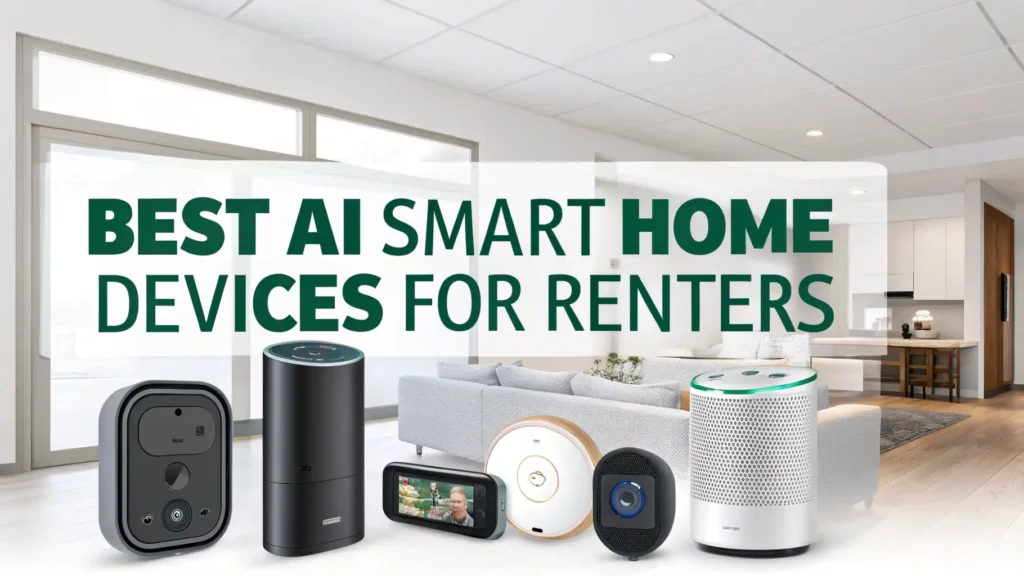
8 Best AI Smart Home Devices for Renters in 2026
Living in a rental property does not mean you have to miss out on the convenience and comfort of smart home technology.
Many renters think they cannot upgrade their living spaces because they worry about damaging walls or breaking lease agreements. The good news is that modern AI smart home devices are designed with renters in mind.
These devices require no drilling, no permanent installation, and no special wiring. You can set them up in minutes and take them with you when you move to your next home.
Key Takeaways
- Easy Installation and Portability: All devices featured in this guide require zero drilling or permanent modifications. You can install them in minutes using adhesive strips, plug-in connections, or simple replacements.
- Voice Control Integration: These smart devices work with Alexa, Google Assistant, and Siri, giving you hands-free control over your home.
- Energy Savings and Cost Reduction: Smart plugs and thermostats help you monitor and reduce energy consumption.
- Enhanced Security Without Lease Violations: Battery-powered cameras and doorbells provide robust security monitoring without violating lease terms.
- Budget-Friendly Smart Home Solutions: Most devices range from $15 to $250, making smart home technology accessible on any budget.
- Compatible Ecosystem Building: These devices work together to create a connected home experience.
Amazon Echo Dot Smart Speaker

The Amazon Echo Dot stands as the perfect starting point for any renter looking to create a smart home.
This compact speaker delivers vibrant sound quality that fills your bedroom, office, or living room. The latest model features improved bass and clearer voice recognition compared to previous versions.
You can use Alexa to play music from Spotify, Amazon Music, or Apple Music. The device answers questions, sets timers, reads the news, and controls other smart devices in your home.
The Echo Dot connects to your WiFi network in minutes. You simply plug it into any outlet and follow the simple setup instructions in the Alexa app.
Pros:
✓ Excellent sound quality for its size
✓ Seamless integration with thousands of smart devices
✓ Easy voice control for hands-free operation
✓ Affordable entry point into smart home technology
✓ Compact design fits anywhere
✓ Regular software updates add new features
Cons:
✗ Requires stable WiFi connection
✗ Privacy concerns with always-listening microphone
✗ Best features require Amazon Prime subscription
✗ Limited battery option (needs constant power)
Ring Battery Video Doorbell

The Ring Battery Video Doorbell gives renters complete control over their front door security without any wiring requirements.
This doorbell operates entirely on battery power, which means you can install it on any surface using the included mounting bracket and adhesive strips. No drilling into your landlord’s property is necessary.
The device captures head-to-toe HD video of everyone who approaches your door. You receive instant motion alerts on your smartphone whenever someone rings the bell or triggers the motion sensors.
The two-way audio feature lets you speak with delivery drivers, guests, or unexpected visitors from anywhere in the world.
Pros:
✓ No wiring required for installation
✓ Crystal clear HD video quality
✓ Two-way communication with visitors
✓ Customizable motion detection zones
✓ Weather-resistant construction
✓ Easy battery removal and charging
Cons:
✗ Subscription required for video storage
✗ Battery needs periodic recharging
✗ Motion alerts can be overly sensitive initially
✗ Video quality depends on WiFi strength
Wyze Cam OG Indoor Outdoor Security Camera

The Wyze Cam OG delivers professional-grade security monitoring at a fraction of the cost of traditional security systems. This versatile camera works both indoors and outdoors, giving you flexibility to monitor any area of your rental property. The compact design and magnetic base make installation incredibly simple.
The camera records in 1080p Full HD with color night vision that captures clear details even in complete darkness. The built-in spotlight illuminates dark areas when motion is detected, deterring potential intruders and improving video quality. You can customize when the spotlight activates based on your preferences.
Motion and sound detection sends instant alerts to your smartphone. The AI-powered detection can distinguish between people, pets, and vehicles, reducing unnecessary notifications. You can set up detection zones to monitor specific areas while ignoring others.
Pros:
✓ Exceptional value for money
✓ Works both indoors and outdoors
✓ Color night vision with built-in spotlight
✓ Free cloud storage included
✓ Easy magnetic mounting
✓ Compatible with Alexa and Google Assistant
Cons:
✗ Requires constant power connection
✗ Advanced AI features need subscription
✗ Setup can be tricky with some WiFi networks
✗ Spotlight may bother neighbors in apartments
Smart WiFi Plugs

Smart WiFi plugs represent the easiest and most affordable way to automate your rental home. These compact devices plug into any standard outlet and instantly make any connected appliance controllable from your smartphone. You can turn lamps, fans, coffee makers, or any electronic device on and off remotely.
The EIGHTREE Smart Plug pack includes four individual plugs, giving you the ability to control multiple devices throughout your home.
Each plug connects independently to your WiFi network, allowing you to control them separately or together as a group. The setup process takes about two minutes per plug using the smartphone app.
You can create custom schedules that turn devices on and off automatically. Set your bedroom lamp to turn on at sunset and off at bedtime. Program your coffee maker to start brewing before you wake up.
Pros:
✓ Extremely affordable smart home solution
✓ No installation required, just plug in
✓ Individual control of each outlet
✓ Energy monitoring capabilities
✓ Works with major voice assistants
✓ Compact design does not block adjacent outlets
Cons:
✗ Each plug needs separate WiFi connection
✗ Adds visible bulk to outlets
✗ Limited to 2.4GHz WiFi networks
✗ App interface can be basic
Govee Smart LED Light Bulbs

Smart lighting transforms the atmosphere of your rental home without any permanent changes. Govee Smart LED Light Bulbs screw into your existing light fixtures just like regular bulbs.
You need no special wiring, no modifications to your fixtures, and no landlord approval. When you move out, you simply take the bulbs with you and replace them with standard bulbs.
These bulbs offer 16 million color options plus warm white and cool white settings. You can create any mood or atmosphere you desire. Set romantic red lighting for dinner, energizing blue for work sessions, or soft warm white for relaxation. The possibilities are virtually endless.
Pros:
✓ Easy installation in existing fixtures
✓ Massive color palette with 16 million options
✓ Music synchronization for parties
✓ Energy-efficient LED technology
✓ Voice control with Alexa and Google
✓ Scheduling and automation features
Cons:
✗ Requires 2.4GHz WiFi network
✗ Bluetooth range limited in large homes
✗ Some colors appear less vibrant than others
✗ Initial setup can be time-consuming for multiple bulbs
August WiFi Smart Lock

The August WiFi Smart Lock revolutionizes home security for renters by retrofitting onto your existing deadbolt. This ingenious design means you install it on the interior side of your door only.
You make no modifications to the exterior, keeping your landlord’s hardware completely intact. This approach respects lease agreements while giving you keyless entry convenience.
Installation requires only a screwdriver and takes about 10 minutes. The lock replaces the interior thumb turn of your existing deadbolt.
You keep your original keys working normally on the outside. This dual functionality means roommates or maintenance workers can still use traditional keys while you enjoy smart lock benefits.
The auto-lock feature ensures your door locks automatically after you enter. You can set the timer from 30 seconds to several minutes based on your preference. This automation provides peace of mind when you forget to manually lock the door behind you.
Pros:
✓ Installs without exterior modifications
✓ Works with existing keys
✓ Remote lock and unlock capability
✓ Detailed access logs and notifications
✓ Auto-lock for added security
✓ Built-in WiFi, no hub needed
Cons:
✗ Higher price point than other devices
✗ Requires compatible deadbolt type
✗ Battery replacement needed periodically
✗ Occasional connectivity issues reported
Google Nest Thermostat

The Google Nest Thermostat helps renters save money on energy bills while maintaining perfect comfort levels. This programmable WiFi thermostat replaces your existing thermostat with minimal effort. Most renters can install it themselves in 30 minutes using the included instructions and tools.
The thermostat learns your schedule and temperature preferences over time. It automatically adjusts heating and cooling based on when you are home or away.
This intelligent automation can reduce energy costs by up to 15% according to independent studies. Many renters see noticeable decreases in their monthly utility bills.
Remote control through the Google Home app lets you adjust temperature from anywhere. Forgot to turn down the heat before leaving for vacation? You can fix it from your phone. Coming home early from work? Warm up the house before you arrive.
Pros:
✓ Significant energy savings potential
✓ Remote temperature control
✓ Learning capabilities for automatic optimization
✓ Energy usage tracking and insights
✓ Works with Google Assistant and Alexa
✓ Clean, modern design
Cons:
✗ Not compatible with all HVAC systems
✗ Installation may require landlord permission
✗ Requires C-wire in many cases
✗ Learning period takes time to optimize
Robot Vacuum Cleaner with Smart Controls

A smart robot vacuum takes floor cleaning completely off your to-do list. The ILIFE A30 Pro combines powerful suction with intelligent navigation to keep your rental floors spotless. The device vacuums and mops simultaneously, handling both hard floors and carpets with ease.
The 5000Pa suction power picks up pet hair, dust, crumbs, and debris that accumulate daily. The dual roller brush system prevents tangling and ensures thorough cleaning even on thick carpets.
The device automatically increases suction when it detects carpets, then returns to normal power on hard floors.
Pros:
✓ Completely autonomous cleaning
✓ Self-emptying station for 60 days
✓ Strong suction handles pet hair well
✓ Precise mapping and navigation
✓ Vacuums and mops simultaneously
✓ Voice control compatibility
Cons:
✗ Higher upfront investment cost
✗ Can be noisy during operation
✗ Requires regular maintenance of brushes
✗ May struggle with very dark floors
Understanding Smart Home Benefits for Renters
Smart home devices provide value that extends beyond convenience. These technologies help you create a personalized living environment that adapts to your needs. The ability to control lighting, temperature, and security from your smartphone adds a layer of comfort that traditional apartments cannot match.
Energy efficiency represents a major benefit for budget-conscious renters. Smart plugs eliminate phantom power drain from devices on standby.
Smart thermostats optimize heating and cooling schedules. Smart lights remind you to turn off lights when leaving. These small changes add up to meaningful savings on monthly utility bills.
Security improvements give you peace of mind whether you are at home or away. Cameras let you monitor your space remotely. Smart locks track who enters and exits.
Setting Up Your Smart Home Network
A reliable WiFi network forms the foundation of any smart home. Most smart devices require a 2.4GHz WiFi connection rather than 5GHz.
Check your router settings to ensure the 2.4GHz band is active and broadcasting. Place your router in a central location to provide consistent coverage throughout your rental.
Network security matters when you connect multiple devices to the internet. Create a strong, unique password for your WiFi network.
Enable WPA2 or WPA3 encryption in your router settings. Some routers allow you to create a separate guest network specifically for smart home devices, adding an extra layer of security.
Start small when building your smart home ecosystem. Begin with one or two devices that address your biggest pain points. Learn how they work and integrate them into your daily routine.
Privacy and Security Considerations
Smart home devices collect data about your habits and behaviors. Understanding what information devices gather and how companies use it helps you make informed decisions. Read privacy policies before purchasing. Look for companies with strong security track records and transparent data practices.
Camera placement requires careful thought in rental properties. Avoid pointing cameras at windows that overlook neighbor properties or public areas. Focus cameras on entry points and personal spaces within your rental. This practice respects others’ privacy while maintaining your security.
Secure your smart home accounts with strong, unique passwords. Enable two-factor authentication whenever available. This extra security step prevents unauthorized access even if someone obtains your password. Regular password updates add another layer of protection.
Smart Home Automation Ideas
Automation routines multiply the convenience of individual smart devices. Create a “Good Morning” routine that gradually brightens your smart lights, starts your coffee maker through a smart plug, and reads the weather forecast through your smart speaker. This automated sequence eliminates multiple manual tasks from your morning routine.
A “Leaving Home” routine can turn off all lights, lock your smart lock, arm your security cameras, and adjust the thermostat to an energy-saving temperature. You trigger this entire sequence with a single voice command or smartphone tap as you walk out the door.
Bedtime automation creates the perfect sleep environment. Schedule your lights to dim gradually 30 minutes before your target sleep time. Set your thermostat to drop to your preferred sleeping temperature. Have your smart speaker play relaxing sounds or music. These coordinated actions help you wind down naturally.
Troubleshooting Common Issues
Connection problems represent the most common smart home frustration. When a device goes offline, start by checking your WiFi router.
Restart the router by unplugging it for 30 seconds, then plugging it back in. Power cycle the problematic device by unplugging it for a few seconds. These simple steps resolve most connectivity issues.
App issues sometimes prevent proper device control. Make sure you are running the latest version of each device’s app. Check for app updates in your phone’s app store. Clear the app cache in your phone settings if problems persist. Reinstalling the app often fixes stubborn issues.
Voice control problems usually stem from improper device naming or account linking. Use simple, unique names for each device that clearly identify what they control. Verify that your smart speaker account is properly linked to each device’s account in the voice assistant app.
Preparing for Move-Out Day
Planning your smart home removal process ensures you leave no trace in your rental property. Create an inventory list of all smart devices and their original locations. Take photos of proper installation states for devices like thermostats or smart locks. This documentation helps you restore everything correctly.
Factory reset each device before removing it. This process clears your personal data and WiFi credentials from the device. Consult each device’s manual for specific reset instructions. Factory resetting also prepares devices for easy setup in your next home.
Keep original hardware from replaced items like thermostats and doorbell chimes. Reinstall these original components when you move out. This practice returns the property to its original condition and prevents any disputes about modifications.
Maximizing Your Smart Home Investment
Take advantage of bundle deals and seasonal sales when purchasing smart home devices. Amazon Prime Day, Black Friday, and Cyber Monday typically feature significant discounts on popular devices. Buying multi-packs of items like smart bulbs or plugs reduces the per-unit cost.
Subscription services can add ongoing costs to some devices. Evaluate whether premium features justify the monthly fees. Many devices offer robust free tiers that meet most renter needs. Only upgrade to paid plans if the additional features significantly improve your experience.
Share your devices with roommates through multi-user access features. Most apps allow you to grant control permissions to others living in your home. This sharing capability increases the value and convenience for everyone while splitting the initial investment cost.
Frequently Asked Questions
Can I install smart home devices in my rental apartment without my landlord’s permission?
Most plug-and-play smart devices like smart speakers, plugs, bulbs, and cameras do not require landlord permission because they do not modify the property. However, devices that replace existing fixtures like smart locks or thermostats may require permission depending on your lease terms.
Do smart home devices work without internet or WiFi?
Most modern smart home devices require WiFi for their full range of features, including remote access and voice control. However, some devices offer limited local control through Bluetooth when WiFi is unavailable. Smart plugs typically need WiFi to function through their apps.
Will smart home devices increase my electricity bill?
Smart home devices actually help reduce electricity costs despite using some power themselves. Smart plugs consume only 1 to 2 watts when idle, which costs pennies per year. Meanwhile, they eliminate phantom power drain from connected devices, which typically saves 5 to 10 watts per device.
What happens to my smart devices when I move to a new rental property?
One major advantage of renter-friendly smart devices is their portability. Simply factory reset each device to clear your personal data and WiFi settings. Remove devices from their current locations, pack them carefully, and take them to your new home. Most devices reconnect to new WiFi networks quickly through their setup apps.
Are smart home devices secure from hackers?
Reputable smart home device manufacturers implement strong security measures including encryption and regular security updates. You can further protect your devices by using strong, unique passwords for each account and enabling two-factor authentication when available. Create a separate WiFi network for smart devices if your router supports guest networks.
Can I use different brands of smart devices together?
Yes, devices from different manufacturers can work together through common platforms like Alexa, Google Assistant, or Apple HomeKit. Focus on devices compatible with your preferred voice assistant. For example, if you use Amazon Echo, ensure all devices work with Alexa.