Arlo Pro 3 Floodlight Camera Review 2026: Worth It?
Are you looking for a wire-free floodlight camera that delivers sharp 2K video and powerful LED lights without any hardwiring? The Arlo Pro 3 Floodlight Camera has been a top pick for homeowners for years. But does it still hold up in 2026?
This camera promises a unique combo of security and flexibility. It runs on a rechargeable battery. It connects straight to your WiFi. And it packs a 3,000-lumen floodlight that can light up your entire driveway. You do not need an electrician to install it.
In this review, we break down every single feature of the Arlo Pro 3 Floodlight Camera. We cover video quality, night vision, battery life, app experience, smart home support, and subscription costs.
Key Takeaways:
- Wire-free installation makes this camera one of the easiest floodlight cams to set up. You do not need to connect any electrical wires. Just mount it, pop in the battery, and pair it with the Arlo app. The whole process takes about 15 minutes.
- The camera records in 2K HDR resolution (2560 x 1440 pixels) with a wide 160-degree field of view. This gives you sharp, detailed footage during the day and at night. You can zoom into faces and license plates with the 12X digital zoom.
- The built-in LED floodlight produces up to 2,000 lumens on battery and 3,000 lumens when wired. That is bright enough to illuminate a large front yard or driveway. The light turns on automatically when it detects motion.
- Color night vision sets this camera apart from many competitors. You get full-color video after dark, not just grainy black-and-white footage. The floodlight enhances visibility even further.
- An Arlo Secure subscription is required to access cloud recordings and advanced AI features like person, animal, vehicle, and package detection. Plans start at $7.99 per month for a single camera. Without a plan, you only get live streaming and basic motion alerts.
- The camera works with Amazon Alexa, Google Assistant, Apple HomeKit, Samsung SmartThings, and IFTTT. This gives you broad smart home support. You can stream live video to an Echo Show or ask Siri to check your front door.

Arlo Pro 3 Floodlight Camera: Design and Build Quality
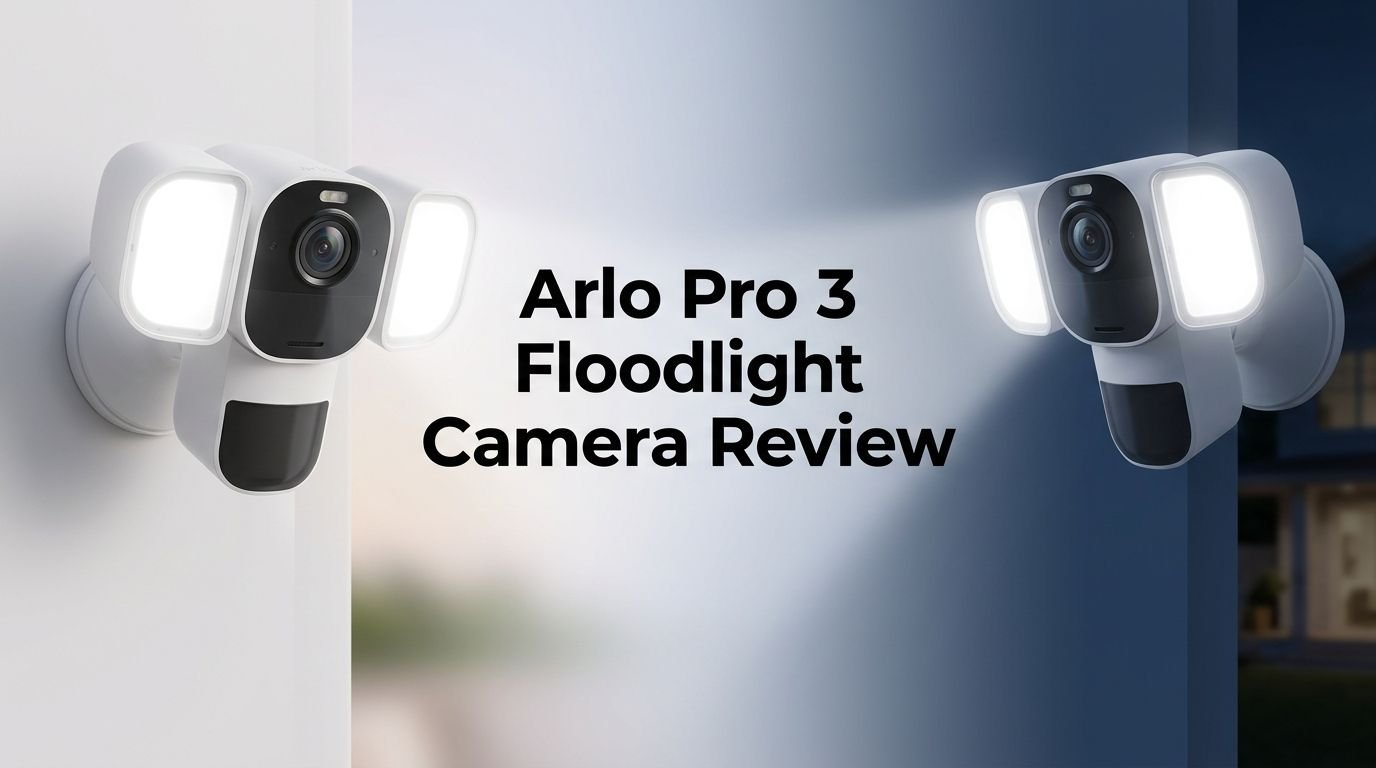
The Arlo Pro 3 Floodlight Camera has a clean, modern design. The front panel measures 3.4 by 8.7 by 0.7 inches. It features a black camera lens in the center with two white LED panels on each side. The overall look is sleek and not bulky like traditional hardwired floodlights.
The front assembly slides into a white weatherproof enclosure. This enclosure provides tilt and swivel movement. You can angle the camera in almost any direction after mounting. The build feels solid and well-made. Arlo designed this camera to handle rain, snow, heat, and cold.
A magnetic connector on the back makes it easy to detach the camera from the mount. You simply slide the panel out to remove the battery for charging. The included mounting plate attaches to your wall with three screws. Overall, the physical design earns high marks for simplicity and durability.
2K Video Quality and HDR Performance
The camera captures video at 2K resolution (2560 x 1440 pixels). This is sharper than standard 1080p cameras. You can see facial features, clothing details, and license plates clearly in daylight footage.
HDR (High Dynamic Range) helps balance bright and dark areas in the frame. If the sun is behind a visitor, HDR ensures the person is not just a dark silhouette. The color accuracy is impressive. Greens, reds, and blues look natural and true to life.
The 12X digital zoom lets you zoom into specific parts of the frame. The Auto Zoom and Tracking feature is particularly useful. It locks onto a moving person or vehicle and follows them across the 160-degree field of view. This means you do not miss important moments even when subjects move quickly.
There is slight barrel distortion at the edges of the wide-angle view. This is normal for cameras with a 160-degree lens. It does not affect the overall usability of the footage. For a wireless camera, the image quality remains among the best in 2026.
Color Night Vision: How Well Does It Work?
Color night vision is one of the standout features of the Arlo Pro 3 Floodlight Camera. Most security cameras switch to black-and-white infrared mode after dark. This camera uses its built-in LED lights and an advanced image sensor to deliver full-color footage at night.
The floodlight activates when the camera detects motion. This floods the area with bright white light. The camera then captures video in vivid color. You can identify the color of a car, the shade of someone’s jacket, or whether a package is on your doorstep.
When the floodlight is off, the camera still provides decent color night vision using ambient light. In complete darkness without any light source, it falls back to infrared black-and-white mode. The infrared LEDs illuminate objects clearly up to about 25 feet.
The color quality at night is not as vibrant as daytime footage. Colors appear slightly muted. But it is a huge improvement over cameras that only offer black-and-white night vision. For identifying visitors and potential intruders at night, this feature is a real advantage.
Top 3 Alternatives for Arlo Pro 3 Floodlight Camera
1. Ring Floodlight Cam Wired Pro

2. Eufy Security Floodlight Camera E340

3. Google Nest Cam with Floodlight

Battery Life and Power Options
The Arlo Pro 3 Floodlight Camera runs on a removable rechargeable battery. Arlo rates the battery life at up to six months under normal use. Real-world performance depends on how often the camera records, how frequently the floodlight activates, and the temperature outside.
In heavy use areas like a busy front porch, expect the battery to last around two to three months. Cold weather can also reduce battery performance. The good news is the battery is easy to remove. You slide the front assembly out and pop the battery off for indoor charging.
If you do not want to deal with battery swaps, Arlo offers two power alternatives. The Outdoor Magnetic Charging Cable ($49.99) connects the camera to a nearby AC outlet for continuous power. The Arlo Solar Panel ($79.99) keeps the battery topped up using sunlight.
When wired with the charging cable, the floodlight output jumps from 2,000 lumens to 3,000 lumens. This is a nice bonus. Wired power also removes the worry of the battery dying at a critical moment. For most users, the solar panel offers the best balance of convenience and reliability.
Installation Process: How Easy Is It?
Installation is one of the biggest selling points of this camera. You do not need to hire an electrician. You do not need to run any wires through your walls. The entire setup takes about 10 to 15 minutes with basic tools.
First, you download the Arlo app on your phone. You create an account and tap “Add New Device.” The app walks you through each step. You connect the camera to your WiFi network by scanning a QR code displayed on your phone. The camera chimes when the pairing is successful.
Next, you mount the round base plate to your wall or siding using the three included screws. The camera housing snaps onto the plate. Then you slide the camera assembly into the housing. A quick check in the app confirms the WiFi signal strength.
You can adjust the tilt and swivel of the camera to get the perfect angle. The entire process feels smooth and straightforward. Even first-time users can handle this setup with ease. Arlo provides a helpful video tutorial in the app as well.
Smart Home Integration and Voice Control
The Arlo Pro 3 Floodlight Camera supports a wide range of smart home platforms. This is where it outshines many competitors. It works with Amazon Alexa, Google Assistant, Apple HomeKit, Samsung SmartThings, and IFTTT.
With Alexa, you can say “Alexa, show me the front yard” and the live stream appears on your Echo Show or Fire TV. With Google Assistant, you can cast the camera feed to a Nest Hub display. Apple HomeKit users can view the camera in the Home app and set up automations with other HomeKit devices.
IFTTT integration opens up even more possibilities. You can create applets that turn on smart lights when motion is detected. Or you can log motion events to a Google Sheet. The flexibility here is impressive.
Samsung SmartThings support means you can include this camera in your broader SmartThings home automation routines. Very few floodlight cameras offer this level of cross-platform support. If you use multiple smart home ecosystems, this camera fits right in.
Arlo Secure Subscription: What Do You Get?
The Arlo Pro 3 Floodlight Camera comes with a free 30-day trial of the Arlo Secure plan. After that, you need a paid subscription to access cloud video recordings and advanced features.
The Arlo Secure plan starts at $7.99 per month for a single camera. The unlimited camera plan costs $17.99 per month. A higher-tier Arlo Secure Plus plan is also available. These plans include 60 days of video history, smart activity zones, and advanced AI detection.
Without a subscription, you can still view live streams and receive basic motion alerts. But you cannot watch recorded video clips. You also lose access to person, vehicle, animal, and package detection. If you have an Arlo Smart Hub, you can store recordings locally on a USB drive without a subscription.
The subscription cost is a key factor in the total cost of ownership. Over a year, you will spend about $96 to $216 on top of the camera price. This is something to consider before buying. Some competitors like Eufy offer local storage with no monthly fees.
The Arlo App Experience
The Arlo app is available on both Android and iOS. It serves as the central control hub for all your Arlo devices. The interface is clean and easy to use. You see a thumbnail of the last captured event for each camera on the main screen.
Tapping the play button starts a live stream. You can switch to full-screen mode. Below the video feed, you will find controls for the floodlight. You can turn the light on or off, adjust brightness with a slider, and set the light duration.
The Device Settings screen gives you access to video mode options (wide, standard, full), HDR toggle, auto zoom and tracking, and power management profiles. You can choose between Best Video, Optimized, and Best Battery Life modes depending on your priorities.
The Library tab stores all recorded events as video thumbnails with timestamps. You can filter by date and event type. The Mode tab lets you arm, disarm, or schedule motion detection. Overall, the app is responsive, well-organized, and rarely crashes.
Floodlight Brightness and Lighting Features
The built-in floodlight is one of the defining features of this camera. On battery power, it produces up to 2,000 lumens. When connected to continuous AC power, it delivers up to 3,000 lumens. That is brighter than a car headlight.
The light has a 4,000K color temperature. This is a neutral white tone. It is bright enough to illuminate driveways, walkways, patios, and front yards. The light does not have a warm yellow tint. It provides clear, crisp visibility.
You can configure the floodlight in several ways through the app. Set it to turn on automatically when motion is detected. Adjust the brightness level from dim to full blast. Choose how long the light stays on after activation. You can also use the Dusk to Dawn sensor. This keeps the light on from sunset to sunrise at a brightness level you select.
The ability to manually turn the light on and off through the app is handy. If you hear a noise outside, you can tap a button and flood your yard with light instantly. This doubles as a deterrent for intruders.
Motion Detection and Smart Alerts
The Arlo Pro 3 Floodlight Camera uses PIR (passive infrared) motion detection to sense movement. The detection range and sensitivity are adjustable in the app. You can set the sensitivity low to avoid false alerts from passing cars or blowing branches.
With an Arlo Secure subscription, you unlock advanced object detection. The camera can tell the difference between a person, animal, vehicle, and package. You receive specific alerts like “Person detected at front yard” instead of a generic motion alert.
Smart activity zones let you draw custom zones on the camera’s view. You can focus detection on your front door and ignore the sidewalk across the street. This greatly reduces unwanted notifications.
Alerts arrive on your phone within seconds of an event. The response time is fast. You can view the recorded clip directly from the notification. The auto zoom and tracking feature ensures the subject stays centered in the frame during recording. For real-time awareness, the alert system works well.
Audio Features: Two-Way Talk and Siren
The camera includes a built-in microphone and speaker for two-way audio. You can talk to visitors, delivery drivers, or anyone at your door directly through the Arlo app. The audio quality is clear. The speaker is loud enough to be heard outdoors.
Two-way talk is useful in many situations. You can tell a delivery person to leave a package by the side door. You can warn a stranger that they are being recorded. You can greet family members arriving home. The slight audio delay is minimal.
The camera also has a built-in siren. You can trigger this manually from the app or set it to activate automatically with motion. The siren is loud and can startle unwanted visitors. Combined with the bright floodlight, it creates a strong deterrent.
These audio features add an extra layer of security beyond video recording. You are not just watching and recording. You can actively communicate and respond to events in real time. This makes the camera feel like a more complete security tool.
Weather Resistance and Durability
The Arlo Pro 3 Floodlight Camera carries a weather-resistant rating. Arlo designed it to work outdoors year-round. It handles rain, snow, wind, and direct sunlight without issues.
The operating temperature range covers -4°F to 113°F (-20°C to 45°C). This makes it suitable for most climates in the United States, Canada, Europe, and beyond. The housing seals tightly to prevent moisture from reaching the electronics.
Users in hot southern climates and cold northern regions have reported solid performance across seasons. Battery life may dip in extreme cold, but the camera itself continues to function. The white exterior does a good job of reflecting heat in summer.
The magnetic mounting system holds firm even in strong winds. The camera does not rattle or shift over time. The overall build quality inspires confidence that this camera will last for years on the exterior of your home.
Arlo Pro 3 Floodlight Camera: Pros and Cons
Every product has strengths and weaknesses. The Arlo Pro 3 Floodlight Camera is no exception. Here is an honest look at both sides.
On the pros side, the wire-free design is a huge advantage. Installation is fast and simple. The 2K video quality with color night vision delivers sharp, colorful footage day and night. The 3,000-lumen floodlight (when wired) is extremely bright. Smart home support across five platforms is unmatched.
On the cons side, the subscription requirement is a sticking point for some buyers. Without Arlo Secure, you lose access to recorded video and smart detection features. The battery needs regular charging in high-traffic areas. The camera only supports 2.4GHz WiFi, not 5GHz.
The price tag is also higher than many competitors. When you add the cost of a subscription, solar panel, or charging cable, the total investment grows. But for the feature set and video quality offered, many homeowners find the cost justified. It depends on your budget and priorities.
Final Verdict: Should You Buy the Arlo Pro 3 Floodlight Camera in 2026?
The Arlo Pro 3 Floodlight Camera remains a strong contender in the floodlight camera market in 2026. Its wire-free design, 2K HDR video, color night vision, and brilliant floodlight make it a well-rounded security camera.
If you want a camera you can install yourself in minutes, this is hard to beat. The smart home integration across Alexa, Google, HomeKit, SmartThings, and IFTTT is the broadest in this category. The Arlo app is polished and feature-rich.
The main drawback is the ongoing subscription cost. If you want to avoid monthly fees, look at the Eufy Floodlight Camera E340 instead. But if you value wireless convenience, excellent video quality, and wide smart home support, the Arlo Pro 3 Floodlight Camera delivers on its promises. It is a solid buy for homeowners who want reliable outdoor security without hardwiring.
Frequently Asked Questions
Does the Arlo Pro 3 Floodlight Camera require a subscription?
You can use the camera for live streaming and basic motion alerts without a subscription. But you need an Arlo Secure plan to access cloud video recordings, person/vehicle/animal detection, and activity zones. Plans start at $7.99 per month for a single camera.
How long does the battery last on the Arlo Pro 3 Floodlight Camera?
Arlo rates the battery at up to six months under normal use. In busy areas with frequent motion events, expect two to three months. Cold weather also reduces battery life. You can extend the battery with an optional solar panel or magnetic charging cable.
Can I use the Arlo Pro 3 Floodlight Camera without WiFi?
No. The camera requires a 2.4GHz WiFi connection to function. It needs WiFi to stream live video, send alerts, and store recordings in the cloud. Without WiFi, the camera will not operate.
Is the Arlo Pro 3 Floodlight Camera waterproof?
The camera is weather-resistant, not fully waterproof. It can handle rain, snow, and extreme temperatures ranging from -4°F to 113°F. It is designed for permanent outdoor installation. However, you should avoid submerging it in water.
Does the Arlo Pro 3 Floodlight Camera work with Apple HomeKit?
Yes. The camera supports Apple HomeKit along with Amazon Alexa, Google Assistant, Samsung SmartThings, and IFTTT. You can view the camera feed in the Apple Home app and create automations with other HomeKit devices.
How bright is the floodlight on the Arlo Pro 3?
The floodlight produces 2,000 lumens on battery power and 3,000 lumens when connected to continuous AC power. The light has a 4,000K color temperature. This provides bright, neutral white illumination for driveways, yards, and entryways.