aosu Security Camera Review 2026: Worth Your Money?
You walk outside your front door. You glance up at your security camera. And then it hits you — you haven’t charged it in weeks, and the battery is probably dead again.
Sound familiar? That tiny frustration is exactly why thousands of homeowners are switching to smarter, solar-powered options in 2026.
Enter the aosu security camera. It runs on solar power. It asks for zero monthly subscription fees. And it records in crisp, sharp resolution that rivals cameras costing twice as much.
In a Nutshell:
- No monthly fees, ever. The aosu camera uses built-in local storage and an optional one-time cloud plan. You do not have to pay a recurring subscription just to access your own footage.
- Solar-powered operation means unlimited runtime. The built-in solar panel charges the camera with just two hours of direct sunlight per day. You never need to climb a ladder to swap batteries again.
- Resolution goes up to 4K Ultra HD. Depending on which aosu model you choose, you get 2K, 3K, or 4K video. Every face, license plate, and detail stays sharp even when you zoom in.
- AI-powered smart alerts catch what matters. The camera separates human movement from pets, vehicles, and random objects. You get fewer false alarms and only get notified when something real happens.
- Easy DIY installation in about two minutes. No electrician, no drilling through walls, no mess. You mount it, scan the QR code in the app, connect to Wi-Fi, and you are done.
- Works with Alexa and Google Assistant. You can ask your smart speaker to show you a live feed from your camera. The aosu camera fits into most modern smart home setups with ease.

What Is the aosu Security Camera and Why It Stands Out in 2026
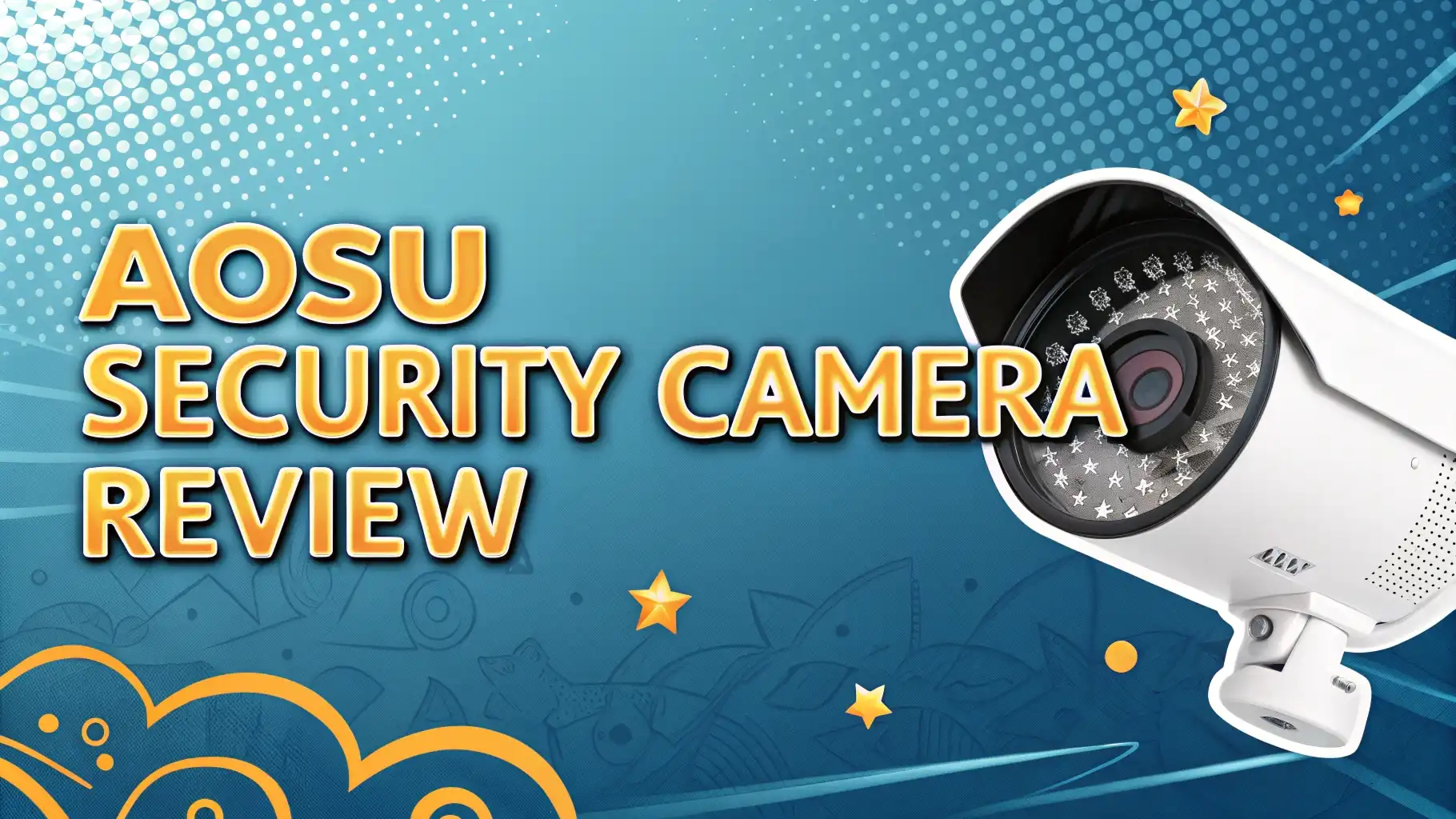
The aosu security camera is a line of wireless, solar-powered outdoor security cameras made by the brand aosu. The company focuses on making home security simple, affordable, and subscription-free. Their cameras are designed for homeowners who want reliable protection without paying monthly fees to a security company.
In 2026, the aosu lineup has expanded significantly. The brand now offers everything from basic 2K battery-powered cameras to advanced 4K solar models with AI face recognition. The most popular options remain the solar-powered outdoor cameras, particularly the 4-Cam Kit and the SolarCam P1 Max.
What truly sets aosu apart from the competition is the combination of solar charging and zero subscription costs. Most major security camera brands lock you into a monthly plan to access cloud storage or AI features. aosu gives you most of these features completely free. That is a big deal for budget-conscious homeowners who still want serious security coverage.
The brand has also been recognized at CES 2026 for its latest models, including the T2 Ultra, which introduces upgraded AI capabilities and 4K recording. The aosu community continues to grow, and customer reviews on Amazon consistently praise the ease of installation and picture clarity.
Key Features of the aosu Security Camera You Need to Know
The aosu security camera packs a strong list of features into an affordable package. Here is what you get with the main aosu outdoor camera models in 2026:
Resolution and video quality vary by model. The base cameras shoot in 2K (2048 x 1536 pixels). Mid-tier models record in 3K (5MP). The flagship SolarCam P1 Max records in full 4K Ultra HD (3840 x 2160 pixels). All models support a wide field of view between 130 and 166 degrees, so you cover more ground with fewer cameras.
The solar panel is one of the biggest standout features. The built-in panel charges the camera battery with as little as two hours of direct sunlight per day. On cloudy days, the backup rechargeable battery keeps the camera running. This means you get a fully self-sufficient camera that never goes dark.
Other key features include:
- 360° Pan and Tilt for full panoramic coverage
- Auto motion tracking that follows movement across the frame
- AI detection that identifies humans, vehicles, and pets separately
- Two-way audio with a built-in speaker and microphone
- IP65 weatherproof rating for rain, dust, and outdoor use
- Built-in spotlight and 105dB siren for active deterrence
- Local storage via microSD card (up to 128GB supported)
- Dual-band 2.4GHz and 5GHz Wi-Fi support on select models
- Alexa and Google Assistant compatibility for voice control
How Does the aosu Camera Perform in Real-World Use
Real-world performance is where a security camera earns its reputation. The aosu camera performs very well in most everyday conditions. Daytime video is vibrant, sharp, and full of detail. Colors appear accurate, and the footage holds up even when you zoom in digitally to read a license plate or identify a face.
Night vision is one of the most impressive parts of the aosu experience. The camera uses a combination of infrared LEDs for black-and-white low-light recording and a white spotlight for full-color night vision. When the spotlight activates, the footage looks almost like daytime video with warm, clear colors.
Motion alerts arrive fast. In tests, alerts appeared on a smartphone within a few seconds of detecting movement. The AI filtering system works well. It reduces junk notifications caused by passing cars, tree branches, or blowing leaves. You mostly get alerts only when a real person or vehicle enters the frame.
Top 3 Alternatives for aosu Security Camera


Video Quality and Resolution: Is aosu 4K Worth It
Video resolution is one of the first things buyers look at, and aosu gives you choices. The entry-level models record in 2K, which is already a significant step up from the 1080p cameras many homeowners still use. At 2K, you can clearly read license plates, identify faces, and capture details at a reasonable distance.
Moving up to the 3K or 4K models brings noticeably sharper footage. The SolarCam P1 Max shoots at 4K (8MP) with an f/1.6 aperture and 6x digital zoom. That means even objects far from the camera appear clear and detailed when you zoom in. The higher resolution is especially useful for large driveways, wide backyards, or front yards with long approaches.
Is 4K worth it over 2K? For most standard home security use cases, 2K is more than enough. You will get clear, usable footage that holds up in both day and night conditions. If you need to cover a very large area or want to zoom in significantly without losing detail, the 4K model justifies the extra cost. In 2026, with storage becoming cheaper, the larger 4K file sizes are less of a concern than they used to be.
Solar Power and Battery Life: How aosu Stays Always On
One of the biggest selling points of the aosu camera is its self-sufficient solar charging system. The built-in solar panel sits directly on top of the camera and captures sunlight throughout the day. According to aosu, just two hours of direct sunlight per day is enough to keep the camera fully powered.
This is a genuine improvement over traditional battery cameras. With most wireless cameras, you need to remove the camera, bring it inside, and charge it via USB every few months. With aosu, the camera charges itself as long as it is positioned where it receives adequate sunlight.
Placement matters a lot. If you mount the camera under a deep eave or in a permanently shaded area, the solar panel will not collect enough energy to sustain the camera long-term. aosu recommends a location that receives at least partial direct sunlight for a few hours daily for optimal performance.
Night Vision Performance: Does aosu See Clearly in the Dark
Night vision is non-negotiable for a security camera. Most security incidents happen after dark, so a camera that fails at night is only half a camera. The aosu security camera uses two separate night vision systems to cover different scenarios.
Infrared (IR) night vision activates automatically in very low light. It produces black-and-white footage with strong detail and contrast. The IR LEDs illuminate the area in front of the camera without producing any visible light, so neighbors and passersby are not disturbed. This mode works silently and does not drain the battery as heavily as the spotlight.
Full-color night vision uses the built-in white LED spotlight to illuminate the scene. When the spotlight fires, the footage shifts from black-and-white to full color, giving you warmer, more detailed video that is easier to analyze. The spotlight also serves as a deterrent, alerting potential intruders that they have been detected.
Motion Detection and AI Smart Alerts
Standard motion detection is old news. What makes the aosu camera valuable in 2026 is its AI-powered smart alert system that goes far beyond simple movement triggers. The camera differentiates between humans, vehicles, and pets, so you only get notified about the things that actually matter to you.
The free AI alert features on the aosu include:
- Human detection alerts when a person enters the frame
- Vehicle detection notifies you when a car or truck approaches
- Pet detection separates animal movement from human activity
- Fence Defender triggers an alert when someone breaches a fence or wall boundary
- Lawn Surveillance activates when motion occurs on your lawn
- Parking Guard sends an alert when someone approaches a parked vehicle
All of these AI features are free. You do not need a paid subscription to use them. This is a significant advantage over competitors like Arlo and Ring, which often lock AI detection features behind a monthly subscription wall.
The motion detection sensitivity is adjustable in the app. You can define specific zones where you want the camera to watch and ignore areas like busy streets or public pathways. This reduces false alarms from irrelevant movement outside your property line. In practice, the alert system is fast and accurate, with notifications arriving on your phone within seconds of a trigger event.
Installation and Setup: How Easy Is It to Install aosu
One of the most common complaints about security cameras is the setup process. Wiring, drilling, and complicated app setups can turn a simple security upgrade into a frustrating afternoon project. aosu has made installation one of its biggest competitive advantages.
The company claims most cameras can be mounted and connected in under two minutes. That is not marketing fluff. The installation process is genuinely straightforward:
- Download the free aosu app on Android or iOS
- Create an account and tap Add Device
- Scan the QR code on the bottom of the camera
- Hold the power button for five seconds until the LED turns blue
- Select your Wi-Fi network and enter the password
- Name your camera and skip or accept the cloud trial
- Mount the camera using the included screws and swivel mount
There is no hub required for most models. No ethernet cables. No professional installation. The swivel mount on the back panel makes it easy to angle the camera in any direction after mounting. The mount itself is compact and discreet, so the camera blends into walls and eaves without looking bulky.
App Experience and Smart Home Compatibility
The aosu mobile app is available for free on both iOS and Android. It serves as the central control panel for all your aosu cameras. The interface is clean, easy to read, and organized around a simple Devices screen where each camera appears as a live thumbnail.
Tapping a camera opens a live video feed that you can view in full-screen mode by rotating your phone. The live view includes quick action buttons for activating the spotlight, starting two-way talk, triggering the siren, and playing pre-recorded voice alerts. You can also manually start recording or take a snapshot directly from the live view.
The Playback section shows recorded motion events in a thumbnail grid. Each clip is labeled with the event type (human, vehicle, pet) and duration. You can download clips, play them in reverse, or fast-forward through them. Finding a specific event is quick and intuitive, even without a cloud subscription.
For smart home users, the aosu camera works with Amazon Alexa and Google Assistant. You can ask Alexa to show your front door camera on an Echo Show display, and it works instantly. The camera also supports streaming to Google Nest Hub and similar smart displays.
Pricing, Storage Plans, and Value for Money
The aosu security camera offers strong value for the price. Here is how the pricing breaks down across the main options:
Single camera models start at around $69.99 for the basic solar camera. The popular 2-Cam Kit with solar charging runs around $199.99, and the full 4-Cam Kit is priced at $349.99 on Amazon, making it highly competitive for a complete outdoor security system.
Storage is where aosu really shines for budget buyers. Local storage via microSD card is completely free. The camera supports cards up to 128GB, which holds weeks of recorded footage at standard resolution. You own the storage device, and there are no recurring costs attached to it.
For cloud storage, aosu offers the optional Protect+ plan at $6.99 per month. This plan gives you 30 days of cloud-stored video, faster playback speeds, and AI-powered event library organization. Compared to Ring’s Protect plan ($10 per month) or Arlo’s subscription starting at $12.99 per month for similar features, aosu’s pricing is noticeably more affordable.
Who Should Buy the aosu Security Camera
The aosu security camera is not for everyone, but it is the right choice for a specific type of buyer. Here is a clear breakdown of who will get the most value from this camera:
You should buy the aosu security camera if:
You want a solar-powered camera that never needs manual recharging. You care about protecting your home without paying ongoing subscription fees. You are installing a security system for the first time and want something simple to set up.
You live in a home with good outdoor sunlight exposure on at least one or two walls. You want AI-powered motion detection without paying extra for it. You use Amazon Alexa or Google Assistant and want your camera to fit into your existing smart home ecosystem.
You may want to consider alternatives if:
You are an Apple HomeKit user who needs native integration. You require mechanical pan and tilt with full 355-degree rotation (in that case, the Reolink Atlas PT Ultra may serve you better). You need 5GHz-only Wi-Fi without 2.4GHz fallback on your base models. You live in a region with very limited sunlight during winter months, which may reduce the effectiveness of solar charging on battery-powered models.
Final Verdict: Is the aosu Security Camera Worth It in 2026
After reviewing the specs, testing the performance, and comparing the aosu camera against its main competitors, the answer is a clear yes for most home buyers.
The aosu security camera delivers a compelling combination of features that most competing brands cannot match at the same price. Solar charging eliminates battery anxiety. No subscription fees mean you save money every month. 2K to 4K resolution ensures your footage is always detailed enough to be useful. And the free AI smart alerts mean you get intelligent security without paying extra.
The installation experience is genuinely one of the best in the category. Most buyers have the camera mounted and running within minutes, and the app is intuitive enough that you do not need a tech background to get started.
Frequently Asked Questions
Does the aosu security camera require a monthly subscription?
No. The aosu camera does not require any monthly subscription to use its core features. Local storage via a microSD card is completely free. The optional aosu Protect+ cloud plan is available for $6.99 per month but is entirely optional.
How long does the aosu solar camera battery last without sunlight?
On a full charge without any solar input, the aosu battery camera can last up to 240 days depending on usage and the number of motion trigger events. In high-traffic areas, the battery drains faster. Solar charging restores the battery with as little as two hours of direct sunlight per day.
Does the aosu camera work at night?
Yes. The aosu camera uses both infrared LEDs for black-and-white night vision and a white spotlight for full-color night vision. Both modes work automatically based on ambient light conditions. Night vision performance is sharp and well-lit according to multiple independent tests.
Is the aosu camera weatherproof?
Yes. The aosu security camera carries an IP65 weatherproof rating. This means the camera resists dust, rain, and general outdoor exposure. It is suitable for year-round outdoor use in most climates.
Can I use the aosu camera with Alexa or Google Home?
Yes. The aosu camera is compatible with both Amazon Alexa and Google Assistant. You can stream live video to an Amazon Echo Show or Google Nest Hub using voice commands. However, the camera does not currently support Apple HomeKit.
How much storage does the aosu camera support?
The aosu camera supports microSD cards up to 128GB for local storage. This is not included in the box, so you need to purchase it separately. With a 128GB card, you can store several weeks of recorded motion event footage before the card begins overwriting older clips.
Is aosu a reliable brand?
Yes. aosu has built a growing reputation in the home security space with thousands of verified reviews on Amazon and a dedicated user community. The brand was featured at CES 2026 for its new camera lineup. Customer feedback consistently highlights video clarity, easy setup, and satisfaction with the solar charging system as major positives.