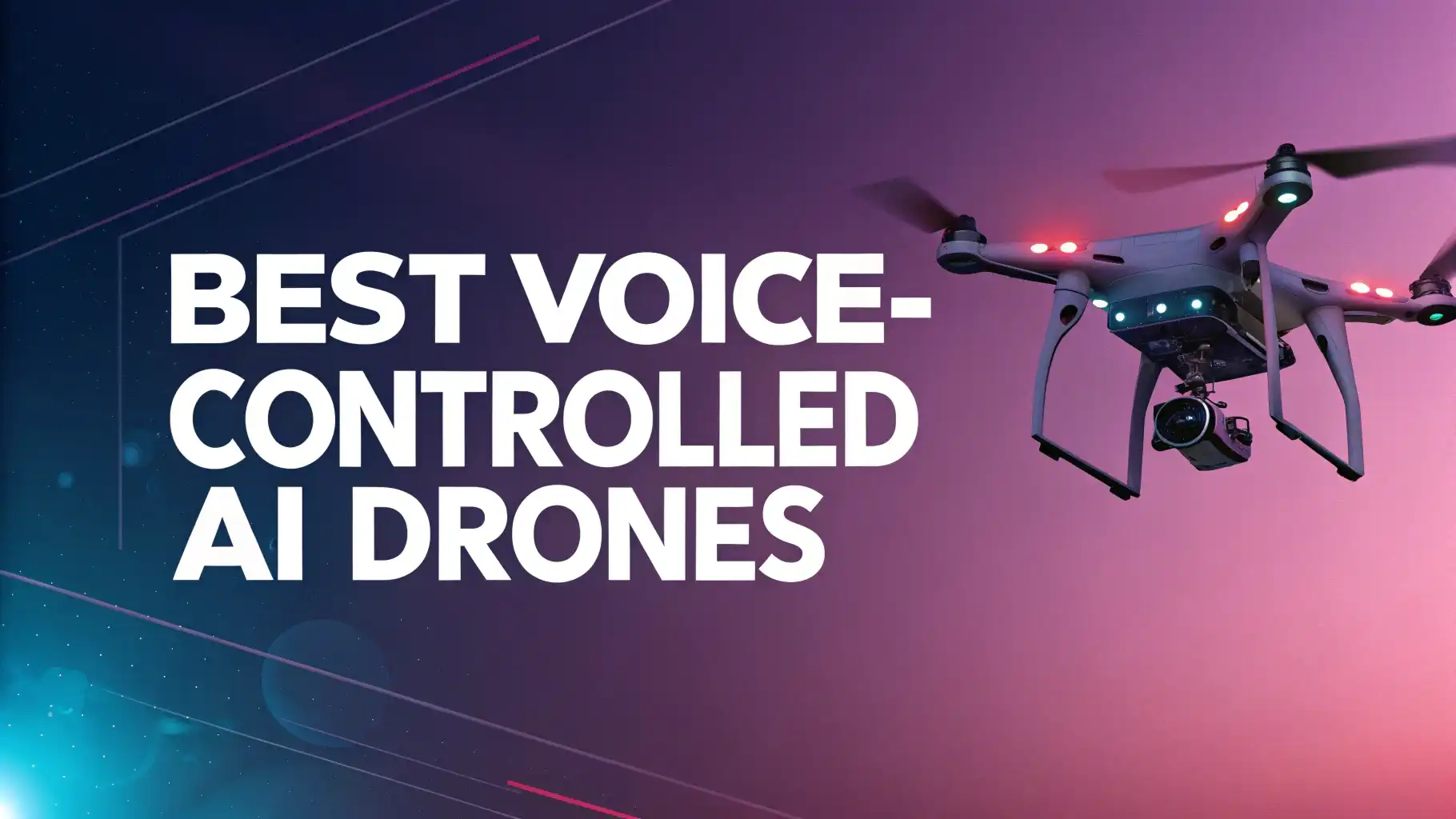
5 Best Voice-Controlled AI Drones for Group Photos in 2026
Getting everyone in the frame for group photos has always been tricky. You either need a stranger to take the photo or deal with awkward selfie stick angles.
Voice-controlled AI drones have changed this completely. These smart flying cameras respond to your voice commands and take stunning aerial group shots without any hassle.
The year 2026 brings exciting advancements in drone technology. Modern AI drones understand your voice commands, recognize gestures, and follow you automatically.
Key Takeaways
- Smart Technology Made Simple: Voice-controlled drones respond to natural language commands like “take a photo” or “start recording.” You don’t need complex controller skills anymore. The AI technology handles stabilization, tracking, and framing automatically.
- Hands-Free Operation: Modern drones take off from your palm and land back on it. Gesture control lets you trigger photos with simple hand movements. This feature makes group photography incredibly convenient during hiking, camping, or any outdoor activity.
- Affordable Options for Everyone: You can find excellent voice-controlled drones starting from under $50 to premium models around $200. The technology has become accessible to everyone, not just professional photographers or tech experts.
- Multiple Control Methods: These drones offer flexibility with voice commands, gesture control, mobile app control, and traditional remote controllers. You can choose the method that works best for your situation and skill level.
- Extended Flight Time and Range: Battery technology improvements mean longer flight sessions. Many 2026 models offer 20 to 30 minutes of flight time with extended transmission ranges. You get more time to capture perfect group shots without worrying about the drone running out of power.
DJI Neo Mini Drone with 4K Camera

The DJI Neo stands out as the most popular voice-controlled selfie drone in 2026. This compact drone weighs only 135 grams and fits in your pocket.
The device offers true controller-free flying with voice control in both English and Chinese languages. Simply say “Hey Fly” followed by your command, and the drone responds instantly.
This mini powerhouse captures 4K UHD video with impressive stabilization. The built-in propeller guards make it safe for indoor and outdoor use. The drone recognizes your palm for takeoff and landing, making operation incredibly simple.
It supports multiple intelligent shooting modes including Follow, Circle, Rocket, and Spotlight. These modes help you create professional-looking group photos and videos without any piloting experience.
Pros:
- Lightweight and ultra-portable design under 249g
- True voice control with natural language commands
- 4K stabilized video with excellent image quality
- Palm takeoff and landing for hands-free operation
- Multiple control methods for different skill levels
- Built-in propeller guards for safe flying
- Subject tracking and intelligent shooting modes
Cons:
- Battery life limited to around 18 minutes per charge
- Voice control works in English and Chinese only
- Wind resistance lower due to small size
- Limited camera settings compared to larger models
AI Optical Flow Brushless Motor Drone

This budget-friendly drone combines AI optical flow positioning with voice and gesture control. The optical flow technology helps the drone maintain stable hovering even without GPS. This feature makes it ideal for indoor group photos where GPS signals are weak or unavailable.
The drone features a 1080P FHD FPV camera that provides clear real-time video transmission to your phone. The brushless motors deliver powerful and quiet operation with longer lifespan than traditional brushed motors. You get a foldable design that makes transportation easy. The package includes two batteries providing approximately 26 minutes of total flight time.
Voice and gesture control work seamlessly together. You can tell the drone to take off, land, or capture photos using voice commands. Alternatively, make simple hand gestures in front of the camera, and the drone recognizes them to take photos or start recording. This dual control system gives you maximum flexibility during group photo sessions.
Pros:
- AI optical flow for stable indoor hovering
- Dual voice and gesture control
- Brushless motors for quiet operation
- Two batteries included for extended use
- Foldable and portable design
- Budget-friendly price point
- One-key start for easy operation
Cons:
- Camera resolution lower than 4K models
- Transmission range limited compared to premium drones
- Build quality feels less premium
- Limited advanced flight modes
Foldable Voice Control Quadcopter with Gesture Selfie

This popular drone on Amazon offers an impressive combination of features at an unbeatable price. The voice control system responds to clear commands for takeoff, landing, and photo capture. The gesture selfie function recognizes specific hand signals, making it perfect for capturing spontaneous group moments.
The 1080P camera delivers sharp photos and smooth video footage. The foldable arms make this drone incredibly compact when folded. It fits easily in a backpack or even a large pocket. The altitude hold feature maintains consistent height during flight, ensuring your group photos come out level and professional-looking.
Two batteries come standard with this model, giving you plenty of flight time for extended photo sessions. The remote control features an intuitive layout that beginners can master quickly. 3D flips add entertainment value, while the one-key start function eliminates complicated launch procedures.
Pros:
- Excellent value for money
- Reliable voice and gesture control
- Two batteries for extended flying
- Compact foldable design
- Altitude hold for stable hovering
- Emergency stop for safety
- Great for beginners and families
Cons:
- Plastic build feels less durable
- Limited range for outdoor use
- Camera quality adequate but not exceptional
- Wind resistance could be better
Compact Gesture Control Drone with Emergency Stop

This Amazon’s Choice drone focuses on simplicity and safety. The gesture control system works excellently for group photography. Simply make a peace sign or wave your hand, and the camera captures your moment. The 1080P camera provides sufficient quality for social media sharing and personal memories.
The emergency stop function adds an important safety layer. If something goes wrong during flight, one button press stops all motors immediately. This feature gives confidence to new users who worry about accidents. The foldable remote control quadcopter design makes storage and transport convenient.
One-key start gets you flying in seconds. The 3D flip feature entertains kids and adds excitement to your flying experience. Two batteries ensure you have enough power for multiple group photo sessions. The altitude hold keeps the drone steady at your chosen height automatically.
Pros:
- Amazon’s Choice product with good ratings
- Strong gesture recognition system
- Emergency stop for enhanced safety
- Very affordable pricing
- Two batteries included
- Simple one-key operation
- Lightweight and portable
Cons:
- Basic camera specifications
- Limited flight modes
- Shorter range than GPS drones
- No advanced tracking features
Holy Stone HS175G GPS Drone with 4K Camera

The Holy Stone HS175G brings professional features to the consumer market. This GPS-equipped drone offers 4K EIS camera quality with electronic image stabilization. The GPS positioning enables accurate hovering and intelligent flight modes. The “Follow Me” feature tracks you automatically, keeping your group in frame as you move.
This drone weighs 249 grams, keeping it under the threshold that requires registration in many countries. The foldable design makes it travel-friendly despite its advanced capabilities. You get an impressive 60 minutes of flight time with the included batteries. This extended duration lets you capture numerous group photos without constant battery changes.
The auto return function brings the drone back to you automatically when the battery runs low or signal is lost. This safety feature prevents losing your drone during outdoor adventures. The headless mode simplifies flying for beginners by making control directions relative to you rather than the drone’s orientation.
Pros:
- 4K camera with image stabilization
- GPS for precise positioning and hovering
- Impressive 60 minutes total flight time
- Auto return safety feature
- Follow Me tracking mode
- Under 249g registration threshold
- Fast charging capability
Cons:
- Higher price point than basic models
- Voice control not specifically mentioned
- Larger size when unfolded
- Learning curve for all features
Understanding Voice-Controlled Drone Technology
Voice control technology in drones uses speech recognition algorithms combined with AI processing. When you speak a command, the microphone in your phone or controller captures the audio. The system converts your speech into text, interprets the command, and sends instructions to the drone. This process happens in milliseconds, creating a seamless experience.
Modern drones use natural language processing to understand various ways of saying the same command. You might say “take a picture,” “capture photo,” or “snap a shot,” and the drone understands all variations. This flexibility makes voice control feel natural and intuitive.
The AI components handle obstacle avoidance, subject tracking, and flight stabilization automatically. You focus on positioning your group and giving voice commands. The drone manages technical details like maintaining altitude, avoiding obstacles, and keeping subjects in frame. This automation makes professional-quality group photography accessible to everyone.
How to Choose the Right Voice-Controlled Drone
Consider your budget first. Excellent options exist at every price point from $40 to $200. The cheaper models work well for casual use and beginners. Higher-priced drones offer better cameras, longer flight times, and more advanced features. Decide what features matter most for your intended use.
Camera quality varies significantly between models. Basic 1080P cameras work fine for social media and casual photography. 4K cameras capture much more detail and allow cropping without quality loss. Consider whether you want simple snapshots or professional-quality images that could be printed or used commercially.
Flight time affects how many group photos you can capture per session. Budget drones typically offer 10 to 15 minutes per battery. Mid-range and premium models provide 20 to 30 minutes or more. Multiple batteries can extend your shooting time regardless of drone model.
Voice Commands and Gesture Controls Explained
Most voice-controlled drones recognize a standard set of commands. Common examples include “take off,” “land,” “take a photo,” “start recording,” and “stop recording.” Some advanced models understand more complex commands like “circle around me” or “fly higher.” The exact commands vary by manufacturer, so check your drone’s manual.
Gesture controls typically use hand signals that the camera recognizes. Making a “V” shape with your fingers often triggers photo capture. Waving your hand might start video recording. Showing your palm could command the drone to land. These gestures work from several feet away, allowing you to be in the frame during group photos.
The combination of voice and gesture control provides maximum flexibility. Use voice commands when your hands are busy or for quick actions. Switch to gestures when you want silent operation or when background noise interferes with voice recognition. Having both options ensures you can always control your drone effectively.
Setting Up Your Drone for Group Photos
Proper positioning makes the difference between okay and amazing group photos. Place your drone at an angle that captures everyone’s faces clearly. Front-facing shots work well for posed group photos. Side angles create dynamic action shots. Aerial shots from above provide unique perspectives that show the environment around your group.
Distance and height affect the composition. Too close creates distortion and might cut off people at the edges. Too far makes individual faces hard to see. Start with the drone about 15 to 20 feet away and adjust based on your group size. Height should typically be at or slightly above the tallest person’s head level.
Lighting considerations impact photo quality significantly. Position the drone so the sun or main light source is behind or to the side of it. This prevents harsh shadows on faces and reduces lens flare. Cloudy days provide soft, even lighting that flatters everyone. Golden hour (shortly after sunrise or before sunset) creates beautiful warm tones.
Safety Tips for Operating Voice-Controlled Drones
Pre-flight checks prevent most accidents. Verify the battery is fully charged before each flight. Inspect propellers for cracks or damage. Ensure the camera lens is clean. Check that all folding arms lock securely in place. Update your drone’s firmware regularly to get the latest safety features and improvements.
Flying environment matters greatly for safety. Avoid flying near airports, power lines, or crowded areas. Choose open spaces away from trees and buildings when learning. Indoor flying requires extra caution due to limited space. Use the propeller guards provided with your drone for indoor operations.
Weather conditions affect drone performance significantly. Avoid flying in rain or snow as moisture damages electronics. Wind speeds above 15 mph make small drones difficult to control. Cold temperatures reduce battery life substantially. Check weather conditions before planning your group photo session.
Maximizing Battery Life During Photo Sessions
Battery management extends your flying time significantly. Fully charge all batteries the night before your photo session. Keep spare batteries warm in cold weather by storing them in an inside pocket. Avoid completely draining batteries as this shortens their lifespan. Recharge batteries promptly after use.
Flying efficiency impacts how long batteries last. Aggressive maneuvers and high-speed flight drain power quickly. Smooth, steady flying maximizes flight time. Use hovering and slow movements for group photography rather than fast flights. Turn off unused features like bright LED lights to conserve power.
Multiple batteries solve most flight time concerns. The included batteries with many drones double your shooting time. Purchase additional batteries if you plan extended photo sessions. Carry a portable power bank to recharge batteries between flights when outdoors. Some drones support fast charging, reducing downtime significantly.
Creative Group Photo Ideas with Drones
Aerial perspective provides stunning views impossible from ground level. Position everyone in interesting formations like circles, lines, or letters. The drone captures these patterns perfectly from above. Include surrounding landscapes in your shots to show the context of your gathering location.
Dynamic movement shots add energy to group photos. Have everyone walk, run, or jump while the drone follows. Use the Follow Me mode to track your group as you move through scenic locations. Action shots create memorable images that stand out from traditional posed photos.
Sunset and sunrise photos create magical moments. Position your group facing the golden light. Let the drone capture silhouettes against colorful skies. The warm tones of golden hour make everyone look their best. Plan your photo session timing around these special lighting conditions.
Maintaining Your Voice-Controlled Drone
Regular cleaning keeps your drone performing optimally. Wipe the camera lens gently with a microfiber cloth before each use. Remove dust and debris from motors and vents using compressed air. Clean the propellers carefully to maintain balanced rotation. Keep the drone body clean to prevent dirt from entering sensitive components.
Storage practices protect your investment. Keep the drone in its carry case when not in use. Store batteries at 50 to 60 percent charge for long-term health. Avoid extreme temperatures in storage areas. Remove batteries from the drone during extended storage periods.
Software updates improve performance and add features. Check the manufacturer’s app regularly for firmware updates. Install updates when available to get the latest improvements. Updates often include better voice recognition, improved stabilization, and new flight modes. Keep your phone app updated as well for compatibility.
FAQs
Do voice-controlled drones work in noisy environments?
Voice recognition performs best in quiet environments. Background noise like wind, traffic, or crowds can interfere with command recognition. Most drones require relatively clear audio to process commands accurately. Using the mobile app or gesture control provides alternatives when voice control struggles with ambient noise.
Can multiple people control the same drone with voice commands?
Most voice-controlled drones respond to any clear command they hear. They don’t distinguish between different users’ voices. This means anyone in the area can potentially give commands to your drone. Consider this when flying in public spaces. Use gesture or app control for more privacy in crowded areas.
How far away can I be and still use voice control?
Voice control range depends on your phone’s microphone quality and the app’s processing. Typically, you need to be within normal conversation distance of your phone. The drone itself can fly much farther while being controlled through the app. Voice commands work best when you’re holding your phone or have it nearby.
Are voice-controlled drones safe for children to use?
Many voice-controlled drones are designed with children in mind. Look for models with propeller guards, emergency stop functions, and altitude limits. Supervision is recommended for young children. The simple controls make these drones accessible to older children who can follow safety instructions. Start with inexpensive models when teaching kids to fly.
Do I need special training to use voice-controlled drones?
Voice-controlled drones require minimal training. The whole point is making operation accessible to everyone. Read the instruction manual to learn specific voice commands. Practice basic controls in a safe area before attempting group photos. Most people master the basics within 15 to 30 minutes of practice.
Can voice-controlled drones fly in the rain?
Most consumer drones are not waterproof. Flying in rain risks water damage to electronics and motors. Moisture can also fog the camera lens. Some higher-end professional drones offer weather resistance, but budget models typically do not. Wait for dry conditions to protect your drone and ensure good photo quality.
How do I improve voice recognition accuracy?
Speak clearly and at a normal pace when giving commands. Use the exact command phrases listed in your drone’s manual. Minimize background noise when possible. Keep your phone’s microphone clean and unobstructed. Some apps allow training the voice recognition system to better understand your specific voice and accent.
What happens if voice control fails during flight?
Modern drones include multiple safety features. If voice control stops working, switch to app control or gesture commands immediately. Most drones have automatic hover functionality that keeps them stable without input. The auto-return feature can bring the drone back to you safely. Emergency stop or landing functions provide last-resort options.