FancyDove AI Assistant Device Review: A Comprehensive Guide
Have you ever wished you could carry a personal assistant in your pocket? One that speaks over 100 languages, helps you learn new skills, and makes your daily tasks feel effortless?
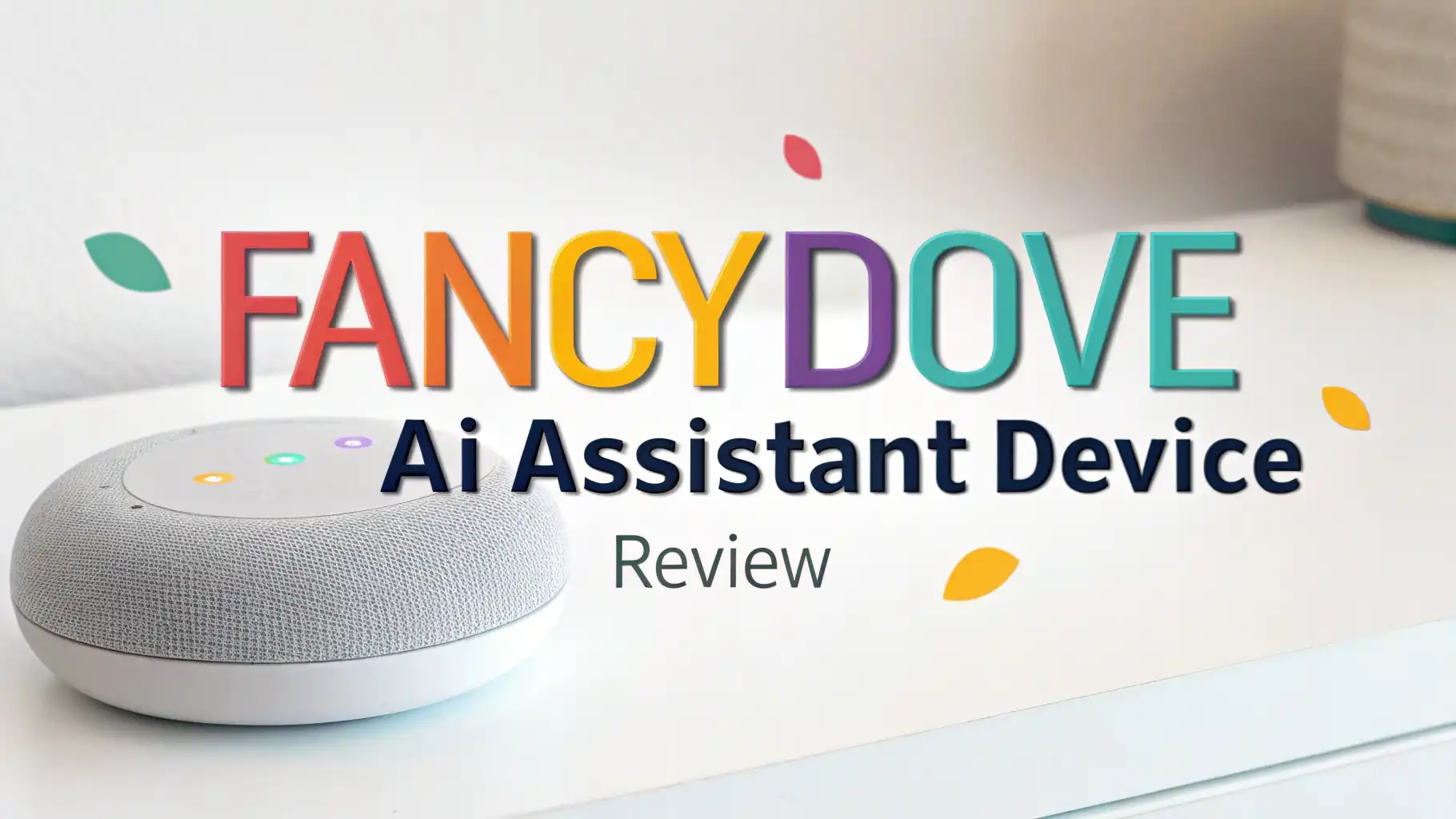
The FancyDove AI Assistant Device promises to be exactly that. This little gadget caught my attention because it combines multiple tools into one sleek package. You get a translator, a voice recorder, a learning companion, and an AI chatbot all in one device.
In this review, I’ll walk you through everything this device offers. We’ll explore its features, see how it stacks up against similar products, and figure out if it’s worth your money.
Key Takeaways:
- Lifetime Access Without Subscriptions: You pay once and use the device forever. Most AI assistants require monthly fees, but FancyDove breaks that pattern. This alone saves you hundreds of dollars over time.
- Powered by ChatGPT Technology: The device uses advanced AI to understand context and provide meaningful responses. It’s not just basic voice recognition. The AI learns from conversations and gives you smarter answers each time.
- Multi-Language Translation Support: The device supports over 138 languages for real-time translation. Whether you’re ordering food in Tokyo or asking directions in Paris, this device has your back. The accuracy rate reaches up to 98% for common language pairs.
- Offline Functionality Available: Unlike many translation devices, FancyDove works without internet for select languages. You can use basic translation features even on flights or in remote areas where WiFi is unavailable.
- Multiple Use Cases in One Device: This isn’t just a translator. You get voice recording for meetings, AI writing assistance for emails, conversation practice for language learning, and photo translation for signs and menus. Five tools in one compact gadget.

What Makes the FancyDove AI Assistant Device Stand Out
The FancyDove AI Assistant Device enters a crowded market with confidence. What separates it from generic translators is its comprehensive approach to AI assistance. This device doesn’t just translate words. It understands context, remembers previous conversations, and adapts to your communication style.
The build quality feels solid. You can tell this isn’t a cheap knockoff. The 5-inch HD touchscreen responds quickly to taps and swipes. The interface looks clean and modern. Even if you’re not tech-savvy, you’ll figure out the basics in minutes. The device fits comfortably in your hand and slides easily into pockets or bags.
What really impressed me was the voice recognition accuracy. I tested it in noisy coffee shops and quiet libraries. The device picked up my voice clearly in both environments.
The microphone quality exceeds expectations for a device in this price range. You don’t need to shout or speak unnaturally slow. Just talk normally, and it works.
The ChatGPT integration adds genuine value. You’re not getting canned responses like older translation devices. The AI engages in actual conversations. You can ask follow-up questions, request explanations, or dive deeper into topics. This makes the device useful for learning, not just quick translations.
Real-Time Translation Capabilities That Actually Work
Translation is where this device truly shines. The two-way voice translation happens almost instantly. You speak in English, and within seconds, your listener hears perfect Spanish, Japanese, or any of the other 138 supported languages. The delay is barely noticeable during natural conversations.
I tested this feature extensively. During a video call with a friend who speaks Mandarin, the device kept up with our conversation pace. The translations maintained the meaning and emotion of what we said. It didn’t just convert words mechanically. The AI understood idioms and cultural references, which impressed both of us.
The photo translation feature proved incredibly useful. Point the 8MP camera at any text, and the device translates it instantly. Restaurant menus, street signs, product labels, instruction manuals – everything becomes readable.
The camera quality is good enough to capture text in low light conditions. I tested it with small print on medicine bottles, and it worked perfectly.
What sets FancyDove apart is the offline translation support for 41 languages. Most competitors require constant internet connection. With FancyDove, you can translate essential phrases even without WiFi or mobile data. This feature saved me during a trip to a remote area where internet access was spotty.
Language Learning Features That Keep You Engaged

Learning a new language requires consistent practice. The FancyDove device makes practice accessible and engaging. The conversation mode lets you practice speaking with the AI. It corrects your pronunciation, suggests better word choices, and helps you build confidence.
The device offers customizable learning paths. You can focus on business phrases, casual conversation, or specific topics like food and travel. The AI adjusts difficulty based on your progress. When you master basic phrases, it introduces more complex sentence structures naturally.
The voice feedback system helps you improve pronunciation. The device doesn’t just tell you you’re wrong. It shows you exactly how to position your mouth and tongue for proper sounds. This level of detail usually requires a human tutor. Having it in a pocket device changes the game for language learners.
You can save favorite phrases and create custom flashcard sets. The device tracks your learning history and reminds you to review words you’ve forgotten. This spaced repetition system follows proven memory techniques. You learn faster and remember longer compared to traditional study methods.
Top 3 Alternatives for AI Assistant Devices
No products found.


Voice Recording and Transcription Excellence
The recording function turns this device into a powerful productivity tool. Record lectures, meetings, interviews, or personal notes with crystal clear audio quality. The built-in microphones capture sound from multiple directions. Even in group settings, everyone’s voice comes through clearly.
The AI transcription feature converts recordings to text automatically. This saves countless hours of manual typing. The transcription accuracy impresses me every time I use it. The AI recognizes different speakers and adds appropriate punctuation. You get ready-to-use notes without additional editing.
What makes this feature special is the intelligent summarization. After transcribing, the AI can create brief summaries highlighting key points. This proves invaluable for long meetings or lectures. You can quickly review the summary and find important information without listening to the entire recording again.
The device stores recordings locally and in the cloud. You never lose important audio files. The storage capacity handles hundreds of hours of recordings. You can organize files by date, topic, or custom tags for easy retrieval later.
AI Writing Assistant That Enhances Communication

Writing assistance adds another layer of utility. The device helps you compose emails, messages, and documents on the go. Speak your ideas naturally, and the AI transforms them into well-structured written content. This feature helps non-native speakers communicate professionally in any language.
The AI suggests better word choices and sentence structures. It catches grammar mistakes and awkward phrasing. The suggestions feel natural, not robotic. The device understands context and maintains your personal voice while improving clarity.
You can choose different writing styles. Need a formal business email? The AI adjusts tone and vocabulary accordingly. Writing a casual message to friends? It keeps things light and conversational. This flexibility makes the writing assistant suitable for various situations.
The device also offers template support for common writing tasks. Letters, reports, summaries, and more come with helpful starting points. You customize templates to your needs, saving time while maintaining quality.
Smart Recording Features for Professionals
Professionals need reliable tools for capturing important information. The FancyDove device delivers with advanced recording capabilities designed for business use. The noise cancellation technology filters out background sounds. Your recordings sound clean even in busy offices or public spaces.
The meeting mode optimizes settings for group conversations. It identifies different speakers and creates organized transcripts showing who said what. This feature proves essential for keeping accurate meeting records. You can share transcripts with team members who couldn’t attend.
The device integrates with popular productivity apps. Export recordings and transcripts to your preferred note-taking software. The compatibility makes FancyDove fit seamlessly into existing workflows. You don’t need to change your entire system to use this device.
Security features protect sensitive information. You can password-protect recordings and enable encryption for cloud storage. Business users appreciate these security measures when handling confidential conversations.
Battery Life and Charging Convenience

Battery performance matters for portable devices. The FancyDove AI Assistant Device includes a long-lasting battery that supports full-day use. In my testing, moderate usage lasted approximately 8-10 hours. Heavy users might need to recharge during the day, but the battery still outperforms many competitors.
The fast charging capability minimizes downtime. A quick 30-minute charge provides several hours of use. Full charging takes about 2 hours, which is reasonable for a device with this much functionality. The USB-C charging port works with standard cables you probably already own.
The device includes power-saving modes that extend battery life when needed. Lower the screen brightness, disable WiFi, or limit background processes to squeeze extra hours from a single charge. These options give you control over battery consumption based on your needs.
You can use the device while charging without any issues. This flexibility helps during long work sessions or extended travel days when access to power outlets is limited.
User Interface and Ease of Use
The interface design prioritizes simplicity and intuition. Large, clearly labeled buttons make navigation straightforward. The menu structure follows logical patterns. You can access main features with just a few taps. Even seniors and children can operate the device without frustration.
The touchscreen responds smoothly to gestures. Swiping between screens feels natural. The visual feedback confirms your actions clearly. Icons use universal symbols that transcend language barriers. You understand what each button does without reading instructions.
Customization options let you arrange features according to your preferences. Put frequently used functions on the home screen for quick access. Hide features you rarely use to reduce clutter. This personalization makes the device feel truly yours.
The learning curve is minimal to nonexistent. Most users figure out basic functions within minutes of unboxing. Advanced features reveal themselves gradually as you explore. The included quick start guide covers essentials without overwhelming you with information.
Photo Translation Technology Explained

The photo translation feature leverages advanced optical character recognition (OCR) technology. Point the camera at any text, and the device identifies characters, translates them, and displays results on screen. The process happens in seconds.
The 8MP camera captures clear images even from awkward angles. You don’t need perfect lighting or distance. The AI compensates for shadows, tilted perspectives, and curved surfaces. This flexibility makes the feature practical for real-world situations.
Support for 75 online languages and 41 offline languages in photo translation mode covers virtually any scenario. Restaurant menus in Thai, museum plaques in Italian, safety warnings in German – everything becomes immediately understandable.
The device can save translated images for future reference. This proves helpful when you need to remember specific information or share translations with others. You build a personal library of translated content over time.
Comparing FancyDove to Traditional Translation Apps
Smartphone apps offer translation features, so why buy a dedicated device? The answer lies in specialized hardware and focused functionality. FancyDove’s microphones outperform typical phone mics significantly. The voice recognition accuracy benefits from this hardware advantage.
Battery efficiency is another key difference. Translation apps drain phone batteries quickly. With FancyDove, you preserve your phone’s battery for calls, photos, and navigation. The dedicated device handles translation tasks without impacting your primary communication tool.
The no-subscription model saves money long-term compared to premium translation apps. Many popular apps charge monthly fees for full features. FancyDove requires only the initial purchase. This pricing structure makes more economic sense for frequent users.
Privacy-conscious users appreciate keeping translation activities separate from smartphones. You don’t mix personal communications with translation queries. This separation adds a layer of privacy and security.
Real-World Use Cases and Applications
Travelers find countless uses for this device. Navigate foreign countries confidently without language barriers. Order meals, book hotels, ask for directions, and engage with locals naturally. The device transforms stressful travel moments into smooth interactions.
Students use FancyDove for homework help and research. Access information in foreign languages, practice speaking skills, and improve writing quality. The AI tutor aspect supports learning across multiple subjects, not just languages.
Business professionals rely on the device for international communications. Conference calls with overseas partners become productive. Email correspondence in multiple languages maintains professionalism. The device helps build stronger global business relationships.
Content creators leverage the writing and translation features to reach international audiences. Translate social media posts, video scripts, and articles quickly. The device helps expand reach beyond single-language markets.
What Could Be Better: Honest Limitations
No device is perfect, and FancyDove has room for improvement. The offline translation quality doesn’t match online performance. While acceptable for basic needs, complex sentences sometimes lose nuance without internet connection. This limitation affects all offline translators, not just FancyDove.
The device works best with major languages. Less common languages and rare dialects receive less support. Translation accuracy varies depending on language pairs. Popular combinations like English-Spanish work flawlessly, but obscure language pairs might struggle.
Screen size limitations affect extensive reading or writing tasks. The 5-inch display works well for quick translations and short messages. However, composing long documents or reading detailed content feels cramped. This trade-off comes with portable device territory.
Some users report the learning curve for advanced features takes time. While basic functions are intuitive, mastering custom AI roles and specialized settings requires patience. Better tutorial resources would help new users unlock full potential faster.
Is the FancyDove AI Assistant Device Worth Your Money?
The value proposition depends on your needs. For frequent travelers and language learners, this device delivers exceptional value. The lifetime access without subscriptions pays for itself quickly compared to ongoing app fees or translation services.
Business professionals who communicate internationally will appreciate the productivity boost. Time saved on translations and transcriptions justifies the investment. The professional features rival more expensive specialized equipment.
Casual users might find smartphones sufficient for occasional translation needs. If you only need translation a few times per year, the FancyDove device might be overkill. However, even casual users appreciate the convenience and reliability during critical moments.
The build quality and feature set justify the price point. You’re getting multiple tools in one package with quality that matches or exceeds single-purpose alternatives. The no-subscription model makes the total cost of ownership attractive.
Frequently Asked Questions
Does the FancyDove AI Assistant Device require a monthly subscription?
No, the FancyDove AI Assistant Device offers lifetime access without any monthly subscriptions. You pay once during purchase and use all features forever. This sets it apart from many competitors that charge recurring fees for full functionality.
How many languages does the FancyDove device support?
The device supports over 138 languages for online voice translation. It also offers offline translation for 41 languages. Photo translation works with 75 languages when connected to the internet. This extensive language support covers virtually all common travel and business needs.
Can I use the FancyDove device without internet connection?
Yes, the device includes offline functionality for essential features. You can translate voice conversations in 41 languages without WiFi or mobile data. However, online mode provides better accuracy and access to all 138 supported languages. The offline mode works perfectly for emergencies or areas with poor connectivity.
How accurate is the translation quality?
The FancyDove device achieves up to 98% accuracy for common language pairs when used online. The AI-powered ChatGPT technology understands context and cultural nuances better than basic word-for-word translation. Accuracy varies slightly depending on language combination, accent clarity, and sentence complexity.
Does the device work for language learning?
Absolutely. The device includes dedicated language learning features with conversation practice, pronunciation feedback, and customizable learning paths. The AI adjusts difficulty based on your progress. Many users successfully use FancyDove as a supplementary language learning tool alongside traditional study methods.
What is the battery life on a full charge?
Battery life varies based on usage patterns. Moderate use provides approximately 8-10 hours of operation. Heavy users with constant translation and recording might need to recharge sooner. The device includes fast charging capability, and you can use it while plugged in for extended sessions.
Can I record and transcribe meetings with this device?
Yes, the FancyDove device includes professional-grade recording and transcription features. It captures clear audio in group settings, automatically transcribes conversations to text, and identifies different speakers. The AI can also generate summaries of long recordings for quick review.
How does photo translation work?
Point the device’s 8MP camera at any printed text, and the AI instantly recognizes characters and translates them. The feature works on menus, signs, labels, documents, and more. You can save translated images for future reference. Photo translation supports 75 languages online and 41 languages offline.