Google Nest Wifi Pro 6E Router Review 2026: Worth Buying?
Are you tired of dead zones, constant buffering, and sluggish Wi-Fi speeds in your home? The Google Nest Wifi Pro 6E promised to solve all of that with its Wi-Fi 6E technology, sleek design, and smart home integration. But now, well into 2026, does this mesh router still hold up against the competition?
In this in-depth review, we break down everything about the Google Nest Wifi Pro 6E. We cover its speed, coverage, design, smart home features, and overall value.
Whether you are upgrading from an old router or building your first mesh network, this review will help you decide if the Nest Wifi Pro 6E deserves a spot in your home. Keep reading to find out if this router earns your money or if you should look elsewhere.
Key Takeaways:
- Wi-Fi 6E tri-band technology gives you access to the 2.4 GHz, 5 GHz, and the newer 6 GHz band, offering combined speeds up to AXE5400 (5.4 Gbps). This means less congestion and faster connections for all your devices.
- One unit covers up to 2,200 square feet, and you can add more units to build a mesh system. A 3-pack covers up to 6,600 square feet, making it suitable for medium to large homes.
- Google Home app integration makes setup and management easy. You can set up the router in minutes, run speed tests, manage connected devices, and set parental controls all from your phone.
- Matter smart home support is built in, so the Nest Wifi Pro 6E works as a Thread border router. This future-proofs your smart home setup and ensures compatibility with a wide range of smart devices.
- The design is compact and attractive. It comes in multiple colors like Snow, Linen, Fog, and Lemongrass. Each unit blends into home decor without looking like a piece of tech equipment.
- Limited Ethernet ports remain a drawback. Each unit only has two Gigabit Ethernet ports (one WAN, one LAN), which may not be enough for users who need wired connections for multiple devices.


What Is The Google Nest Wifi Pro 6E?
The Google Nest Wifi Pro 6E is a tri-band mesh Wi-Fi router released by Google in late 2022. It uses the Wi-Fi 6E standard (802.11ax) to deliver fast, reliable internet coverage across your entire home. This is Google’s first router to support the 6 GHz frequency band.
Each Nest Wifi Pro unit functions as both a router and a mesh point. You can buy a single unit or packs of two, three, or four. The more units you add, the greater your coverage area becomes. A single router handles up to 2,200 square feet, and Google claims each unit can support up to 100 connected devices.
The router operates on three separate bands: 2.4 GHz, 5 GHz, and 6 GHz. The 6 GHz band is the standout feature here. It provides a less crowded wireless channel, which results in faster speeds and lower latency. This band is especially useful in apartments or dense neighborhoods where many networks overlap.
Google sells the Nest Wifi Pro 6E through its own store, Amazon, Best Buy, and other major retailers. The single-pack starts at around $199, while the 3-pack retails for approximately $399. Prices have dropped since the original launch, making it even more attractive in 2026.
Wi-Fi 6E: Why The 6 GHz Band Matters
Wi-Fi 6E adds a third frequency band to your wireless network. Traditional routers use the 2.4 GHz and 5 GHz bands. The 6 GHz band opens up additional spectrum that fewer devices currently use.
This extra band reduces wireless congestion significantly. If you live in a busy area with many neighboring Wi-Fi networks, the 6 GHz band gives your devices a cleaner, faster connection. Think of it like adding a brand-new highway lane with almost no traffic.
The 6 GHz band on the Nest Wifi Pro supports wider 160 MHz channels. Wider channels translate to higher data throughput. You can stream 4K video, join video calls, and download large files without noticeable slowdowns.
However, there is a trade-off. The 6 GHz signal has a shorter range compared to 2.4 GHz and 5 GHz. Walls and obstacles reduce its reach more aggressively. This is why a mesh system like the Nest Wifi Pro makes sense. Multiple units placed around your home keep the 6 GHz signal strong everywhere.
Not all devices support Wi-Fi 6E yet. Older phones, laptops, and tablets will connect using the 5 GHz or 2.4 GHz bands. But as you upgrade your devices over time, the 6 GHz band will become more valuable. The Nest Wifi Pro 6E is built for both today and tomorrow.
Speed And Performance: Real World Results
The Google Nest Wifi Pro 6E has a combined speed rating of AXE5400. This breaks down to approximately 574 Mbps on 2.4 GHz, 2,402 Mbps on 5 GHz, and 2,402 Mbps on 6 GHz. These are theoretical maximums, and real-world speeds will be lower.
In practical testing, the Nest Wifi Pro delivers solid and consistent speeds. Close to the router, users often see speeds between 400 and 800 Mbps on the 5 GHz and 6 GHz bands. At longer range, speeds naturally drop but remain usable for most tasks.
The router uses intelligent band steering. It automatically assigns each device to the best available band based on its capabilities and proximity. You do not need to manage separate network names for each band. The system handles it all behind the scenes.
Gaming and streaming performance is reliable. The Nest Wifi Pro keeps latency low during online gaming sessions. Streaming services like Netflix, YouTube, and Disney+ run smoothly in 4K across multiple devices at the same time.
One weakness is the lack of a 2.5 Gbps WAN port. The Nest Wifi Pro uses standard Gigabit Ethernet ports. If your internet plan exceeds 1 Gbps, this router will become a bottleneck. Competitors like the TP-Link Deco XE75 Pro offer 2.5 Gbps ports that handle faster plans.
Top 3 Alternatives For Google Nest Wifi Pro 6E
If the Nest Wifi Pro 6E does not meet your needs, here are three strong alternatives worth considering.
1. Amazon eero Pro 6E

2. TP-Link Deco XE75 AXE5400 Tri-Band WiFi 6E Mesh System

3. ASUS ZenWiFi Pro ET12 AXE11000 Tri-Band WiFi 6E Mesh System

Design And Build Quality
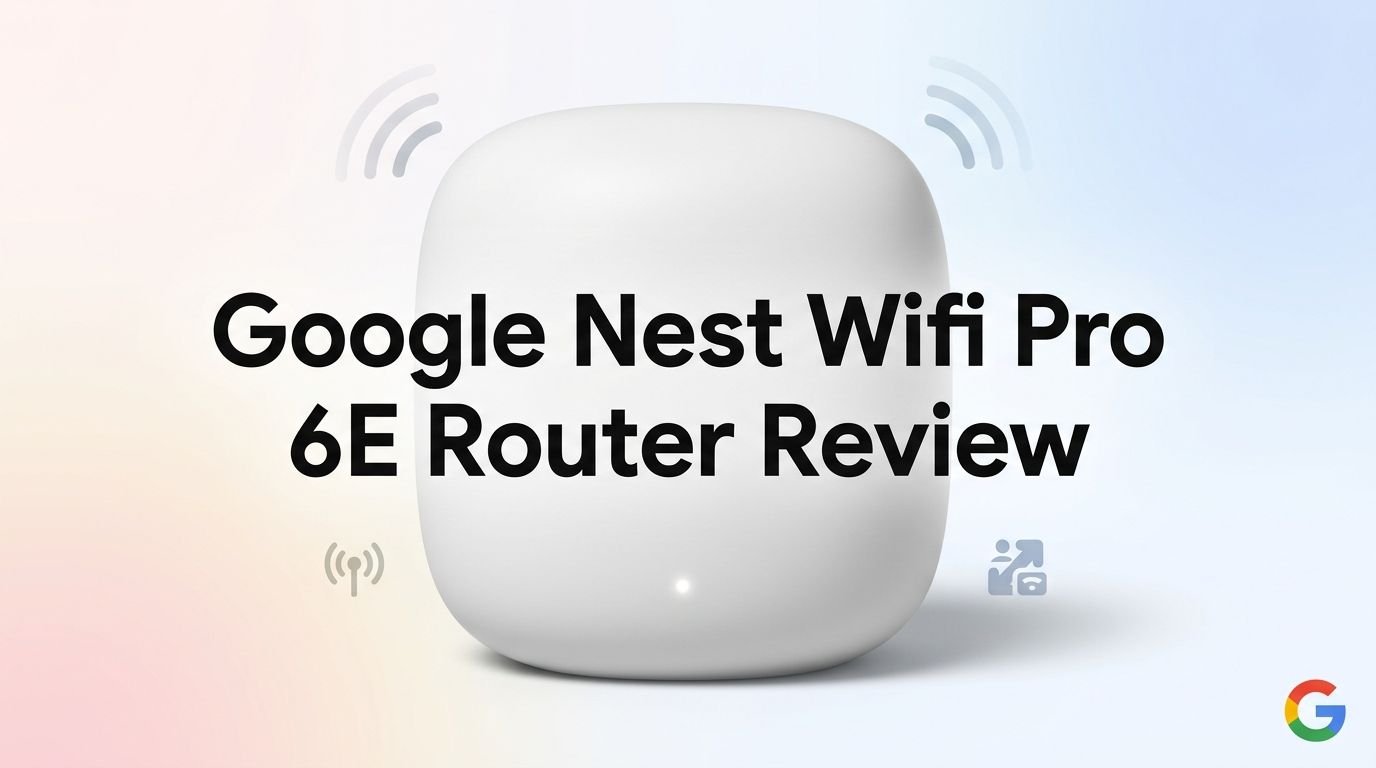
The Google Nest Wifi Pro 6E is one of the best-looking mesh routers on the market. Each unit has a smooth, rounded shape that resembles a large pebble or a small decorative object. It measures roughly 5.3 inches in diameter and 3.7 inches tall.
Google offers the router in four colors: Snow (white), Linen (beige), Fog (blue-gray), and Lemongrass (pale green). This color variety sets it apart from most competitors that only come in white or black. You can pick a color that matches your room.
The matte finish feels premium and resists fingerprints well. There are no visible antennas or LED strips. A single subtle light on the bottom of the device indicates its status. This minimal design approach means the router blends into your bookshelf or counter easily.
On the back, you will find two Gigabit Ethernet ports and a power connector. The limited port count is a drawback if you need to hardwire several devices. A USB port is also absent, so you cannot connect external storage or printers directly.
The unit weighs just over half a pound, making it light enough to place on almost any surface. It runs quietly and stays cool during operation. Google has designed this router to be seen but not noticed, and it succeeds at that goal.
Setup And The Google Home App
Setting up the Nest Wifi Pro 6E is one of the easiest experiences you will find in any router. The entire process happens through the Google Home app on your iPhone or Android device. There is no web-based dashboard needed.
You start by plugging in the router and opening the app. The app detects the new device and walks you through each step with clear on-screen instructions. You scan a QR code on the bottom of the router, name your network, set a password, and you are done. The whole process takes about five to ten minutes.
The Google Home app also gives you ongoing management tools. You can check the speed of your internet connection, view all connected devices, prioritize bandwidth for specific devices, and test the mesh connection between your router units.
Parental controls are included for free. You can pause Wi-Fi for specific devices, schedule downtime, and filter content categories. These features work well for families who want to manage screen time.
One limitation is the lack of advanced network settings. You cannot manually configure things like port forwarding, DNS settings, or VLAN tagging through the Google Home app alone. Power users who want deeper control may find this frustrating. Google prioritizes simplicity over advanced customization here.
Coverage And Mesh Performance
A single Nest Wifi Pro 6E unit covers up to 2,200 square feet. The 2-pack extends this to 4,400 square feet, and the 3-pack reaches 6,600 square feet. These numbers work well for most homes and apartments.

The mesh network uses a dedicated backhaul channel on the 6 GHz band. This means data traveling between router units does not compete with the bandwidth your devices use. The result is a faster, more stable mesh connection compared to older dual-band mesh systems.
Roaming between mesh points is seamless. As you walk from room to room, your devices automatically connect to the nearest unit. You will not notice any drops during video calls or streaming sessions. The handoff happens in the background.
In testing, the Nest Wifi Pro maintains strong signal strength through walls, floors, and across open spaces. Homes with standard drywall construction get the best results. Thick concrete, brick, or metal walls may reduce the effective range.
The system works best when you place units strategically. Google recommends keeping mesh points within two rooms of each other. The Google Home app provides a mesh test feature that shows the connection quality between each unit. This helps you find the best placement for optimal coverage.
Smart Home Integration And Matter Support
The Nest Wifi Pro 6E is a smart home hub in disguise. It supports Matter and Thread protocols out of the box. This means it can directly communicate with compatible smart devices like lights, locks, sensors, and thermostats.
Thread is a low-power mesh networking protocol used by many smart home devices. The Nest Wifi Pro acts as a Thread border router, connecting Thread devices to your home network. This eliminates the need for separate hubs for many smart home brands.
Google Assistant integration is strong. You can use voice commands to manage your network, check connected devices, and run speed tests. If you already use Google Nest speakers, displays, or cameras, this router fits naturally into your ecosystem.
The router also works with Amazon Alexa and Apple HomeKit devices through the Matter standard. Matter is a universal smart home protocol that lets devices from different brands work together. The Nest Wifi Pro supports this standard natively.
For smart home enthusiasts, this is a significant advantage. Having your router double as a smart home controller simplifies your setup and reduces the number of gadgets plugged into your walls. It is one of the strongest selling points of the Nest Wifi Pro 6E in 2026.
Security And Privacy Features
Google includes automatic security updates for the Nest Wifi Pro 6E. The router receives firmware patches regularly without any action from you. This keeps your network protected against known vulnerabilities.
WPA3 encryption is supported, providing the latest standard in wireless security. WPA3 makes it harder for attackers to guess your password and protects data even on open networks. All three bands support this encryption standard.
The Google Home app lets you view all connected devices at a glance. You can quickly spot unfamiliar devices and remove them from your network. This gives you peace of mind about who is using your Wi-Fi.
Google’s privacy practices are worth noting. Google states that it does not use data from your Nest Wifi to target ads. However, the router does send some diagnostic and usage data to Google. Users who are very privacy-conscious may prefer routers from brands like ASUS that offer local-only management options.
There is no built-in VPN server or advanced firewall controls. These features are common on routers from ASUS and Netgear. If you need a VPN or granular firewall rules, you will need to use a third-party solution alongside the Nest Wifi Pro.
Parental Controls And Family Features
The Nest Wifi Pro 6E includes free parental controls through the Google Home app. This is a notable advantage over competitors like Amazon eero, which requires a paid subscription for similar features.
You can group devices by family member and set individual rules. For example, you can pause Wi-Fi access on your child’s tablet at bedtime. You can schedule recurring downtime so these rules apply automatically every night.
Content filtering lets you block categories of websites across specific devices. You can restrict adult content, gambling sites, and other categories. This filter works at the DNS level, so it applies to all browsers and apps on the device.
The app also shows usage statistics for each device. You can see how much data each device consumes and identify bandwidth-heavy apps. This information helps you understand your family’s internet habits.
One small drawback is that these controls are basic compared to dedicated parental control software. You cannot block individual apps, set time limits for specific apps, or monitor social media activity. For deeper controls, you would need a third-party parental control app installed on each device.
Who Should Buy The Google Nest Wifi Pro 6E?
The Nest Wifi Pro 6E is ideal for users who value simplicity. If you want a router that looks good, sets up fast, and just works, this is a top choice. The Google Home app makes everything straightforward and easy to understand.
Smart home users will benefit the most. The built-in Matter and Thread support turns this router into a smart home controller. You can reduce clutter by eliminating separate hubs for your smart devices.
Families will appreciate the free parental controls and device grouping features. Managing screen time and filtering content is easy and does not require a subscription.
This router is less ideal for power users. The lack of a 2.5 Gbps Ethernet port limits performance on ultra-fast internet plans. The absence of advanced settings like port forwarding, VPN support, and VLAN configuration is a deal breaker for networking enthusiasts.
Gamers who need the absolute lowest latency may want to look at dedicated gaming routers from ASUS or Netgear. The Nest Wifi Pro performs well for casual and moderate gaming, but it does not have gaming-specific features like QoS prioritization or dedicated gaming dashboards.
Google Nest Wifi Pro 6E: Pros And Cons
The good parts are hard to ignore. The router delivers reliable tri-band Wi-Fi 6E performance, a beautiful compact design, and effortless setup. The free parental controls, Matter and Thread support, and automatic security updates add tremendous value. Google’s mesh technology keeps your entire home connected with consistent speeds and seamless roaming.
The downsides are worth considering too. The Gigabit Ethernet ports cap your wired speeds at 1 Gbps. You only get two Ethernet ports per unit, which limits wired device connections. Advanced network settings are missing from the Google Home app. Privacy-conscious users may not love Google’s data collection practices, even though Google says it does not use the data for ads.
The price has become more competitive over time. The single unit often sells for under $200, and the 3-pack frequently drops below $350 during sales. At these prices, the Nest Wifi Pro 6E offers strong value compared to alternatives like the eero Pro 6E and TP-Link Deco XE75.
Overall, the pros outweigh the cons for most households. The limitations mainly affect power users and those with internet plans exceeding 1 Gbps. For the average home, this router delivers everything you need in a clean and simple package.
Is The Google Nest Wifi Pro 6E Still Worth It In 2026?
By 2026, Wi-Fi 7 routers have entered the market. Products like the TP-Link Deco BE63 and ASUS ZenWiFi BT10 offer faster speeds and newer technology. So the natural question is whether a Wi-Fi 6E router still makes sense.
The answer is yes, for most people. Wi-Fi 7 devices are still relatively scarce and expensive. The majority of smartphones, laptops, and tablets in use today support Wi-Fi 6 or Wi-Fi 6E at best. The 6 GHz band on the Nest Wifi Pro still provides a clear advantage over older Wi-Fi 6 and Wi-Fi 5 routers.
The Google ecosystem is a strong reason to stay. If you use Google Nest speakers, Chromecast, Nest cameras, and other Google devices, this router integrates perfectly. The software experience in the Google Home app remains polished and well-supported.
The Nest Wifi Pro 6E also continues to receive regular software updates from Google. New features and performance improvements still roll out. This ongoing support extends the useful life of the product.
If your internet plan is 1 Gbps or less, the Nest Wifi Pro 6E handles it without issue. The Gigabit Ethernet port is only a limitation for those with faster plans. For the vast majority of homes, this router will serve you well for several more years.
Final Verdict On The Google Nest Wifi Pro 6E
The Google Nest Wifi Pro 6E remains a solid, reliable mesh router in 2026. It delivers fast Wi-Fi 6E speeds, excellent coverage, and a seamless smart home experience. The design is elegant, the setup is painless, and the ongoing software support is reassuring.
It is not the fastest or most feature-rich router available today. Power users will miss advanced settings, multi-gig Ethernet, and VPN support. But for the average household that wants fast, stable, whole-home Wi-Fi with zero hassle, the Nest Wifi Pro 6E is hard to beat.
Our recommendation: Buy the Nest Wifi Pro 6E if you want a beautiful, easy-to-use mesh system that doubles as a smart home hub. Skip it if you need wired speeds above 1 Gbps or require advanced network controls. At its current price point, it delivers excellent value and earns a strong recommendation.
Frequently Asked Questions
How many devices can the Google Nest Wifi Pro 6E support?
Each Nest Wifi Pro unit can handle up to 100 connected devices. A 3-pack system supports up to 300 devices total. This is more than enough for the vast majority of homes, even those with dozens of smart home gadgets, phones, laptops, and streaming devices connected at the same time.
Does the Google Nest Wifi Pro 6E work with non-Google smart home devices?
Yes. The Nest Wifi Pro 6E supports the Matter smart home standard. This means it works with compatible devices from Apple, Amazon, Samsung, and many other brands. It also functions as a Thread border router, enabling direct communication with Thread-enabled devices regardless of manufacturer.
Can I use the Google Nest Wifi Pro 6E with internet speeds over 1 Gbps?
The router has Gigabit Ethernet ports that cap wired connection speeds at 1 Gbps. If your internet plan provides speeds above 1 Gbps, the wired connection will bottleneck at that limit. Wireless speeds on Wi-Fi 6E can theoretically exceed 1 Gbps, but the WAN port remains the limiting factor.
Is the Google Nest Wifi Pro 6E compatible with older devices?
Yes. The router supports backward compatibility with Wi-Fi 5 (802.11ac), Wi-Fi 4 (802.11n), and earlier standards. Older devices will connect to the 2.4 GHz or 5 GHz bands. They will not access the 6 GHz band, but they will work just fine on the other two bands.
Do I need a subscription for parental controls on the Nest Wifi Pro 6E?
No. Google provides parental controls for free through the Google Home app. You can pause Wi-Fi, schedule downtime, and filter content without paying any monthly fees. This is a significant advantage over competitors like Amazon eero, which charges a subscription for similar features through eero Plus.
How does the Nest Wifi Pro 6E compare to the Amazon eero Pro 6E?
Both routers offer tri-band Wi-Fi 6E and similar coverage. The Nest Wifi Pro wins on smart home integration with Matter and Thread support, free parental controls, and design variety. The eero Pro 6E offers a 2.5 Gbps Ethernet port, which gives it an edge for users with faster internet plans. Your choice depends on whether you prioritize smart home features or raw port speed.