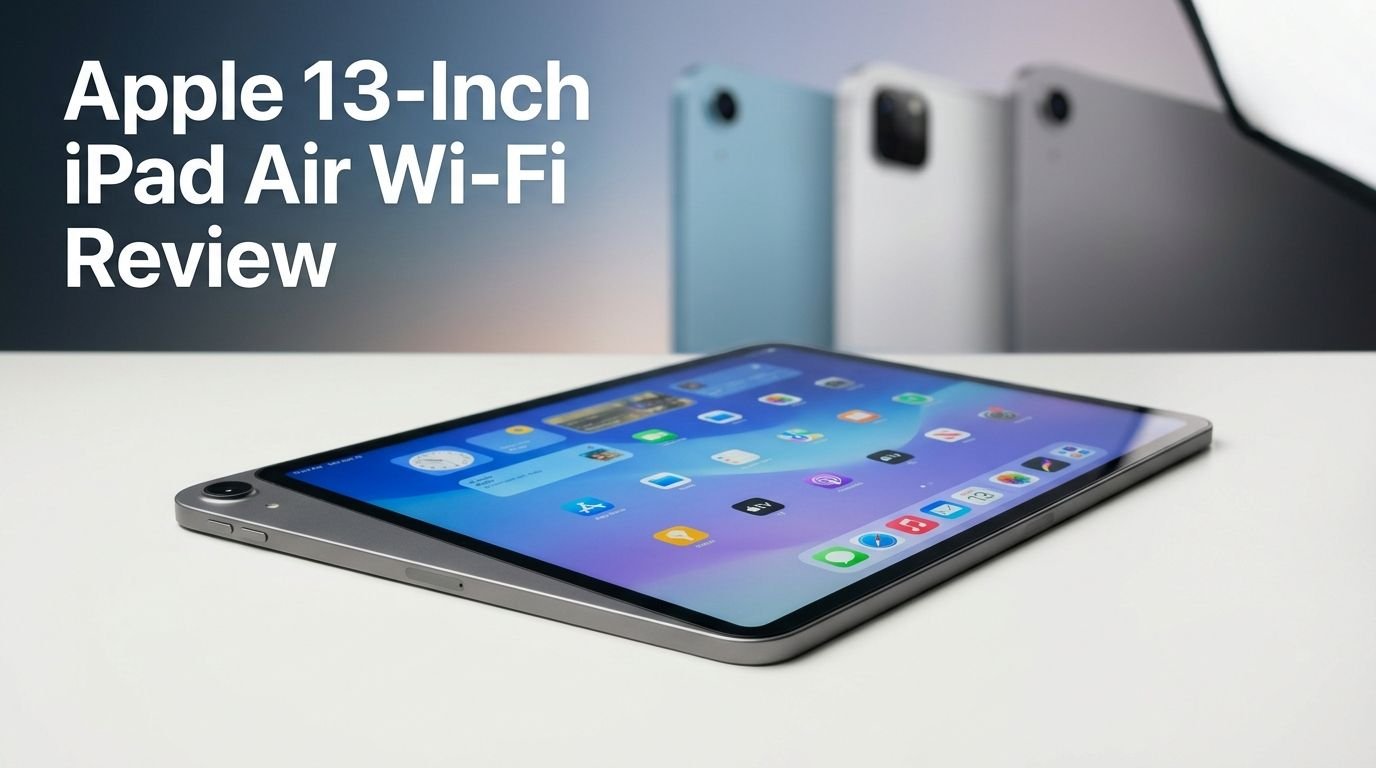
Apple 13-Inch iPad Air Wi-Fi Review 2026: Worth the Splurge?
Are you thinking about buying a new tablet this year? The Apple 13-inch iPad Air Wi-Fi (M4, 2026) just dropped, and it packs a serious punch.
Apple has upgraded the processor to the powerful M4 chip, added Wi-Fi 7 support, and bumped the RAM to 12GB. But the design stays the same, and the screen still runs at 60Hz.
So the big question is: does this refresh justify the $799 starting price? This review covers every angle. We break down the display quality, performance benchmarks, battery life, camera output, iPadOS 26 features, and accessory support.
Key Takeaways:
- The M4 chip delivers a major speed boost. Benchmark scores on Geekbench jumped from 3,001/10,839 (M3) to 3,713/13,153 (M4). This means faster app performance, quicker rendering, and smoother multitasking for everyone from students to content creators.
- Wi-Fi 7 and Bluetooth 6.0 are now standard. The previous model used Wi-Fi 6E. The 2026 iPad Air uses Apple’s N1 wireless chip with Wi-Fi 7 support. This gives you faster downloads, lower latency, and better streaming quality at home or in public networks.
- RAM has increased from 8GB to 12GB. This helps Apple Intelligence run smoother and gives apps more breathing room. You can keep more browser tabs and apps open without slowdowns.
- The display stays at 60Hz with no OLED upgrade. The 13-inch Liquid Retina screen has a resolution of 2732 x 2048 pixels at 264 ppi. It looks sharp and colorful, but the 60Hz refresh rate still lags behind competitors offering 90Hz or 120Hz panels.
- Battery life remains solid at 9 to 10 hours of daily use. Apple’s battery torture test showed 7 hours and 44 minutes of continuous video streaming. That is 23 minutes longer than the M3 model, which is a small but welcome improvement.
- Still no Face ID or water resistance. The iPad Air relies on Touch ID built into the power button. It also lacks any IP rating for dust or water protection. These are the two biggest hardware gaps Apple needs to address.


Apple 13-Inch iPad Air Wi-Fi (M4) Overview
The Apple 13-inch iPad Air Wi-Fi sits right in the middle of Apple’s tablet lineup. It costs $799 for the base 128GB model. That places it above the standard iPad ($349) and below the iPad Pro ($999). Apple released this version in March 2026 with the M4 chip, 12GB of unified memory, and Wi-Fi 7.
This tablet targets students, casual creators, and professionals who want strong performance without paying the iPad Pro premium. It runs iPadOS 26, supports the Apple Pencil Pro, and works with the Magic Keyboard. The design is identical to last year’s model. You get an aluminum body, a USB-C port, stereo speakers, and a Touch ID button.
The 13-inch model measures 11.04 by 8.46 by 0.24 inches and weighs 1.36 pounds. It is thin, light, and easy to carry. The screen is large enough for split-view multitasking and creative work. Apple offers it in four colors: Blue, Purple, Space Gray, and Starlight.
Storage options include 128GB, 256GB, 512GB, and 1TB. Prices range from $799 to $1,299 depending on your choice. The base storage of 128GB feels low in 2026, especially since the iPhone 17 now starts at 256GB.
Design and Build Quality
The 2026 iPad Air looks exactly like the 2025 model. Apple has made zero visual changes this year. The aluminum chassis feels premium. The matte finish on the back panel adds a subtle texture. It is a well-built device that inspires confidence.
The edges are flat and clean. The power/Touch ID button sits on the top edge. Volume buttons are around the corner. A USB-C port lives on the bottom edge alongside speaker holes. The second set of speakers sits on the opposite edge for stereo sound.
One weak spot is the lack of an IP rating. The iPad Air has no dust or water resistance. Samsung’s Galaxy Tab S10 FE+ offers IP68 protection at a lower price point. If you plan to use this tablet near pools, kitchens, or outdoors, a waterproof case is a smart investment.
The 13-inch model is large but still portable. It slips into most backpacks and messenger bags. However, pairing it with the Magic Keyboard adds significant weight. The combined setup weighs about as much as a MacBook. That is something to consider if portability matters to you.
Display Quality and Visual Experience
The 13-inch iPad Air uses a Liquid Retina IPS LCD display. It has a resolution of 2732 x 2048 pixels at 264 ppi. Apple rates the brightness at 600 nits for the 13-inch model. The panel supports Wide Color (P3) and True Tone for accurate color reproduction.
Colors look rich and vibrant. Text appears crisp. Watching movies, editing photos, or reading articles on this screen is a pleasant experience. The laminated display reduces the gap between the glass and the pixels, which makes everything feel closer to your fingertips.
However, the 60Hz refresh rate is the biggest disappointment. Competitors like the Samsung Galaxy Tab S10 FE+ offer 90Hz. The iPad Pro runs at 120Hz with ProMotion. Scrolling, drawing, and general navigation feel noticeably smoother on higher refresh rate screens.
Apple also claims an anti-glare coating, but the screen still reflects quite a bit in bright environments. The iPad Pro solves this with a nanotexture glass option. The Air does not have that luxury. If you use your tablet outdoors often, you will deal with reflections.
Top 3 Alternatives for Apple 13-Inch iPad Air Wi-Fi
1. Apple iPad Pro 13-Inch (M5)

2. Samsung Galaxy Tab S10 FE+ 13.1-Inch

3. Microsoft Surface Pro 11

M4 Chip Performance and Speed
The M4 chip is the star of this upgrade. It has eight CPU cores with three performance cores and five efficiency cores. The GPU has nine cores. The Neural Engine has 16 cores for AI and machine learning tasks.
Benchmark results tell a clear story. The M4 iPad Air scored 3,713 (single-core) and 13,153 (multi-core) on Geekbench 6. The M3 iPad Air scored 3,001 and 10,839 on the same test. That is roughly a 22% jump in multi-core performance.
On AnTuTu, the M4 model hit 3,138,110 points compared to 2,110,706 for the M3. The 3DMark test showed 6,717 frames at 40.2fps, a slight bump over the M3’s 6,536 frames at 39.1fps. These numbers confirm the M4 iPad Air is significantly faster.
In real-world use, apps launch quicker. Video editing in iMovie or Final Cut Pro feels smoother. Logic Pro and Pixelmator Pro run without lag. Apple Intelligence tools respond faster thanks to the extra RAM and processing power. For most users, this tablet has more power than they will ever need.
Memory and Storage Options
Apple bumped the unified memory from 8GB to 12GB. This is a meaningful upgrade. The extra RAM allows more apps to stay active in the background. It helps Apple Intelligence features run efficiently. It also gives creative apps more room to handle large files.
The memory bandwidth also improved from 100Mbps to 120Mbps. This means data moves faster between the processor and memory. You will notice the difference during demanding tasks like video rendering, 3D modeling, or running multiple apps in split view.
Storage starts at 128GB and goes up to 1TB. Here is the full pricing breakdown for the 13-inch Wi-Fi model: 128GB ($799), 256GB ($899), 512GB ($1,099), and 1TB ($1,299). The base storage of 128GB feels stingy in 2026. Apple should have started at 256GB, matching the iPhone 17.
If you plan to store lots of photos, videos, or creative projects, consider the 256GB or 512GB option. The jump from 128GB to 256GB costs an extra $100. That is a reasonable upgrade for most people who want peace of mind with storage space.
Wi-Fi 7 and Connectivity Upgrades
The 2026 iPad Air uses Apple’s N1 wireless chip. This brings support for Wi-Fi 7 (802.11be) with 2×2 MIMO. The previous model was limited to Wi-Fi 6E. Wi-Fi 7 offers faster speeds, lower latency, and better performance on congested networks.
In real-world testing, the iPad Air delivered download speeds of 750Mbps and upload speeds of 179Mbps on a home Wi-Fi 6 router. These are impressive numbers. Streaming HD video worked flawlessly throughout an entire house without buffering or pauses.
Bluetooth has also been upgraded to version 6.0. This is the latest consumer standard. It includes features like Auracast broadcasting and higher data throughput. Connecting to AirPods, speakers, and other accessories worked without any issues.
The USB-C port remains at version 3.0. It pushes data at up to 10Gbps and supports external monitors up to 6K resolution via DisplayPort. If you want USB-C 4.0 with Thunderbolt, you need the iPad Pro. For most users, USB-C 3.0 is more than adequate.
Battery Life and Charging Speed
Apple markets the iPad Air with about 10 hours of web browsing over Wi-Fi and 9 hours over cellular. In everyday use, this claim holds up. You can get through a full day of work or school. There is usually enough juice left over for evening entertainment.
The PCMag battery torture test (continuous video streaming at full brightness) showed the 13-inch iPad Air lasting 7 hours and 44 minutes. That is 23 minutes longer than the M3 model. It matches the Samsung Galaxy Tab S10 FE+ (7 hours 45 minutes) and falls short of the iPad Pro M5 (8 hours 11 minutes).
Apple includes a 20W charging brick and a cable in the box. Full recharge takes about 1 hour and 41 minutes. That is 8 minutes faster than the M3 iPad Air. The included charger is adequate, but a higher-wattage adapter would speed things up further.
Battery life on this tablet will not blow you away. But it is consistent and reliable. Most tablet users will find it perfectly adequate for a full day of mixed use. Heavy multitaskers who push the device hard should keep a charger nearby by late afternoon.
Camera Performance
The iPad Air has two 12MP cameras. The rear camera uses an f/1.8 lens with autofocus, HDR 4, and 5x digital zoom. It captures 4K video at 60fps. The front-facing Center Stage camera has an f/2.4 lens and shoots 1080p video at 60fps.
Photo quality is solid. Images look clean, sharp, and color-accurate in good lighting. Low-light shots show some grain, but that is expected from a tablet camera. The 4K video output is smooth and detailed. You can use this camera for document scanning, whiteboard capture, or quick video clips.
The Center Stage feature is the real highlight. During FaceTime or Zoom calls, the front camera automatically tracks your face and keeps you centered. It works well even when you move around the room. This makes the iPad Air an excellent video calling device.
However, Apple has recycled the same camera hardware from the M2 and M3 models. There is no Portrait Mode. There is no ProRes video support. The iPad Pro offers these advanced features. If photography and video are your primary tasks, the Pro is the better choice.
iPadOS 26 and Software Features
The iPad Air ships with iPadOS 26 and updates to version 26.3.1 on first setup. This is a significant software update. The biggest change is the new Liquid Glass design language. It gives the interface a translucent, layered look. Some users love it. Others find it distracting.
The most useful new feature is the improved windowing system. You can now open multiple apps in resizable, movable windows on the home screen. This is a huge boost for multitasking. You can have a browser, a notes app, and a messaging app all visible at the same time.
Apple Intelligence runs smoothly on the M4 chip. You get smart writing tools, image generation, notification summaries, and Siri enhancements. The 12GB of RAM ensures these AI features work without performance hitches.
In terms of long-term support, Apple provides at least five years of system and security updates. This means the 2026 iPad Air should receive iPadOS updates well into 2031. That gives it excellent long-term value compared to most Android tablets, which typically get two to three years of updates.
Speaker and Audio Quality
The iPad Air has stereo speakers placed on the two opposing short edges. The placement creates a wide soundstage in landscape mode. It is a sensible setup for watching videos and listening to music.
Sound quality is good for a tablet. Voices come through clearly in podcasts and video calls. Music has decent balance across highs, mids, and lows. Bass notes are audible but not overpowering. It will not replace a good Bluetooth speaker, but it handles casual listening well.
The maximum output reaches 88.3dB when measured with a decibel meter. That is loud enough for a bedroom, living room, or classroom. You will not struggle to hear audio at reasonable distances.
For the best audio experience, pair the iPad with AirPods Pro or a quality Bluetooth speaker. The Bluetooth 6.0 upgrade ensures a stable, high-quality connection. If you care about immersive sound for movies and gaming, external audio is the way to go.
Accessories and Compatibility
The iPad Air works with the Magic Keyboard ($269 for 11-inch, $319 for 13-inch), Apple Pencil Pro ($129), and Apple Pencil USB-C ($79). Apple has not released any new accessories for this model. Everything carries over from the M3 generation.
The Magic Keyboard turns the iPad Air into a laptop replacement. It has a trackpad, backlit keys, and a sturdy hinge. The typing experience is excellent. However, the 13-inch keyboard adds noticeable weight. The combined package weighs about as much as a MacBook Air.
The Apple Pencil Pro is outstanding for drawing, note-taking, and markup. It supports pressure sensitivity, tilt detection, and haptic feedback. Creative apps like Procreate, Affinity Designer, and Apple’s own Freeform take full advantage of these features.
Third-party accessories are plentiful. You can find cases, screen protectors, stands, and keyboard alternatives from brands like Logitech, ESR, and Zagg. The USB-C port supports external monitors, drives, and hubs. You can expand the iPad’s capabilities far beyond its built-in hardware.
Who Should Buy the Apple 13-Inch iPad Air Wi-Fi?
This iPad is perfect for college students who need a large screen for note-taking, research, and presentations. The M4 chip handles any educational app with ease. The Apple Pencil Pro makes handwritten notes feel natural and responsive.
Casual content creators will also love this tablet. Video editing in iMovie, photo editing in Lightroom, and digital art in Procreate all run beautifully. The 13-inch screen gives you plenty of workspace. The M4 chip handles rendering faster than the M3 ever could.
Remote workers who need a portable second screen or a lightweight work device should consider this iPad. Pair it with the Magic Keyboard, and you have a functional laptop alternative. iPadOS 26’s new windowing system makes multitasking much more productive.
This iPad is not the right choice for professional video editors, 3D artists, or anyone who needs Face ID, OLED, or a 120Hz display. Those users should look at the iPad Pro. It costs more, but it delivers premium features the Air simply cannot match.
Pros and Cons Summary
The Apple 13-inch iPad Air Wi-Fi (M4) has plenty to celebrate. The M4 chip brings a genuine performance jump. Wi-Fi 7 and Bluetooth 6.0 future-proof the connectivity. 12GB of RAM keeps everything running smooth. The build quality remains excellent. iPadOS 26 adds useful multitasking features.
On the downside, the 60Hz display feels outdated in 2026. No Face ID means you are stuck with Touch ID. No IP rating means zero water or dust protection. The base storage of 128GB is too small for the price. The cameras are recycled from two generations ago.
Overall, this tablet earns its place as the best midrange iPad you can buy today. It offers a strong balance of performance, display quality, and software support. The price is fair for what you get. Just be aware of the limitations, and choose your storage wisely.
Final Verdict: Is the Apple 13-Inch iPad Air Wi-Fi Worth It in 2026?
Yes, the Apple 13-inch iPad Air Wi-Fi (M4) is worth buying in 2026. It delivers the best combination of power and value in Apple’s current tablet lineup. The M4 chip, Wi-Fi 7, and 12GB of RAM make this tablet ready for anything you throw at it over the next several years.
If you own an M1 iPad Air or older, upgrading makes a lot of sense. The performance jump is substantial. You will notice faster app launches, smoother multitasking, and better AI feature performance across the board.
If you own an M3 iPad Air, hold off. The upgrade is meaningful but not essential. Wait for the next generation, which may finally bring an OLED display, Face ID, or water resistance.
For everyone else shopping for a premium tablet in 2026, the iPad Air delivers. It is fast, reliable, and backed by years of software support. It is the iPad most people should buy.
Frequently Asked Questions
How much does the Apple 13-inch iPad Air Wi-Fi cost in 2026?
The 13-inch iPad Air Wi-Fi starts at $799 for 128GB. The 256GB model costs $899, the 512GB costs $1,099, and the 1TB costs $1,299. These prices apply to the Wi-Fi only version. Adding cellular connectivity increases the starting price to $949.
Does the 2026 iPad Air have an OLED display?
No. The 2026 iPad Air uses a Liquid Retina IPS LCD panel. Only the iPad Pro offers an OLED display with the Ultra Retina XDR branding. The Air’s screen is still sharp and colorful, but it cannot match the contrast and brightness of OLED.
Can I use the Apple Pencil with the 13-inch iPad Air?
Yes. The 2026 iPad Air supports the Apple Pencil Pro ($129) and the Apple Pencil USB-C ($79). The Pencil Pro offers pressure sensitivity, tilt detection, haptic feedback, and a squeeze gesture. It is ideal for drawing, note-taking, and markup tasks.
Does the iPad Air support Face ID?
No. The 2026 iPad Air uses Touch ID built into the power button. Face ID is only available on the iPad Pro. Touch ID works well for authentication and Apple Pay, but many users prefer the speed and convenience of Face ID.
How long will Apple support the 2026 iPad Air with software updates?
Apple provides at least five years of system and security updates for its iPads. The 2026 iPad Air running iPadOS 26 should receive updates through at least 2031. This makes it a strong long-term investment compared to most Android tablets.
Is the iPad Air better than the iPad Pro for students?
For most students, yes. The iPad Air offers strong performance at a lower price. It handles note-taking, research, writing, and light creative work with ease. The iPad Pro is overkill for typical student tasks. Save the extra money unless you need OLED, Face ID, or ProRes video.