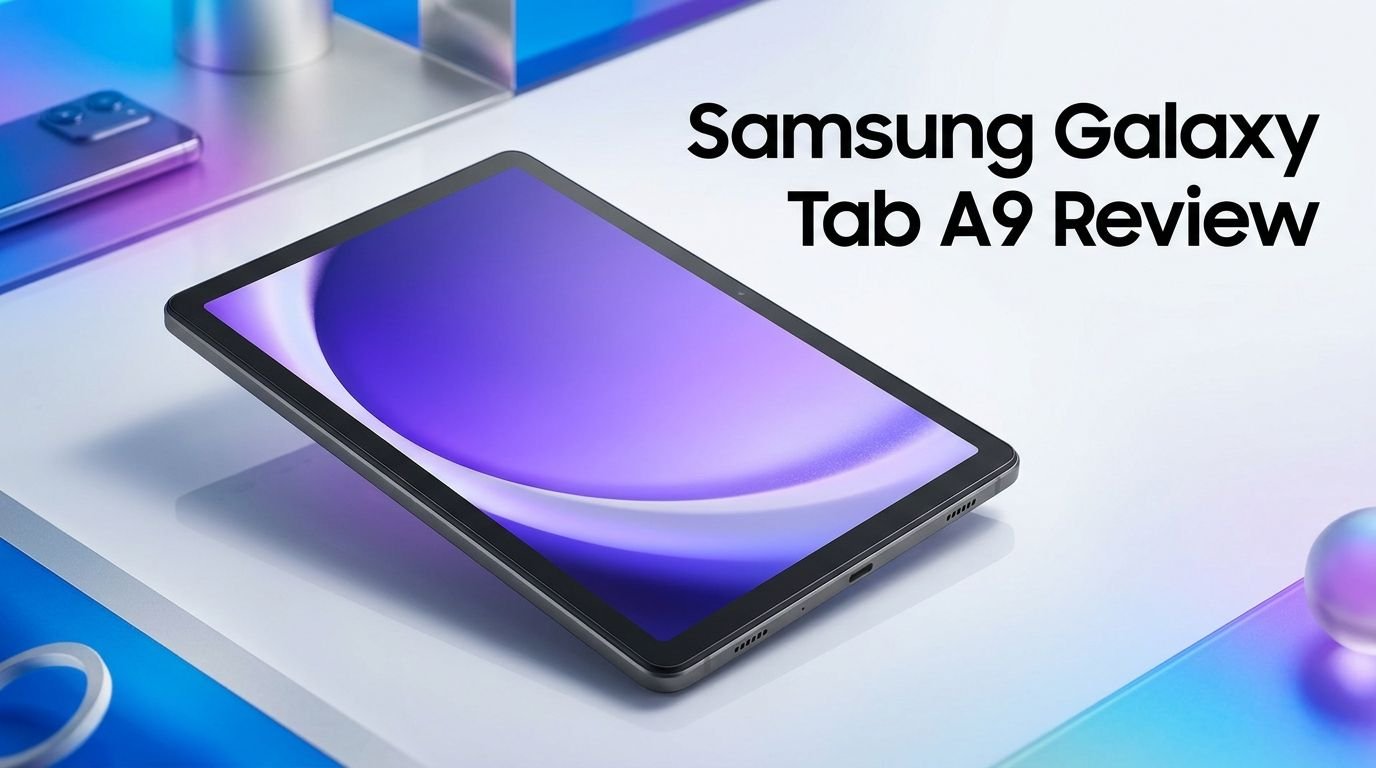
Samsung Galaxy Tab A9 Review 2026: Worth Your Money?
The Samsung Galaxy Tab A9 hit the market back in late 2023. It arrived as Samsung’s most affordable tablet option. Now, in 2026, many buyers still wonder if this compact 8.7 inch device holds up against newer competition.
The short answer? It depends on what you need. If you want a cheap, portable tablet for reading, streaming, and light browsing, the Galaxy Tab A9 still delivers solid value.
Samsung has kept it alive with software updates, including One UI 8 based on Android 16. That kind of support is rare for a budget device.
Key Takeaways
- The Samsung Galaxy Tab A9 uses a MediaTek Helio G99 processor paired with up to 8GB of RAM and 128GB of internal storage. This gives it enough power for basic daily tasks like web browsing, email, video streaming, and social media use.
- The 8.7 inch TFT LCD display offers a resolution of 1340 x 800 pixels. It works well for reading ebooks, watching YouTube videos, and casual gaming. Do not expect flagship level screen quality, though.
- Battery life sits at a respectable 5,100 mAh. Real world usage delivers around 7 to 10 hours depending on your screen brightness and activity type. It supports 15W charging, which takes roughly 2.5 hours for a full charge.
- Samsung has delivered the One UI 8 update based on Android 16 for this tablet. The device qualifies for three major OS upgrades and four years of security patches, which means support should last until at least Android 17.
- The starting price sits around $110 to $130 in 2026, making it one of the cheapest Samsung tablets you can buy. Frequent discounts on Amazon push the price even lower during sales events.
- The 8MP rear camera and 2MP front camera handle basic photo tasks and video calls. They will not replace your phone camera, but they work fine for casual use and document scanning.

Samsung Galaxy Tab A9 Design and Build Quality
The Samsung Galaxy Tab A9 has a clean, modern design. It measures 211 x 124.7 x 8 mm and weighs just 332 grams. This makes it one of the lightest tablets Samsung currently sells.
The body uses a polycarbonate shell with a metal frame. It feels sturdy enough for daily handling. You will not get the premium glass and aluminum finish of the Galaxy Tab S series. But for a budget device, the construction quality is more than acceptable.
The compact 8.7 inch form factor is a standout feature. You can hold this tablet with one hand during long reading sessions. It fits easily into bags, purses, and even larger jacket pockets. Portability is where this tablet truly shines.
Samsung offers the Tab A9 in Graphite, Navy, and Silver color options. All three look simple and professional. The bezels around the screen are thicker than premium tablets, but this actually helps with grip during one handed use.
The bottom edge houses a USB Type C 2.0 port. You also get a 3.5mm headphone jack, which many modern tablets have dropped. The inclusion of a headphone jack adds real convenience for users who prefer wired earbuds.
Overall, the design punches above its price tag. It does not feel cheap or flimsy. For a tablet under $130, Samsung delivered a well built device that handles everyday wear without major complaints.
Samsung Galaxy Tab A9 Display Quality
The Galaxy Tab A9 features an 8.7 inch TFT LCD panel with a resolution of 1340 x 800 pixels. This is a WXGA+ display, not Full HD. The pixel density comes in at around 179 PPI.
Colors look decent for a budget screen. Whites appear slightly warm, and blacks lack the deep contrast of AMOLED panels. This is expected at this price range.
Brightness levels are adequate for indoor use. You can read and browse comfortably inside your home or office. Outdoor visibility drops, though. Direct sunlight makes the screen harder to read.
The 60Hz refresh rate keeps things simple. You will not notice butter smooth scrolling like 90Hz or 120Hz displays offer. For standard tasks like reading, email, and video playback, 60Hz is perfectly fine.
Video streaming on Netflix, YouTube, and Disney Plus looks good on this compact screen. The smaller size actually helps hide the lower resolution. Movies and shows appear sharp enough for casual viewing.
The display supports Widevine L1 DRM certification. This means you can stream content in HD quality from major platforms. That is a big deal for a budget tablet since some cheap tablets only support SD streaming.
Samsung Galaxy Tab A9 Performance and Speed
The Galaxy Tab A9 runs on the MediaTek Helio G99 processor built on a 6nm process. This is an octa core chip that handles everyday tasks with ease. The GPU is a Mali G57 MC2.
Samsung offers two RAM configurations. The base model includes 4GB of RAM with 64GB of storage. The higher tier gives you 8GB of RAM and 128GB of storage. The 8GB variant feels noticeably smoother during multitasking.
App loading times are reasonable. Chrome, YouTube, Gmail, and Samsung’s own apps open quickly. You may notice slight delays with heavier apps like Instagram or Facebook, but nothing deal breaking.
Light gaming works on this tablet. Titles like Candy Crush, Subway Surfers, and similar casual games run without issues. More demanding games like Genshin Impact will struggle with settings turned up.
The 64GB base storage fills up fast. We recommend the 128GB model or adding a microSD card. The Tab A9 supports microSD expansion up to 1TB. This gives you plenty of room for apps, movies, and music.
Benchmark scores place the Helio G99 ahead of competitors like the MediaTek Helio G80 found in the Lenovo Tab M9. For basic productivity, web browsing, and streaming, the Tab A9 performs well enough to stay frustration free.
Top 3 Alternatives for Samsung Galaxy Tab A9
1. Samsung Galaxy Tab A9+

2. Amazon Fire HD 8 (2024)


3. Lenovo Tab M9

Samsung Galaxy Tab A9 Battery Life and Charging
The Samsung Galaxy Tab A9 packs a 5,100 mAh battery. Samsung claims this provides all day battery life, and that claim holds up for most users.
In real world tests, the tablet delivers around 7 to 10 hours of mixed use. This includes web browsing, video streaming, social media, and occasional gaming. If you mainly read ebooks and browse the web, you can stretch battery life closer to the 10 hour mark.
Video playback drains the battery at a moderate rate. Streaming HD content on YouTube for three continuous hours uses about 30 to 35 percent of the battery. That is reasonable for this screen size.
Charging speed sits at 15W with the included adapter. A full charge from zero takes approximately 2.5 hours. This is not fast by modern standards. But for a tablet you charge overnight, it works fine.
Samsung Galaxy Tab A9 Camera Performance
The Galaxy Tab A9 features an 8MP rear camera with autofocus and a 2MP front facing camera. These are basic specs for a tablet, especially a budget one.
The rear camera captures decent photos in good lighting conditions. Colors look natural, and details are acceptable for social media posts or document scanning. Low light performance is weak. Photos turn grainy and lose sharpness in dim environments.
Video recording tops out at 1080p at 30fps on the rear camera. The footage is usable but lacks stabilization. You will notice shaky videos if you record while moving.
The 2MP front camera handles video calls adequately. Zoom, Google Meet, and Samsung’s video call apps all work fine. Image quality is soft, and you will not look your best in low light. But for quick calls with family or coworkers, it does the job.
Samsung Galaxy Tab A9 Software and Updates
The Galaxy Tab A9 launched with Android 13 and One UI 5.1.1. Since then, Samsung has pushed multiple major updates. The tablet now runs One UI 8 based on Android 16.
Samsung promised three major Android OS upgrades and four years of security patches. This means the Tab A9 should receive updates through Android 17. That level of software commitment is impressive for a budget tablet.
One UI 8 brings a modern interface with smoother animations and improved multitasking. Split screen mode works on the 8.7 inch display, though the small size makes it less practical than on larger tablets.
Samsung Knox security is included. This protects your data with hardware level encryption. Parents will appreciate the Samsung Kids mode, which creates a safe environment for children.
The tablet also supports Samsung’s ecosystem features. You get Samsung Health, Samsung Notes, and Galaxy Store alongside the Google Play Store. SmartThings integration lets you control compatible smart home devices directly from the tablet.
Samsung Galaxy Tab A9 Audio and Speaker Quality
The Samsung Galaxy Tab A9 features dual speakers positioned on the same side of the device. This creates a stereo effect, though the soundstage is narrow.
Audio quality is average for a budget tablet. The speakers produce clear mids and vocals. Bass is almost nonexistent. Music and movies sound thin at higher volumes. Distortion becomes noticeable when you push the volume past 80 percent.
For casual YouTube watching and podcast listening, the speakers work fine. You will hear dialogue clearly in most video content. Background music in videos sounds flat but acceptable.
The 3.5mm headphone jack saves the audio experience. Plug in a decent pair of wired headphones, and the Tab A9 delivers much better sound. Bluetooth 5.3 also lets you connect wireless earbuds and speakers.
Dolby Atmos support is absent on the Tab A9. This feature is reserved for the Galaxy Tab A9+ and higher models. If audio quality matters to you, the A9+ is a better choice.
For bedtime streaming, audiobook playback, and video calls, the Tab A9’s speakers do their job. Just keep your expectations realistic. This is a $130 tablet, not a home entertainment system.
Samsung Galaxy Tab A9 for Kids and Family Use
The Galaxy Tab A9 is an excellent family tablet. Its compact size fits smaller hands perfectly, making it ideal for children ages 5 and older.
Samsung Kids mode creates a safe, controlled environment. Parents can set screen time limits, restrict app access, and monitor usage. This built in parental control system removes the need for third party apps.
The durable polycarbonate body handles accidental drops better than glass backed tablets. Pair it with a budget friendly protective case, and you have a kid proof device.
Educational apps run smoothly on the Helio G99 processor. Kids can use learning platforms like Khan Academy, Duolingo, and PBS Kids without lag or crashes. YouTube Kids streams without buffering on a stable Wi Fi connection.
The affordable price makes this tablet a low risk purchase for families. If a child damages it, the replacement cost is manageable. That peace of mind is valuable for parents.
Multiple user profiles let family members share one tablet. Each person gets their own apps, settings, and home screen layout. This makes the Tab A9 a versatile shared device.
The Tab A9 strikes a great balance between affordability and family friendliness. Samsung’s software features add real value for households with children.
Samsung Galaxy Tab A9 Gaming Experience
Gaming on the Galaxy Tab A9 works for casual titles. The MediaTek Helio G99 and Mali G57 MC2 GPU handle 2D games and simple 3D titles without problems.
Casual games like Candy Crush, Among Us, Clash Royale, and Temple Run perform well. Frame rates stay stable, and touch response feels accurate. These lighter games run at full speed with no noticeable lag.
Mid range 3D games like Asphalt 9 run on lower settings. You will need to reduce graphics quality to maintain playable frame rates. Expect occasional stutters during intense action scenes.
Heavy games like Genshin Impact and PUBG Mobile struggle. These titles require more GPU power than the Tab A9 offers. You can play them on the lowest settings, but the experience is not enjoyable.
The 60Hz display limits gaming smoothness. You will not see the fluid motion that 90Hz or 120Hz screens deliver. For competitive gaming, this is a disadvantage.
The 8.7 inch screen size works well for mobile style games. Touch controls feel natural on this compact display. Strategy games and puzzle games benefit from the portable form factor.
Samsung Galaxy Tab A9 Connectivity Options
The Galaxy Tab A9 offers solid connectivity for a budget tablet. Wi Fi support covers both 2.4GHz and 5GHz bands. This ensures fast and stable internet on modern routers.
Samsung also sells an LTE version with 4G cellular connectivity. This model uses a nano SIM card. The LTE variant costs more but gives you internet access anywhere with mobile coverage.
Bluetooth 5.3 is included on all models. This supports low energy connections with wireless earbuds, keyboards, speakers, and game controllers. Pairing is quick and connections stay stable.
The USB Type C 2.0 port handles charging and data transfer. Transfer speeds are adequate for moving photos, documents, and small files. Do not expect USB 3.0 speeds, though.
GPS is available on the LTE model. This lets you use Google Maps and navigation apps with location accuracy. The Wi Fi only model relies on network based location services.
A microSD card slot supports expansion up to 1TB. This is a major advantage. You can store thousands of songs, movies, and photos without worrying about internal storage limits.
The Tab A9 lacks NFC and does not support Samsung DeX. These features are reserved for higher end Galaxy tablets. For most budget tablet users, their absence is not a concern.
Samsung Galaxy Tab A9 vs Samsung Galaxy Tab A9+
The Galaxy Tab A9 and A9+ look similar but differ in key areas. Choosing between them depends on your budget and screen size preference.
The Tab A9 has an 8.7 inch screen with 1340 x 800 resolution. The A9+ jumps to 11 inches with 1920 x 1200 Full HD+ resolution. The A9+ screen is sharper and better for media consumption.
Processing power also differs. The A9 uses the MediaTek Helio G99. The A9+ runs on the Qualcomm Snapdragon 695, which offers better GPU performance and 5G support on select models.
The A9+ has quad speakers compared to the A9’s dual speakers. Audio quality on the A9+ is clearly better. The larger device also supports a 90Hz refresh rate for smoother scrolling.
Battery capacity is similar. The A9 has 5,100 mAh while the A9+ packs 5,000 mAh. Real world battery life is comparable between both tablets.
Price is where the A9 wins. It costs roughly $50 to $70 less than the A9+. If budget is your top priority, the Tab A9 saves you money without sacrificing essential features.
The A9+ is the better tablet overall. But the A9 makes more sense for users who want a compact, portable, and affordable device. Choose based on whether you prefer a larger screen or a lower price.
Samsung Galaxy Tab A9 Pros and Cons
Every device has strengths and weaknesses. The Galaxy Tab A9 is no exception. Here is an honest breakdown.
The biggest pros include the affordable price, compact design, and solid build quality. Samsung’s software update commitment adds long term value. The Helio G99 chip handles everyday tasks smoothly. Expandable storage up to 1TB gives you flexibility. The headphone jack is a welcome addition.
Battery life is dependable for a full day of light use. The 5,100 mAh cell keeps things running from morning to evening. Wi Fi and Bluetooth connectivity work without issues.
On the downside, the display resolution is low for 2026 standards. The 1340 x 800 pixel count results in visible pixelation during close up reading. Colors lack the vibrancy of AMOLED screens.
Camera quality is mediocre. The 8MP rear sensor and 2MP front sensor handle basics but nothing more. Low light photography produces poor results.
The 60Hz refresh rate feels dated. Competitors at similar prices now offer 90Hz panels. Speaker quality is also below average without headphones.
Charging at 15W feels slow compared to tablets with 25W or 30W support. The polycarbonate body, while durable, does not feel premium.
The Tab A9 delivers strong value for its price. Its weaknesses are predictable for a budget device. If you accept these trade offs, the tablet serves its purpose well.
Frequently Asked Questions
Does the Samsung Galaxy Tab A9 support the S Pen?
No, the Galaxy Tab A9 does not support the S Pen. Samsung reserves S Pen compatibility for its Galaxy Tab S series. If you need stylus input, look at the Galaxy Tab S6 Lite or higher models.
How long will the Samsung Galaxy Tab A9 receive software updates?
Samsung promised three major Android OS upgrades and four years of security patches. The tablet launched with Android 13 and has already received updates through Android 16. It should receive Android 17 as its final major update.
Can you use the Samsung Galaxy Tab A9 for video calls?
Yes, the 2MP front camera supports video calls on apps like Zoom, Google Meet, and WhatsApp. Image quality is basic but clear enough for casual calls. Use good lighting for the best results.
Does the Samsung Galaxy Tab A9 have expandable storage?
Yes, the Tab A9 includes a microSD card slot that supports cards up to 1TB. This is ideal for storing movies, music, photos, and apps without running out of space.
Is the Samsung Galaxy Tab A9 good for students?
The Tab A9 works well for basic student needs. It handles note taking apps, web research, ebook reading, and video lectures without trouble. The compact size makes it easy to carry to classes.
What is the difference between the Samsung Galaxy Tab A9 WiFi and LTE models?
The WiFi model connects to the internet through wireless networks only. The LTE model accepts a nano SIM card and connects to 4G mobile data networks. The LTE version also includes GPS for navigation. It costs more than the WiFi only version.