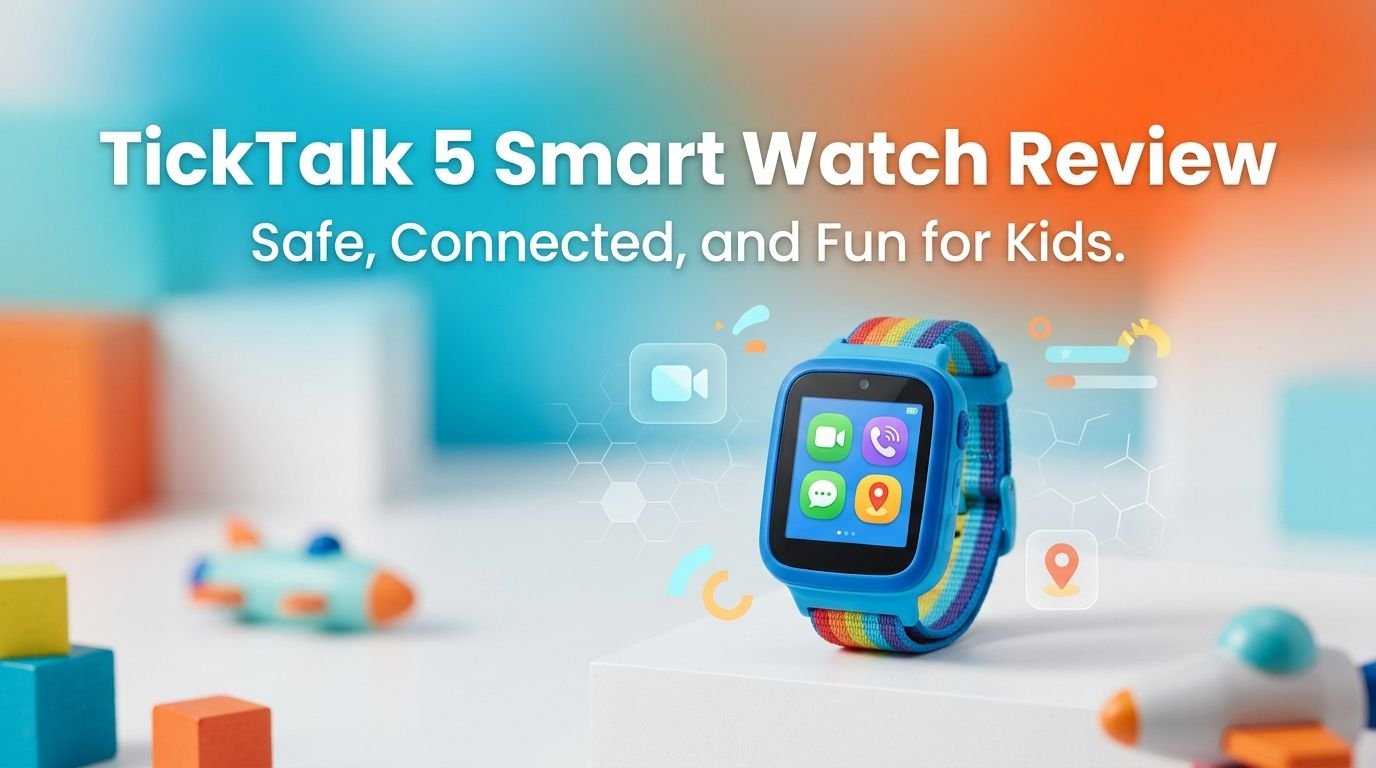
TickTalk 5 Smart Watch Review 2026: Does It Really Work?
Are you a parent looking for a safe way to stay connected with your child? You are not alone. Millions of parents face the same dilemma every year. They want their kids to have a communication device, but a smartphone feels like too much too soon.
The TickTalk 5 kids smartwatch promises a perfect middle ground. It gives your child calling, texting, and GPS tracking without internet access, social media, or addictive games. But does it actually deliver on that promise?
I spent weeks researching this watch, reviewing real parent feedback, and comparing it against every major competitor. This blog post covers everything you need to know before spending your money.
Key Takeaways
- The TickTalk 5 is a 4G LTE kids smartwatch built for children ages 3 to 12. It supports HD voice calls, video calls, messaging, and real-time GPS tracking from a standalone device on your child’s wrist.
- Parents get full control through the TickTalk companion app. You can approve contacts, view call logs, set school mode schedules, and even listen in on your child’s surroundings silently.
- There is no internet browser, no social media, and no downloadable games. This keeps your child away from inappropriate content and online strangers.
- Monthly plans start at just $9.99 with no contract. There are no activation fees or cancellation penalties. Premium plans with unlimited data and damage protection are also available.
- The watch is IP67 water resistant, shockproof, and drop proof. It is built to survive the rough daily life of an active kid.
- Free streaming music, podcasts, and stories come included through iHeartRadio Family. Parents can set daily listening limits to save battery and data.

TickTalk 5 Kids Smart Watch Overview
The TickTalk 5 is a standalone 4G LTE smartwatch made specifically for children between 3 and 12 years old. It does not need a paired smartphone to work. The watch connects to cellular networks on its own using a built-in SIM card slot.
This smartwatch was created by parents who wanted a safer alternative to handing a child a full smartphone. TickTalk has been featured in TIME, Forbes, and The New York Times as one of the best kids smartwatches available. The brand has built a strong reputation over several product generations.
The TickTalk 5 runs on either AT&T’s or T-Mobile’s network in the United States. You pick your carrier preference at the time of purchase. The watch supports voice calls, video calls, text messaging, photo sharing, and GPS location tracking all from one device.
Parents control everything through the free TickTalk app on their iPhone or Android phone. The app lets you approve contacts, set quiet hours for school, monitor location history, and adjust every setting on the watch. Your child cannot add contacts, download apps, or browse the internet.
Design and Build Quality
The TickTalk 5 measures 47 x 45 x 16 mm and weighs just 55 grams. It is slightly bulky on smaller wrists, but most kids adjust to it quickly. The silicone band fits wrist sizes from 5.0 inches to 7.48 inches.
The watch body uses durable plastic construction with an IP67 water resistance rating. This means it can handle splashes, rain, hand washing, and brief submersion. It is also shockproof and drop proof, which is essential for active children.
The display is a color touchscreen that is bright enough for outdoor use. Kids can swipe through menus easily. The interface uses large icons and simple navigation that even a 4-year-old can figure out without help.
Available colors include black, blue, and pink. Each color option appeals to different age groups and preferences. The band is removable and replaceable if it gets damaged or if your child wants a different look.
GPS Tracking and Location Features
The GPS tracking on the TickTalk 5 uses multiple location technologies. It combines GPS, Wi-Fi positioning, and cell tower triangulation. This gives parents a reliable location estimate in most situations.
Outdoor accuracy with a clear GPS signal ranges between 10 to 300 feet. Indoor tracking switches to Wi-Fi positioning with accuracy between 100 to 500 feet. This is standard performance for kids GPS smartwatches.
Parents can view their child’s real-time location on a map inside the TickTalk app. You can also view location history to see where your child has been throughout the day. This is helpful for checking if your child made it to school or arrived at a friend’s house.
The app lets you set up Safe Zones (geofencing). You will receive a notification if your child enters or leaves a designated area. This feature works well around schools, homes, and parks.
Top 3 Alternatives for TickTalk 5
1. Cosmo JrTrack 5 Kids Smart Watch

2. Gabb Watch 3e Kids GPS Smartwatch

3. Fitbit Ace LTE Kids Smartwatch


Voice and Video Calling
The TickTalk 5 supports both HD voice calls and video calls over 4G LTE or Wi-Fi. Call quality is clear and reliable in most areas with decent cellular coverage. Kids can call any approved contact directly from the watch.
Video calling works through the watch’s built-in front-facing camera. It functions similar to FaceTime. Your child can see you on screen while you see them. This feature makes the watch feel more personal and comforting for younger children.
Only parent-approved contacts can call or receive calls from the watch. Unknown numbers are automatically blocked. This closed network approach keeps strangers away from your child.
Parents can also initiate video calls from the TickTalk app at any time. This is a great way to check in visually during after-school activities, playdates, or travel. The video quality is decent for a kids smartwatch, though it is not as sharp as a modern smartphone.
Messaging and Communication
The TickTalk 5 offers several messaging options beyond simple calls. Kids can send and receive text messages, voice messages, photo messages, video messages, and even customizable greeting cards.
The watch does not have a physical keyboard. Instead, it uses Talk-to-Text voice dictation. Your child speaks into the watch, and it converts their words into a text message. This feature works well for short messages and is easy for young children to use.
Kids also have access to 20+ preset quick text responses. These include common replies like “I’m on my way” or “Call me.” Parents can customize these preset messages through the app.
All messaging is encrypted end-to-end. This means no one can intercept or read messages between your phone and your child’s watch. Group chats are also available and encrypted. This level of security is a clear advantage over some competing products.
SOS and Emergency Features
The SOS button on the TickTalk 5 is one of its most important safety tools. Your child can press and hold the SOS button to instantly call for help. By default, this button dials 911.
Parents can customize the SOS function through the app. Many parents change it to call Mom or Dad instead of 911. This is especially useful for younger children who might accidentally trigger the button or who need a parent rather than emergency services.
The watch also supports a silent listen-in feature. Parents can activate this from the app. The watch silently calls the parent’s phone back. Your child and anyone nearby will not know the call is active. You can hear your child’s surroundings in real time.
If you miss the listen-in call, the watch records a voicemail of the surroundings. This feature gives parents peace of mind during situations like school bullying, unfamiliar environments, or separation anxiety. Not every kids smartwatch offers this level of silent monitoring.
School Mode and Parental Controls
The TickTalk 5 includes over 20 parental control features managed through the companion app. School Mode is one of the most popular. It lets parents restrict watch functions during school hours.
During School Mode, the watch can be limited to SOS calls only. Or parents can allow certain features like calling but disable music, messaging, and camera. You set the schedule, and the watch follows it automatically each school day.
The Do Not Disturb function works separately from School Mode. Parents can create custom quiet periods for bedtime, homework time, or any other part of the day. This prevents the watch from buzzing and distracting your child.
Parents approve every contact on the watch. No one can call, text, or message your child unless you add them first. The app also shows you complete call logs, text logs, and location data. You always know who your child communicates with and where they are.
Free Streaming Music with iHeartRadio Family
One of the most popular features among kids is the free streaming music powered by iHeartRadio Family. This comes included at no extra cost with TickTalk’s US plans.
Your child can listen to kid-friendly songs, stories, and podcasts directly from the watch. The content library is curated for children, so parents do not need to worry about inappropriate lyrics or themes.
Parents control music access through the app. You can set daily listening limits to preserve battery life and prevent excessive data usage. This is a smart feature because streaming music can drain the battery quickly.
The watch is compatible with TickTalk Twists Bluetooth headphones for private listening. These wireless headphones are made for kids with a twistable, easy-to-clean design. Your child can listen to music without disturbing others around them.
Battery Life and Charging
The TickTalk 5 battery lasts roughly one to two days on a single charge with moderate use. Heavy use of video calling and music streaming will drain it faster. Light use with mostly GPS tracking and occasional calls can stretch the battery further.
The watch uses a magnetic charging cable that snaps onto the back of the watch. An optional PowerBase charging station is available separately. The TickTalk 5 supports fast charging, which is a welcome upgrade from earlier models.
Battery life is one area where parents should set expectations. Kids smartwatches with 4G LTE, GPS, and streaming music use significant power. Charging the watch every night is a good habit to build.
The TickTalk app shows the current battery level of your child’s watch. You can check this anytime to see if the watch needs charging before your child heads out for the day.
Monthly Plans and Pricing
The TickTalk 5 watch costs approximately $150 to $160 upfront. This places it near the higher end of kids smartwatch pricing. However, it includes more features than most competitors at this price point.
Monthly cellular plans start at $9.99 per month with no contract. There are no activation fees and no cancellation penalties. You can cancel anytime without being charged extra.
TickTalk also offers premium plans. The Essentials Plus plan costs $14.99/month and adds water damage protection. The Premium plan is $15.99/month with unlimited data. The Premium Plus plan costs $19.99/month and includes both unlimited data and damage protection.
All plans include talk, text, and data. The basic plan is enough for most families. Premium plans make sense if your child uses streaming music heavily or if you want damage protection as an insurance policy.
Companion App Experience
The TickTalk parent app is available for both iOS 16+ and Android 6.0+. It serves as your central control panel for every watch feature. The interface is clean and easy to learn.
From the app you can add or remove contacts, view your child’s location on a map, read message logs, check call history, and adjust all watch settings. Everything on the watch connects back to the app. There is nothing your child can do on the watch that you cannot see or control.
Setting up the watch through the app takes about 10 to 15 minutes. You create an account, activate the SIM card, pair the watch, and add your contacts. The Quick Start Guide helps with this process.
One minor drawback is the QR code contact pairing system. New contacts must scan a QR code to connect with your child’s watch. This means they need to be physically present or join through a video call workaround. This adds security but creates some inconvenience for long-distance family members.
Who Should Buy the TickTalk 5
The TickTalk 5 is ideal for parents of children ages 3 to 12 who want a safe communication device. It works best for families who want calling, texting, and GPS tracking without giving their child access to the internet.
This watch is a strong choice for kids who walk to school, attend after-school activities, visit friends’ houses, or spend time with different caregivers. The GPS tracking and SOS features provide real safety benefits in these situations.
The TickTalk 5 is also a good fit for parents who value strong parental controls. If you want full visibility over who contacts your child and what your child does on the device, this watch delivers that control.
However, this watch may not be the right choice for teenagers who want more independence. Older kids may prefer a device with more freedom. The TickTalk 5 is purpose-built for younger children who still need close parental guidance.
Pros and Cons of the TickTalk 5
The TickTalk 5 has many clear strengths. HD video calling sets it apart from most competitors. The free iHeartRadio Family music streaming adds genuine value. The 20+ parental controls give parents deep visibility. The IP67 water resistance and shockproof build survive daily kid life. Encrypted messaging keeps communications private.
There are some drawbacks too. The watch is slightly bulky on very small wrists. Battery life requires nightly charging with heavy use. The QR code contact pairing system can frustrate long-distance relatives. The upfront cost near $160 is higher than some alternatives.
GPS accuracy indoors drops to 100 to 500 feet, which is a limitation shared by all kids GPS watches. The watch also requires a monthly plan, so the total cost of ownership adds up over time.
Overall, the strengths clearly outweigh the weaknesses. No kids smartwatch is perfect, but the TickTalk 5 gets very close for its target age group.
Final Verdict
The TickTalk 5 earns its reputation as one of the best kids smartwatches available in 2026. It delivers reliable calling, video chat, messaging, and GPS tracking in a durable package. The parental controls are among the strongest on the market.
The $9.99/month plan with no contract makes it affordable for ongoing use. The free music streaming is a bonus that kids genuinely enjoy. The SOS button and silent listen-in feature give parents real peace of mind.
If you are looking for a safe, feature-packed smartwatch for your child between ages 3 and 12, the TickTalk 5 is a top recommendation. It keeps your kid connected to family while keeping strangers, internet dangers, and distractions away.
Frequently Asked Questions
Does the TickTalk 5 need a monthly data plan?
Yes, the TickTalk 5 requires a cellular plan with talk, text, and data. Plans start at $9.99 per month with no contract required. You can cancel anytime without fees. The plan activates a built-in SIM card that connects the watch to AT&T’s or T-Mobile’s network.
Is the TickTalk 5 waterproof?
The TickTalk 5 has an IP67 water resistance rating. It can handle splashes, rain, and brief submersion in shallow water. It is not made for swimming or extended underwater use. The watch is also shockproof and drop proof for daily kid activities.
Can my child access the internet on the TickTalk 5?
No. The TickTalk 5 has no internet browser, no social media, and no app store. Your child cannot download apps or visit websites. The watch only allows approved communication, GPS tracking, and built-in features like music streaming and reminders.
How accurate is the GPS on the TickTalk 5?
GPS accuracy ranges from 10 to 300 feet outdoors with a clear signal. Indoors, the watch uses Wi-Fi positioning with accuracy between 100 to 500 feet. Performance varies based on signal strength and obstructions.
What age is the TickTalk 5 best for?
TickTalk designed this watch for children ages 3 to 12. Younger kids (3 to 6) benefit from simple calling and SOS features. Older kids (7 to 12) enjoy messaging, music streaming, and the activity tracker. Parents should adjust feature access through the app based on their child’s maturity.
Can grandparents and other family members contact my child?
Yes, but you must add them as approved contacts through the TickTalk app first. New contacts need to scan a QR code or be added through a video call workaround. This security step ensures only people you approve can reach your child.