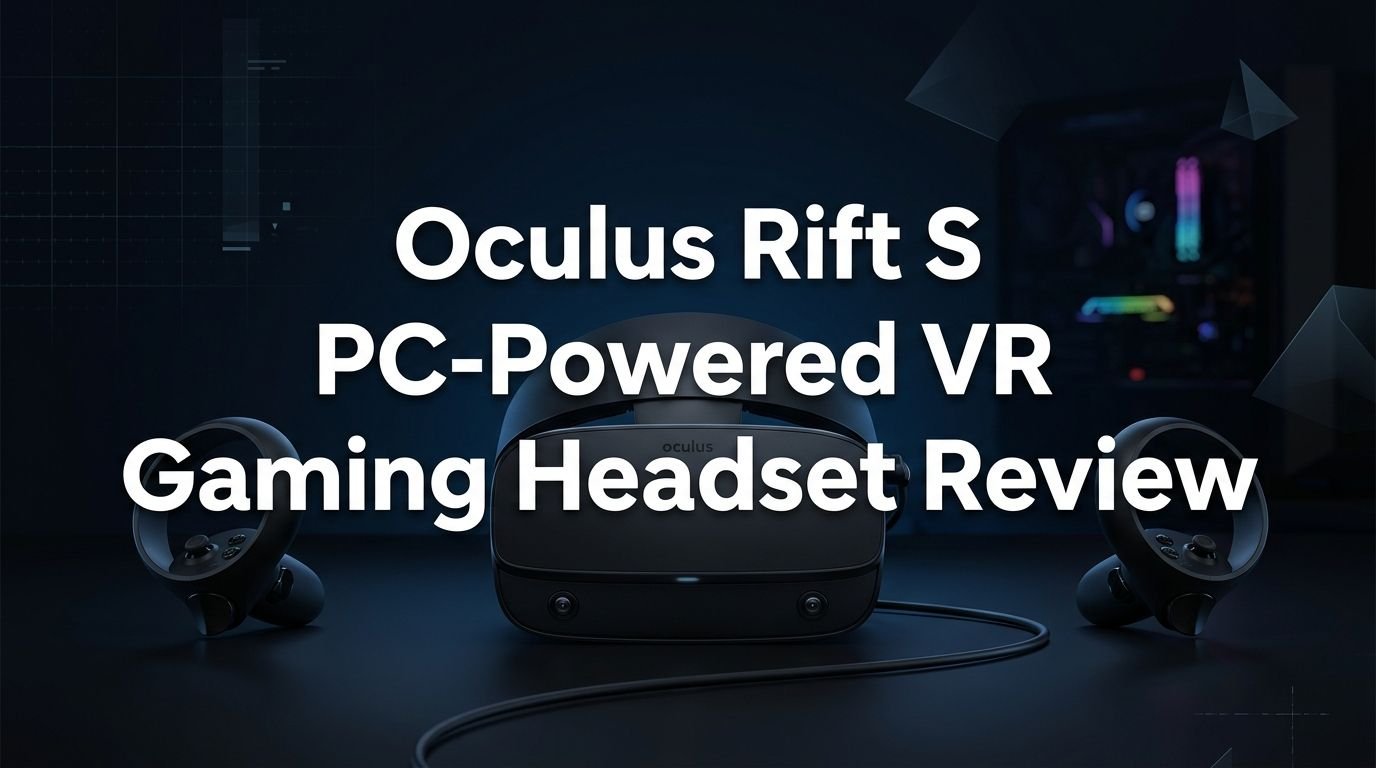
Oculus Rift S PC-Powered VR Gaming Headset Review 2026
Are you thinking about picking up the Oculus Rift S in 2026? This PC-powered VR headset made a huge splash when it first launched back in 2019.
It brought crisp visuals, inside-out tracking, and a comfortable halo headband to gamers everywhere. But VR technology has moved fast since then. New headsets from Meta, Valve, and Sony now fill store shelves.
So the big question remains: does the Oculus Rift S still hold up today? Whether you found one at a steep discount on a resale market or you already own one gathering dust in your closet, this review will give you every detail you need.
Key Takeaways:
- The Oculus Rift S offers a resolution of 1280 x 1440 per eye on a single LCD panel. This was a nice step up from the original Rift, but it falls short of modern headsets like the Meta Quest 3 that sport 4K displays.
- Inside-out tracking with five built-in cameras removes the need for external sensors. This makes setup simple and fast, which remains one of the biggest selling points of the Rift S even today.
- The halo headband provides solid comfort for long gaming sessions. Many users still praise how balanced the weight distribution feels on their heads compared to front-heavy designs.
- You need a VR-ready PC to use this headset. It requires at least a DisplayPort 1.2 connection and USB 3.0. The recommended GPU is an NVIDIA GTX 1060 or AMD Radeon RX 480 or better.
- Meta discontinued the Rift S in April 2021. This means no new hardware updates or accessories. Software support continues through the Oculus Store and SteamVR, but long-term availability of drivers and patches is uncertain.
- The Rift S still provides access to hundreds of VR games through the Oculus Store and SteamVR. If you find one at a low price, it can still deliver a fun PC VR experience for casual users.

Oculus Rift S PC-Powered VR Gaming Headset Overview
The Oculus Rift S arrived in May 2019 as the successor to the original Oculus Rift. Meta (then Facebook) partnered with Lenovo to co-design this headset. The goal was simple: make PC VR easier to set up and more comfortable to wear.
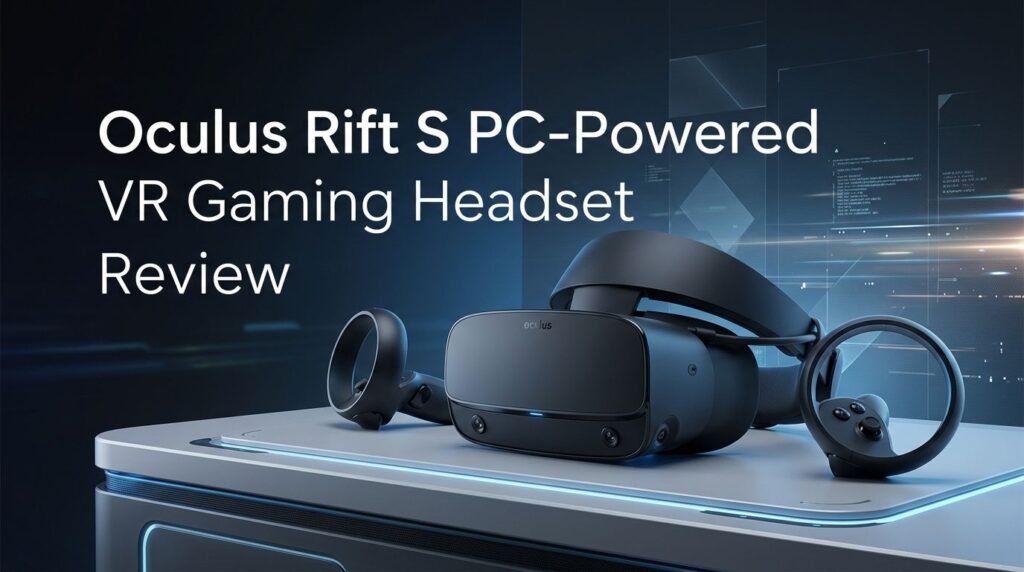
The Rift S replaced the external sensor system with Oculus Insight tracking. This technology uses five cameras mounted on the headset itself. It tracks your head and controller movements without any base stations or external hardware. You just plug the headset into your PC and start playing.
At launch, the Rift S retailed for $399 USD. It came bundled with two Oculus Touch controllers. These controllers offer precise hand tracking, thumbsticks, buttons, and triggers. They remain solid input devices for VR gaming.
The headset weighs about 500 grams (1.1 pounds). It connects to your PC through a single cable that splits into a DisplayPort 1.2 and a USB 3.0 connector. There is no wireless option for the Rift S, which is one area where newer headsets clearly win.
Display Quality and Visual Performance
The Rift S uses a single fast-switch LCD panel with a combined resolution of 2560 x 1440. That breaks down to 1280 x 1440 per eye. This was a meaningful upgrade over the original Rift’s dual OLED panels at 1080 x 1200 per eye.
The LCD panel reduces the screen door effect compared to the original Rift. Images look cleaner and text appears sharper. You can read in-game menus and dashboards with less eye strain than on older VR headsets.
However, the switch from OLED to LCD brought some trade-offs. Black levels are not as deep on the Rift S. Dark scenes in horror games or space simulators lose some of that inky richness. Colors also appear slightly less vibrant than what OLED panels deliver.
Comfort and Build Quality
Comfort is one area where the Rift S truly shines. The halo headband design distributes weight evenly across your forehead and the back of your head. Many users can wear the Rift S for two or three hours without feeling uncomfortable.
The headband uses a simple dial at the back to tighten or loosen the fit. This adjustment system works well and feels secure. You do not need to fiddle with multiple velcro straps like some competing headsets require.
The facial interface uses a soft fabric material instead of the leather-like foam found on many VR headsets. This fabric breathes better and reduces sweat buildup during longer sessions. It also feels gentler against your skin.
One downside is the lack of physical IPD adjustment. The Rift S has a fixed lens spacing of 63.5mm. You can adjust the software IPD setting, but this does not move the actual lenses. Users with very narrow or wide IPD may experience blurriness at the edges.
Tracking System: Oculus Insight
The Oculus Insight tracking system was a game-changer when the Rift S launched. Five cameras on the headset track the position of both the headset and the Touch controllers. This inside-out system eliminated the need for external sensors that the original Rift required.
Setup takes just a few minutes. You plug the headset into your PC, draw your play boundary in the Oculus software, and you are ready to go. No drilling sensors into walls or running USB cables across your room.
The tracking accuracy is impressive for everyday gaming. Head tracking feels smooth and responsive. Controller tracking works well in front of your body and to the sides. The five-camera layout gives the Rift S a wide tracking volume.
However, there are known blind spots behind your back and very close to your face. Games that require reaching behind your head or holding controllers near your chin may experience brief tracking loss. This is a limitation of camera-based inside-out tracking.
Top 3 Alternatives for Oculus Rift S
1. Meta Quest 3 (512GB)


2. Meta Quest 3S (128GB)

3. Valve Index VR Headset

Audio Experience on the Rift S
The Rift S uses built-in speakers positioned near your ears. These speakers use an open-ear design. Sound travels through a small gap between the speaker and your ear canal.
The audio quality is acceptable for casual gaming. You can hear spatial cues and in-game effects clearly enough to stay aware of your virtual surroundings. Positional audio works reasonably well for most VR titles.
However, the built-in speakers lack bass and volume. In noisy environments, you will struggle to hear subtle audio details. The open-ear design also lets sound leak out, which means people around you will hear what you are playing.
There is a 3.5mm headphone jack on the headset. Plugging in your own headphones dramatically improves the audio experience. Many Rift S owners recommend using over-ear headphones for the best sound quality and immersion.
Controller Quality: Oculus Touch
The Rift S ships with two Oculus Touch controllers. These are slightly updated versions of the original Touch controllers. They feature a ring design that wraps around the top of each controller.
Each controller has a thumbstick, two face buttons, a trigger, and a grip button. The layout feels intuitive and comfortable. Your hands naturally rest in a relaxed position while holding them.
The triggers offer smooth analog input. You can gently squeeze or pull them fully. This adds a layer of precision to shooting games, archery titles, and interactive experiences. The grip buttons also have analog sensitivity.
The controllers run on single AA batteries each. Battery life typically lasts between 20 and 40 hours depending on use. This is convenient because you can swap in fresh batteries quickly. No waiting for rechargeable controllers to charge.
Build quality is durable and lightweight. The controllers have survived many drops and bumps from enthusiastic VR gamers. The tracking rings are the most vulnerable part, so a hard impact on a wall or desk could crack them. Replacement controllers are harder to find now since Meta discontinued the Rift S.
PC Requirements and Compatibility
The Rift S is a PC-powered headset. It does not work on its own. You need a compatible computer to drive the VR experience. Here are the recommended system requirements:
The GPU should be an NVIDIA GTX 1060 or AMD Radeon RX 480 or better. The CPU needs to be an Intel i5-4590 or AMD Ryzen 5 1500X or higher. You also need at least 8 GB of RAM and one USB 3.0 port plus one DisplayPort 1.2 output.
One important detail: the Rift S does not support HDMI. You must have a DisplayPort 1.2 output on your GPU. Some laptops and mini-PCs lack this port, which can create compatibility issues. Adapters exist, but they do not always work reliably.
In 2026, most mid-range gaming PCs easily exceed these requirements. A modern GPU like an RTX 4060 or RX 7600 will run Rift S games at high settings with no problems. The headset’s lower resolution means your PC has less work to do compared to driving a 4K VR headset like the Quest 3.
Game Library and Software Support
The Rift S has access to one of the largest VR game libraries available. You can browse the Oculus Store for exclusive titles and use SteamVR for thousands of additional games. Popular titles like Half-Life: Alyx, Beat Saber, Boneworks, and Asgard’s Wrath all run well on the Rift S.
The Oculus Store still hosts many Rift-compatible games. Meta has not removed these titles from the platform. However, new game releases increasingly target the Quest platform rather than the Rift. Fewer developers are building games specifically for the Rift S in 2026.
SteamVR remains your best friend if you own a Rift S. Most new PC VR releases on Steam support the headset through the OpenXR runtime or SteamVR compatibility layer. This gives you access to a growing catalog of PC VR content well beyond what the Oculus Store offers.
Social VR apps like VRChat and Rec Room also work on the Rift S. These platforms have large active communities. You can jump into social spaces, play mini-games, and meet people from around the world.
Pros of the Oculus Rift S
The Rift S has several clear strengths that still matter in 2026. Easy setup is at the top of the list. Inside-out tracking means no base stations, no extra cables, and no complicated calibration. You can go from unboxing to playing in under ten minutes.
Comfort is another major win. The halo headband remains one of the most comfortable VR headband designs ever made. The light weight and balanced fit make long gaming sessions enjoyable. Few modern headsets match this level of comfort without aftermarket accessories.
The lower resolution is actually a benefit for older PCs. If you have a mid-range gaming computer from 2018 or 2019, the Rift S will run smoothly without demanding an expensive GPU upgrade. This makes it an affordable entry point for PC VR on budget hardware.
Game compatibility is broad. The Rift S works with the Oculus Store and SteamVR. You get access to almost every PC VR game ever released. This huge library includes many AAA-quality titles.
Cons of the Oculus Rift S
The Rift S also has notable weaknesses that become harder to ignore in 2026. The 80 Hz refresh rate is the most significant. Modern headsets run at 90 Hz, 120 Hz, or even 144 Hz. The lower refresh rate on the Rift S can cause mild discomfort for sensitive users during fast movement.
The fixed IPD of 63.5mm is a real problem for many people. If your interpupillary distance falls outside the 61mm to 66mm range, you may experience blurry edges and eye strain. There is no mechanical adjustment to fix this.
The headset is tethered by a cable that cannot be removed or replaced easily. If the cable gets damaged, repair options are limited. There is no official wireless adapter for the Rift S. This cable also restricts your movement during active games.
Meta discontinued the Rift S in April 2021. You cannot buy a new one from official channels. Replacement parts, controllers, and cables are increasingly scarce. This makes long-term ownership risky.
Who Should Buy the Oculus Rift S in 2026?
The Rift S is a good choice for a very specific audience in 2026. If you already own one, it still delivers a fun PC VR experience. There is no urgent reason to replace it unless the limited refresh rate or fixed IPD bothers you.
Budget shoppers can also benefit. Used Rift S units sell for very low prices on resale platforms. If you find one in good condition with working controllers and cable, it offers excellent value. You get access to a massive PC VR library at a fraction of what new headsets cost.
Casual VR gamers who play a few hours per week will find the Rift S perfectly adequate. It handles popular titles like Beat Saber and VRChat without issues. The comfortable design means you can enjoy relaxed gaming sessions.
However, if you are a serious VR enthusiast, the Rift S falls behind. You should look at the Meta Quest 3 for standalone versatility or the Valve Index for premium PC VR fidelity. These headsets offer sharper displays, higher refresh rates, and better long-term support.
Oculus Rift S vs. Meta Quest 3: Quick Comparison
The Meta Quest 3 is the natural successor to the Rift S in many ways. Here is how the two compare on key features.
Resolution: The Rift S offers 1280 x 1440 per eye. The Quest 3 provides 2064 x 2208 per eye. The Quest 3 is significantly sharper with almost no screen door effect.
Refresh Rate: The Rift S runs at 80 Hz. The Quest 3 supports up to 120 Hz. This makes a noticeable difference in smooth motion and comfort.
Tracking: Both use inside-out tracking. The Quest 3 adds improved controller tracking and optional hand tracking without controllers. The Rift S needs its Touch controllers for all interaction.
Tethered vs. Standalone: The Rift S requires a PC at all times. The Quest 3 works standalone or connected to a PC via USB or wireless Link. This flexibility is a major advantage.
Price: A used Rift S can cost under $100. A new Meta Quest 3 starts at $499. The price gap is large, but the Quest 3 offers far more value for your dollar in 2026.
Software Support: Meta actively updates the Quest 3 with new features and games. The Rift S receives minimal updates. The Quest 3 has a clear advantage in long-term viability.
How to Get the Best Experience from Your Rift S
If you already own a Rift S, a few tweaks can maximize your enjoyment. Start with the basics: make sure your GPU drivers are up to date. Both NVIDIA and AMD regularly release driver updates that improve VR performance.
Use SteamVR Super Sampling to boost image clarity. Since the Rift S has a lower native resolution, you can increase the render resolution in SteamVR settings. This makes games look sharper. A modern GPU handles this extra load easily.
Invest in good headphones. The built-in speakers are the weakest part of the Rift S. A pair of comfortable over-ear headphones transforms the audio experience. Look for lightweight models that fit comfortably over the halo headband.
Replace the facial interface foam if it has worn down. Third-party replacement pads are available online. A fresh pad improves comfort and hygiene. Some aftermarket pads use memory foam or silicone for a better seal.
Manage your cable carefully. Use cable management clips attached to your ceiling to keep the tether out of your way. This simple setup reduces tripping hazards and makes room-scale VR feel less restricted.
Final Verdict: Oculus Rift S in 2026
The Oculus Rift S is a capable but aging VR headset. It delivered a great experience at its launch price in 2019. In 2026, it remains functional and enjoyable for casual PC VR gaming. The comfort, easy setup, and broad game compatibility are real strengths.
But the limitations are clear. The 80 Hz refresh rate, fixed IPD, tethered design, and discontinued status all hold it back. If you already own one, keep using it and enjoy the library. If you are shopping for VR today, newer headsets offer a better experience.
For budget-conscious gamers, a used Rift S at a low price still makes sense. For everyone else, the Meta Quest 3 or Meta Quest 3S provides a more future-proof investment. The VR market has evolved, and the Rift S earned its place in history as a solid stepping stone for PC VR.
Frequently Asked Questions
Is the Oculus Rift S still supported in 2026?
The Rift S still works with the Oculus PC software and SteamVR. Meta has not officially ended software support, but updates are minimal. New features and improvements focus on the Quest platform. You can still play games and use VR apps, but do not expect new functionality or optimizations from Meta.
Can I use the Oculus Rift S without a PC?
No. The Rift S is a PC-powered headset only. It requires a compatible desktop or laptop computer with a DisplayPort 1.2 output and USB 3.0 port. It has no standalone capability. If you want wireless, standalone VR, look at the Meta Quest 3 or Quest 3S instead.
Where can I buy an Oculus Rift S in 2026?
Meta stopped manufacturing the Rift S in 2021. You can find used units on eBay, Amazon marketplace, Facebook Marketplace, and local resale shops. Prices vary depending on condition. Check that the headset, cable, and both controllers are included and working before you buy.
Is the Oculus Rift S good for sim racing and flight sims?
The Rift S provides a decent experience for simulation games. The inside-out tracking works well for seated play. The lower resolution means cockpit instruments may appear slightly blurry compared to higher-resolution headsets. Many sim racers and flight sim fans have upgraded to the Quest 3 or Valve Index for sharper visuals.
Does the Oculus Rift S work with SteamVR?
Yes. The Rift S is fully compatible with SteamVR. You can play any SteamVR game through the Oculus PC software. This gives you access to thousands of VR titles on Steam, including Half-Life: Alyx, Microsoft Flight Simulator VR, Beat Saber, and many more.
What is the IPD range of the Oculus Rift S?
The Rift S has a fixed lens spacing of 63.5mm. You can adjust the software IPD slider between 58mm and 72mm, but this does not physically move the lenses. Users with an IPD between 61mm and 66mm typically get the best results. People outside this range often report blurriness and discomfort.