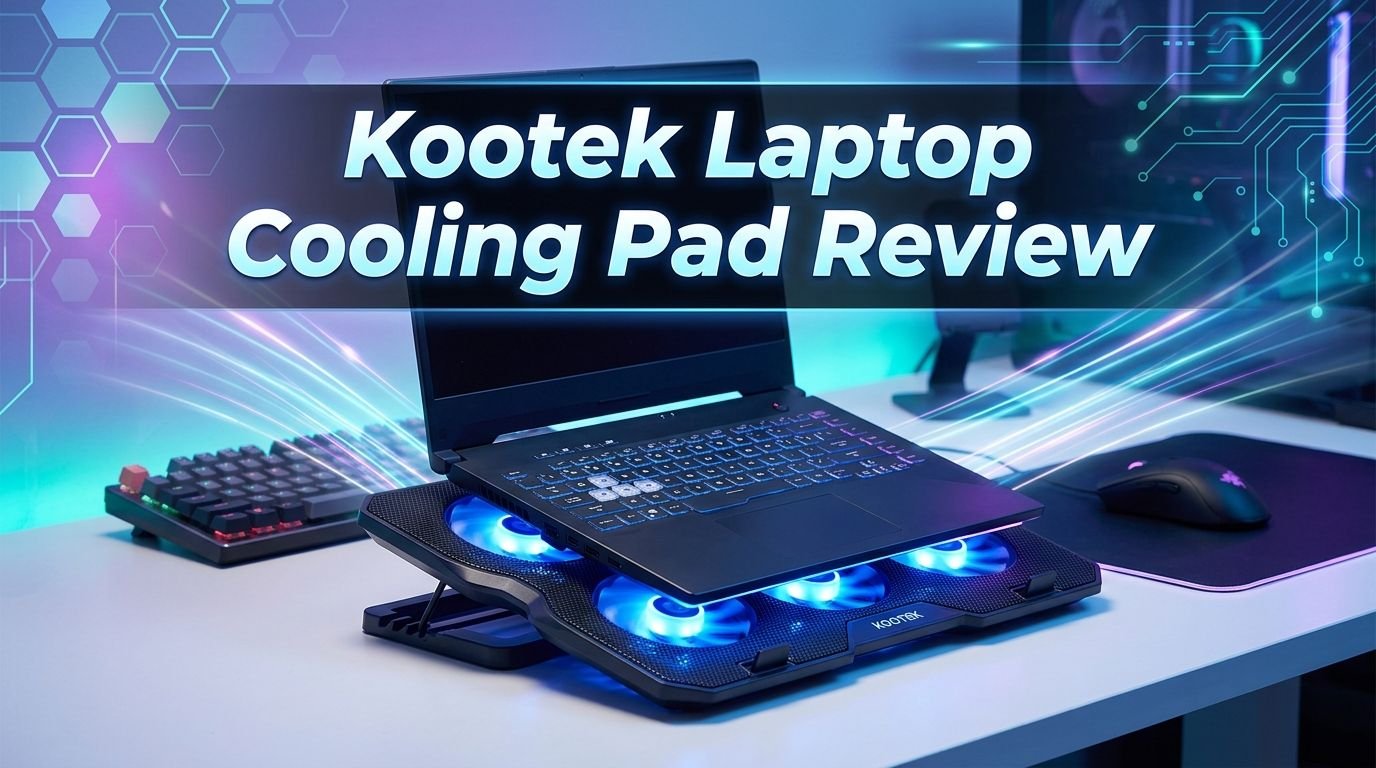
Kootek Laptop Cooling Pad Review 2026: Is It Worth Buying?
Your laptop is overheating. The fans sound like a jet engine. Games lag, videos stutter, and your thighs feel like they are on a frying pan. Sound familiar? You are not alone.
Millions of laptop users deal with heat problems every single day. The Kootek Laptop Cooling Pad promises to fix all of that at an affordable price.
But does it really work? In this detailed review, we put the Kootek Laptop Cooling Pad under the spotlight. We cover its build quality, cooling performance, noise levels, ergonomic features, and much more.

Key Takeaways:
- The Kootek Laptop Cooling Pad uses five built-in fans to deliver strong and consistent airflow. The central fan measures 4.72 inches. The four smaller fans measure 2.76 inches each. This combination covers a wide surface area and helps reduce laptop temperatures by several degrees during heavy use.
- Two independent switch controls let you run the large center fan alone or activate all five fans at once. This gives you full control over cooling power and energy use. You don’t have to run all fans if your laptop only needs light cooling.
- Six adjustable height settings make this cooling pad double as an ergonomic laptop stand. You can angle your screen for a better viewing position. This helps reduce neck strain and wrist fatigue during long work sessions.
- The pad fits laptops from 12 inches to 17 inches. This makes it a good option for most laptop sizes on the market today. It works with gaming laptops, ultrabooks, and standard notebooks without any issues.
- Blue LED lights and a slim profile give the pad a modern look. It draws power through a single USB connection and includes two extra USB 2.0 ports for connecting peripherals like a mouse or keyboard.
- The price point stays well under $30, which makes this one of the most budget-friendly cooling pads available. You get solid cooling performance without spending a lot of money.

Kootek Laptop Cooling Pad: Product Overview
The Kootek Laptop Cooling Pad has been a popular choice among budget-conscious buyers for years. It ships with five fans, two USB ports, adjustable height settings, and LED lighting. The entire unit draws power through a single USB cable connected to your laptop.
This cooling pad supports laptops between 12 and 17 inches. That range covers most laptops sold today, from compact ultrabooks to large gaming machines. The mesh surface allows air to pass through freely and reach the bottom of your laptop.
Kootek built this pad with a metal mesh top and a plastic frame. The mesh helps with heat transfer while the plastic body keeps the weight down. The whole unit weighs just over one pound, so it’s easy to carry in a backpack or laptop bag.
The brand has sold hundreds of thousands of units on Amazon alone. It consistently ranks among the top laptop cooling pads in its price range. User reviews highlight its quiet operation, effective cooling, and solid build quality as key strengths.
Build Quality and Design
The Kootek Laptop Cooling Pad has a clean and functional design. The top surface uses a metal mesh panel that allows maximum airflow to reach your laptop’s bottom vents. This mesh feels sturdy and does not flex under the weight of a standard laptop.
The frame uses hard plastic material. It is lightweight but firm enough to hold laptops up to 17 inches without wobbling. Four rubber pads sit on the bottom corners. These pads prevent the cooling pad from sliding on your desk.
A small flip-up stopper bar at the front edge keeps your laptop from sliding off when you tilt the pad upward. This is a small but important detail that many cheaper cooling pads skip. It adds a layer of safety, especially at steeper angles.
The overall dimensions are approximately 15.6 x 11.8 x 1.4 inches. This is a standard size that fits well on most desks and tables. The slim profile means it does not add much height to your setup. You can store it flat in a bag when you need to travel.
Cooling Performance
This is where the Kootek Laptop Cooling Pad truly earns its reputation. The five-fan system creates a powerful and well-distributed airflow pattern. The central fan spins at 1,400 RPM and measures 4.72 inches in diameter. The four smaller fans spin faster at 2,400 RPM and measure 2.76 inches each.
The larger center fan pushes cool air directly into the hottest zone of most laptops. The smaller fans target the surrounding areas. This arrangement helps lower surface temperatures by 5 to 10 degrees Fahrenheit during normal tasks.
Heavy gaming sessions and video editing produce the most heat. Users report noticeable temperature drops even during these intense workloads. The cooling pad won’t turn your gaming laptop into an ice box, but it will prevent thermal throttling in many cases.
The mesh surface plays a big role in cooling performance too. It does not trap heat between the laptop and the pad. Air flows freely from the fans through the mesh and into your laptop’s intake vents. This open airflow design works better than solid surface cooling pads.
Top 3 Alternatives for Kootek Laptop Cooling Pad
If the Kootek Cooling Pad doesn’t match your needs, here are three strong alternatives worth considering.

The TopMate C5 is a gaming-focused cooling pad with five fans and an LCD screen. It offers wind speed control through a built-in controller. This model supports laptops from 12 to 15.6 inches and delivers 2,500 RPM fan speeds for serious cooling power.

The KLIM Wind has sold over 500,000 units worldwide. It features four fans that run at 1,200 RPM and fits laptops from 11 to 19 inches. Its slim design and strong build quality have made it a fan favorite. This one prioritizes quiet operation and portability.

The TECKNET Laptop Cooling Pad offers a portable and ultra-slim design with three blue LED fans. It supports laptops from 12 to 17 inches and runs at 1,200 RPM. This option works well for people who want a basic, reliable, and affordable cooler without extra features.
Fan Speed and Noise Levels
The Kootek Laptop Cooling Pad markets itself as a quiet cooling solution. This claim holds up well in practice. The fans produce minimal noise even at full speed with all five fans running at the same time.
The central fan at 1,400 RPM creates a soft hum. The four smaller fans at 2,400 RPM add a slight buzz. Together, the sound stays at a comfortable background level. Most users report that the pad is quieter than their laptop’s internal fans.
Two separate on/off switches control the fan groups. One switch controls the large center fan. The other switch controls the four smaller fans. This lets you reduce noise by running only the center fan during light tasks. You can fire up all five fans during gaming or heavy workloads.
The ability to choose between partial and full fan operation is a big advantage. Many budget cooling pads force you into an all-or-nothing setup. The Kootek pad gives you flexibility. This keeps noise low when you don’t need maximum cooling.
Adjustable Height and Ergonomics
The Kootek Laptop Cooling Pad offers six adjustable height settings. You can tilt your laptop at different angles to find the most comfortable viewing position. This turns the cooling pad into a dual-purpose accessory: a cooler and an ergonomic stand.
A higher laptop screen angle brings the display closer to eye level. This reduces neck strain and improves posture during long work sessions. If you spend 8 or more hours at your desk each day, this feature alone can make a real difference.
The rear legs fold out and lock into position with a simple click. Changing the height takes just a few seconds. The mechanism feels solid and does not slip under the weight of a heavy laptop.
Even at the highest angle, the front lip keeps your laptop secure. You can type comfortably at any height setting without worrying about your laptop sliding off. This thoughtful design detail makes the Kootek pad stand out from many budget competitors.
USB Ports and Connectivity
The Kootek Laptop Cooling Pad includes two USB 2.0 ports built into the back edge of the unit. The pad itself connects to your laptop through a single USB cable. This cable provides both power and data connectivity.
The two extra ports let you connect peripherals like a mouse, keyboard, USB flash drive, or phone charger. This is helpful if your laptop has limited USB ports. It effectively adds one extra port to your setup since the pad uses one and provides two.
The USB 2.0 ports support standard data transfer speeds of up to 480 Mbps. They are fine for input devices and basic file transfers. They may not be ideal for external hard drives or devices that need USB 3.0 speeds.
Power delivery through the USB connection is stable. The fans start running the moment you flip the switch. There is no external power adapter needed. The entire pad draws its power from your laptop’s USB port, which keeps the setup clean and simple.
LED Lighting
All five fans on the Kootek Laptop Cooling Pad feature blue LED lights. These lights turn on automatically when the fans are running. They give the pad a cool, modern look that gamers tend to appreciate.
The blue glow shines through the mesh surface and creates a subtle ambient light effect under your laptop. It looks great in dimly lit rooms and during nighttime gaming sessions. The light is bright enough to notice but not bright enough to cause eye strain.
However, there is no option to turn off the LEDs separately from the fans. If the fans are running, the lights are on. This could bother users who prefer a clean, distraction-free workspace. It’s a minor drawback, but worth mentioning.
The LED lights do not add any extra power draw to speak of. They run efficiently and do not affect fan performance or your laptop’s battery life in a meaningful way. The lighting is a nice visual bonus rather than a core feature.
Compatibility with Different Laptop Sizes
The Kootek Laptop Cooling Pad supports laptops from 12 to 17 inches. This wide range covers almost every laptop category. Thin ultrabooks, mid-size business laptops, and large gaming laptops all fit on this pad without issues.
A 15.6-inch laptop sits perfectly centered on the pad with good fan coverage on all sides. A 17-inch laptop fits well but leaves less room at the edges. A 13-inch laptop works fine too, though you may need to position it carefully to align with the center fan.
The metal mesh surface is smooth and flat. Laptops with rubber feet grip the mesh nicely. The front lip adds extra stability. Even if you bump your desk, your laptop will stay in place.
For best cooling results, center your laptop directly over the fans. The bottom vents of your laptop should align with the fan openings on the cooling pad. This alignment maximizes the amount of cool air that reaches your laptop’s internal components.
Portability and Travel Use
The Kootek Laptop Cooling Pad weighs just about 1.4 pounds. That makes it light enough to toss into a backpack or laptop bag without adding much bulk. The slim 1.4-inch profile slides easily between books, folders, or other items in your bag.
There are no detachable parts to lose. The USB cable stays attached to the pad. The front lip folds flat. The rear legs collapse neatly into the body. Everything packs down into a compact and flat form factor.
If you work from coffee shops, libraries, or co-working spaces, this pad travels well. It sets up in seconds. You plug in the USB cable, flip a switch, and you’re ready to go. There’s no software to install and no drivers to configure.
Students will appreciate this portability. Carrying a cooling pad to class or the campus library is easy. The pad fits inside most standard laptop bags and adds barely any weight. It’s a grab-and-go accessory that delivers real cooling benefits on the road.
Gaming Performance Boost
Gamers are one of the biggest audiences for laptop cooling pads. The Kootek Laptop Cooling Pad delivers a noticeable improvement in thermal management during gaming sessions. Keeping temperatures lower helps your laptop maintain higher clock speeds for longer periods.
Thermal throttling is a common problem with gaming laptops. The CPU and GPU slow down automatically when they get too hot. A cooling pad helps prevent this. The result is smoother frame rates and fewer performance dips during intense gaming moments.
The five-fan layout targets the areas where gaming laptops generate the most heat. The center fan cools the CPU zone. The surrounding fans keep the GPU and memory areas cooler. This distributed cooling approach works better than a single-fan pad.
Keep in mind that a cooling pad is a supplement, not a replacement for proper laptop maintenance. Clean your laptop’s internal fans regularly. Use it on a hard, flat surface. The Kootek pad works best as part of a broader heat management strategy.
Pros and Cons of the Kootek Laptop Cooling Pad
Every product has strengths and weaknesses. The Kootek Laptop Cooling Pad is no different. Here is an honest look at what it does well and where it falls short.
On the plus side, the five-fan system delivers effective cooling across a wide area. The dual switch controls give you flexibility over fan speed and noise. Six height settings add real ergonomic value. The build quality is solid for a budget product. The price point stays impressively low.
On the downside, the USB 2.0 ports feel outdated. Modern laptops increasingly rely on USB-C and USB 3.0 connections. The LED lights cannot be turned off independently from the fans. The plastic frame, while functional, does not feel premium.
Some users report that the cooling effect is limited on thick gaming laptops with poor ventilation design. The pad can only push air toward the bottom of your laptop. If your laptop’s vents face sideways or backward, the benefit is reduced.
Overall, the pros strongly outweigh the cons at this price point. You get reliable cooling, solid ergonomics, and decent build quality for less than $30. Few competitors offer this combination of features at a similar price.
Who Should Buy This Cooling Pad?
The Kootek Laptop Cooling Pad is a great fit for several types of users. Students who carry laptops to class benefit from its light weight and easy setup. The ergonomic stand feature helps during long study sessions at the library.
Remote workers and office professionals will appreciate the adjustable height settings. Raising your laptop screen reduces neck and back strain. The quiet fans let you work in shared spaces without disturbing others.
Casual and mid-level gamers get real value from the cooling performance. The pad helps prevent thermal throttling and keeps temperatures lower during extended gaming sessions. Serious gamers with high-end rigs may want a more powerful cooling solution, but this pad handles most situations well.
Budget shoppers should also take a close look. The Kootek pad delivers features you normally find in $50+ cooling pads at a fraction of the cost. If you need a reliable, affordable, and portable cooling pad, this one checks all the right boxes.
Final Verdict: Is the Kootek Laptop Cooling Pad Worth It?
The Kootek Laptop Cooling Pad continues to be one of the best budget cooling pads available in 2026. It combines five-fan cooling, adjustable height, quiet operation, and USB connectivity into a compact and affordable package. The build quality holds up well over time.
It won’t perform miracles on laptops with severe thermal design flaws. But for the vast majority of users, it delivers a meaningful drop in temperature and a noticeable improvement in comfort. The ergonomic stand feature adds extra daily value beyond just cooling.
At its current price point, the Kootek Laptop Cooling Pad offers outstanding value for money. If your laptop runs hot and you need a practical solution that won’t break the bank, this cooling pad is a smart buy. We recommend it with confidence.
Frequently Asked Questions
Does the Kootek Laptop Cooling Pad actually lower laptop temperatures?
Yes. The five-fan system pushes cool air directly toward your laptop’s bottom surface. Users report temperature reductions of 5 to 10 degrees Fahrenheit during normal and heavy use. The exact cooling effect depends on your laptop’s design and ventilation layout. Laptops with bottom-mounted intake vents benefit the most from this cooling pad.
How loud is the Kootek Laptop Cooling Pad?
The pad runs quietly even with all five fans active. The noise stays at a soft background hum level. Most users say the pad is quieter than their laptop’s built-in fans. You can reduce noise further by using only the center fan for lighter workloads.
Can I use the Kootek Cooling Pad with a MacBook?
Yes. The pad supports laptops from 12 to 17 inches, and MacBook Air and MacBook Pro models fit comfortably on the surface. The USB-A cable connects to MacBooks through a USB-C adapter or hub. The cooling effect works the same way regardless of the laptop brand.
Does this cooling pad work with a laptop on a bed or couch?
The Kootek Cooling Pad works best on a hard and flat surface like a desk or table. Using it on a bed or couch blocks the bottom airflow vents on the pad itself. If you must use it on a soft surface, place a hard board underneath the pad first.
How long does the Kootek Laptop Cooling Pad last?
Many users report using this pad for two years or more without any problems. The metal mesh surface resists wear. The fans maintain consistent speeds over time. The USB cable and switches hold up well with regular daily use. Proper care and occasional cleaning extend the lifespan further.
Does the cooling pad drain my laptop battery faster?
The pad draws a small amount of power through the USB connection. The impact on battery life is minimal, roughly equivalent to charging a phone. If you want to preserve maximum battery life, you can run only the center fan instead of all five.